
Fortinet white logo
Fortinet white logo

Administration Guide

Search for objects while viewing a policy

Search for objects while viewing a policy

Object search can be done using a persistent search menu which is available when viewing policies, and the search extends to all object types.

The persistent object search menu is disabled by default and can be enabled through the CLI.

To enable the persistent object search menu:
  1. Enter the following commands in the FortiManager CLI:

    config system global
    	set gui-object-search enable
    end
To use the persistent search menu:
  1. Go to Policy & Objects > Policy Packages.

  2. In the toolbar, select More > Object Search.
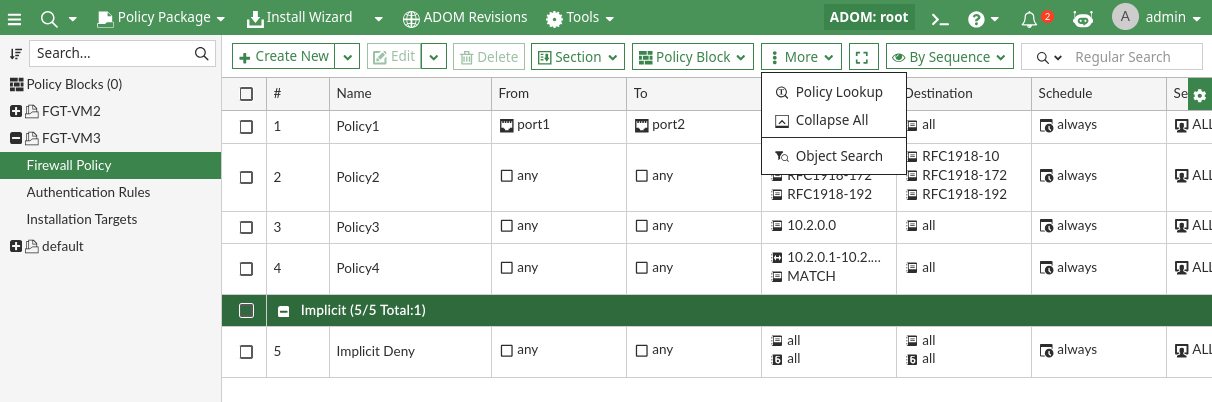
    The Object Search slide in menu appears with the following features:

    • See which objects are configurable to which policy fields.
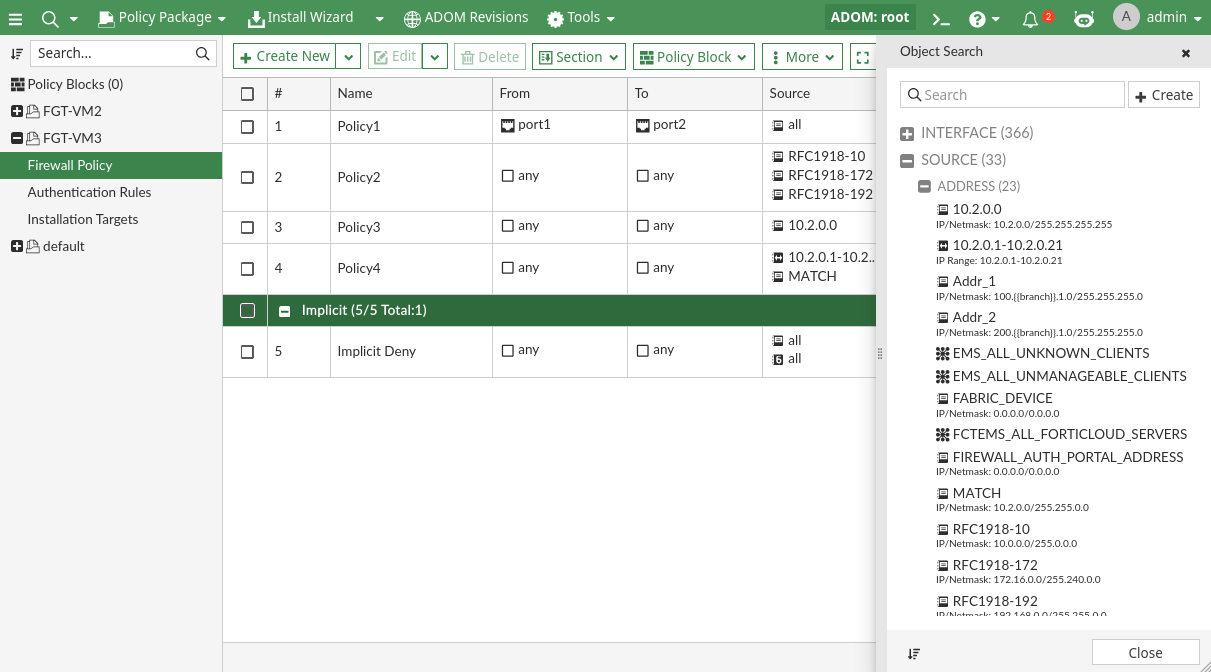
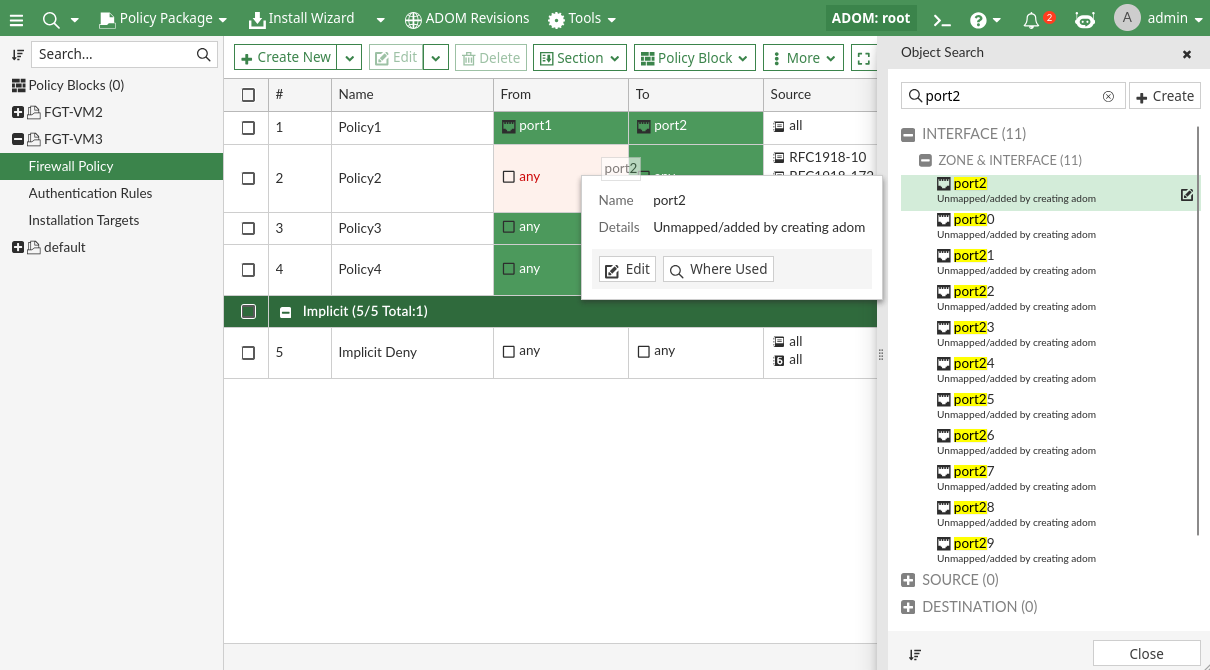
    • Perform searches, create new objects, edit existing objects, and see where an object is used.

    • Assign objects from the search panel to a policy by dragging and dropping the object into the corresponding column. FortiManager only supports the drag-and-drop object feature when the object is placed in the column of the same category.
Search for objects while viewing a policy

Search for objects while viewing a policy

Object search can be done using a persistent search menu which is available when viewing policies, and the search extends to all object types.

The persistent object search menu is disabled by default and can be enabled through the CLI.

To enable the persistent object search menu:
  1. Enter the following commands in the FortiManager CLI:

    config system global
    	set gui-object-search enable
    end
To use the persistent search menu:
  1. Go to Policy & Objects > Policy Packages.

  2. In the toolbar, select More > Object Search.

    The Object Search slide in menu appears with the following features:

    • See which objects are configurable to which policy fields.

    • Perform searches, create new objects, edit existing objects, and see where an object is used.

    • Assign objects from the search panel to a policy by dragging and dropping the object into the corresponding column. FortiManager only supports the drag-and-drop object feature when the object is placed in the column of the same category.