

Technical support
We, Fortinet, provide free technical support to all our customers with valid product licenses.
Preparing for technical support
In order for us to expedite your technical support request, be sure to have the following information ready when creating the support ticket:
-
Your FortiIdentity Cloud (FIC) account ID, the serial number and version number of your FortiProducts (e.g., FortiAuthenticator, FortiGate), including FortiClient version if using FortiClient.
-
A detailed description of your problem, including relevant background information. If the issue is about login authentication failure, be sure to provide your FIC username, token serial number, and the version number of the FortiIdentity mobile app.
-
Debug log(s), error messages, and/or screenshots, if available.
-
Your troubleshooting steps and the result.
Getting your Fortinet product serial number ready
Providing your Fortinet product serial number will help us expedite your service request. How you get your Fortinet product serial number depends on your license, as discussed in the following paragraphs.
Licensed customers
If you are using a time-based FIC license, follow the steps below to locate your Fortinet product serial number:
- Log into the FortiIdentity Cloud portal.
- On the left-side menu, select Licenses to open the Licenses page.
- Take note of the serial number for the contract which you are having trouble with.
Customers with FTM tokens migrated from FortiGate to FIC
If you have migrated your FTM tokens from FortiGate to FIC, take the following steps to get your serial number:
- Got to Services > Asset Management.
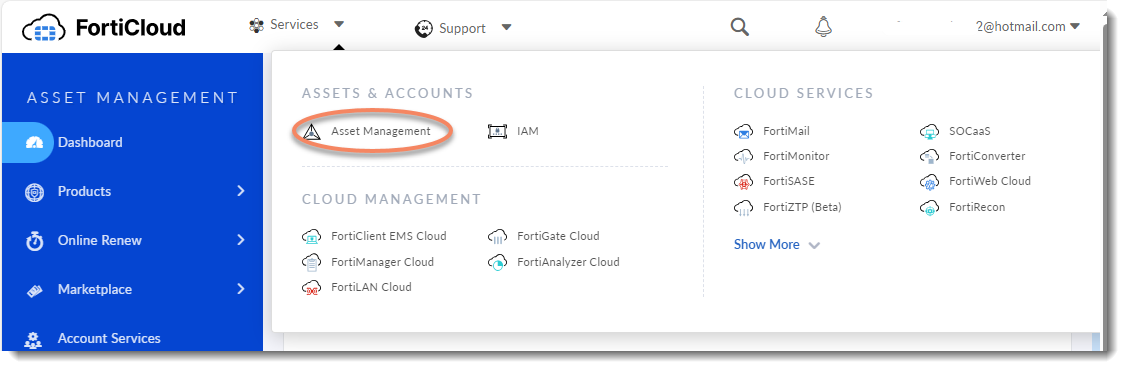
-
Click Products > Product List to get the serial number of your FortiGate.
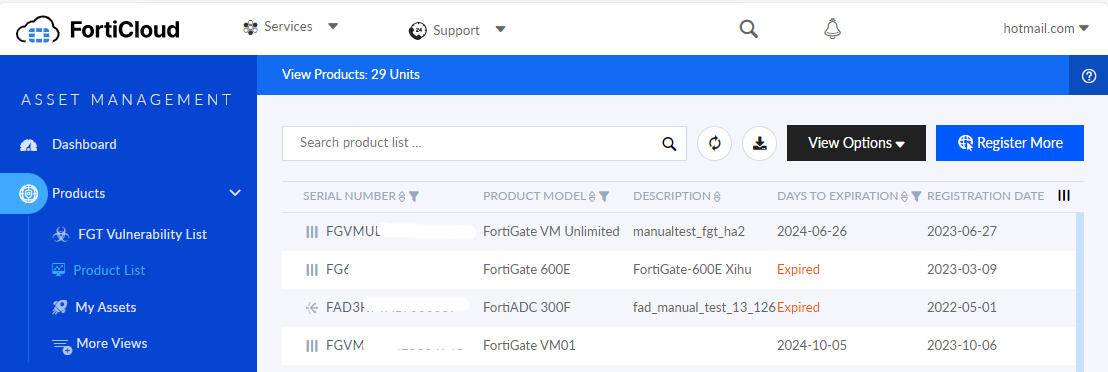
Creating a technical support ticket
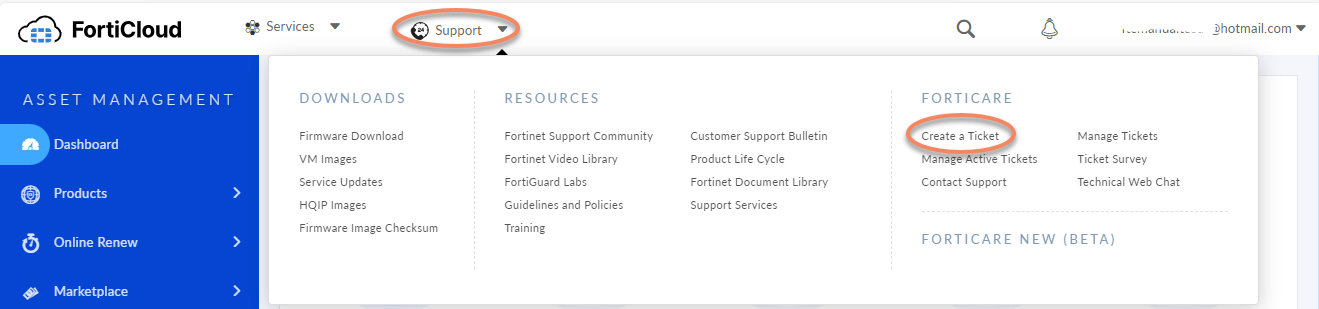
- From the top of the FIC GUI, select Support>Create a Ticket.
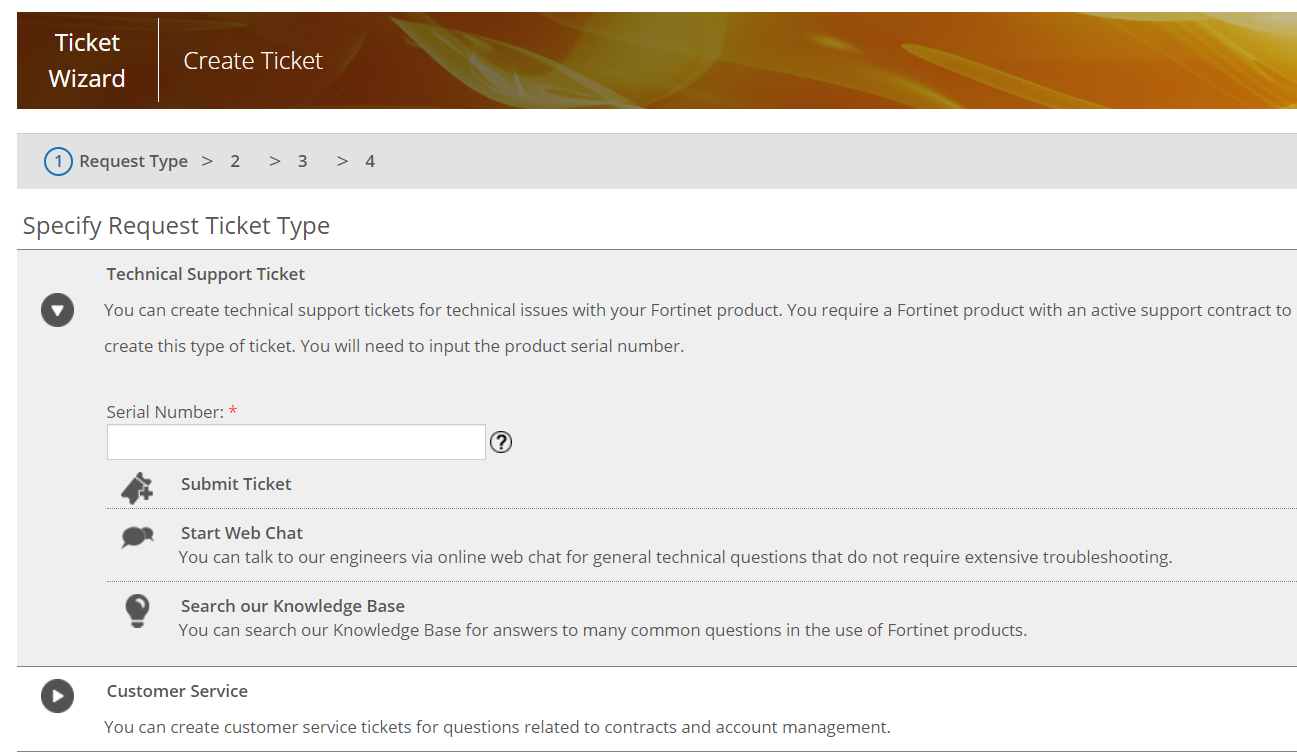
- Select Technical Support Ticket, enter the serial number of your license, and click Submit Ticket.

|
The instructions above apply to paying customers with valid licenses only. If you are using a free trial version of FortiIdentity Cloud and have questions about contracts, licenses, and account management, please create a ‘Customer Service’ ticket instead. |