

Overview
This document is designed to be a quick start walk-though in setting up a virtual FortiMail device utilizing Amazon Web Services (AWS).
Amazon Virtual Private Cloud (VPC)
Amazon VPC lets you provision a logically isolated section of the Amazon Web Services (AWS) Cloud where you can launch AWS resources in a virtual network that you define. You have complete control over your virtual networking environment, including selection of your own IP address range, creation of subnets, and configuration of route tables and network gateways. You can also create a Hardware Virtual Private Network (VPN) connection between your corporate datacenter and your VPC and leverage the AWS cloud as an extension of your corporate datacenter.
You can easily customize the network configuration for your Amazon VPC. For example, you can create a public-facing subnet for your web servers that have access to the Internet, and place your backend systems such as databases or application servers in a private-facing subnet with no Internet access. You can leverage multiple layers of security, including security groups and network access control lists, to help control access to Amazon EC2 instances in each subnet.
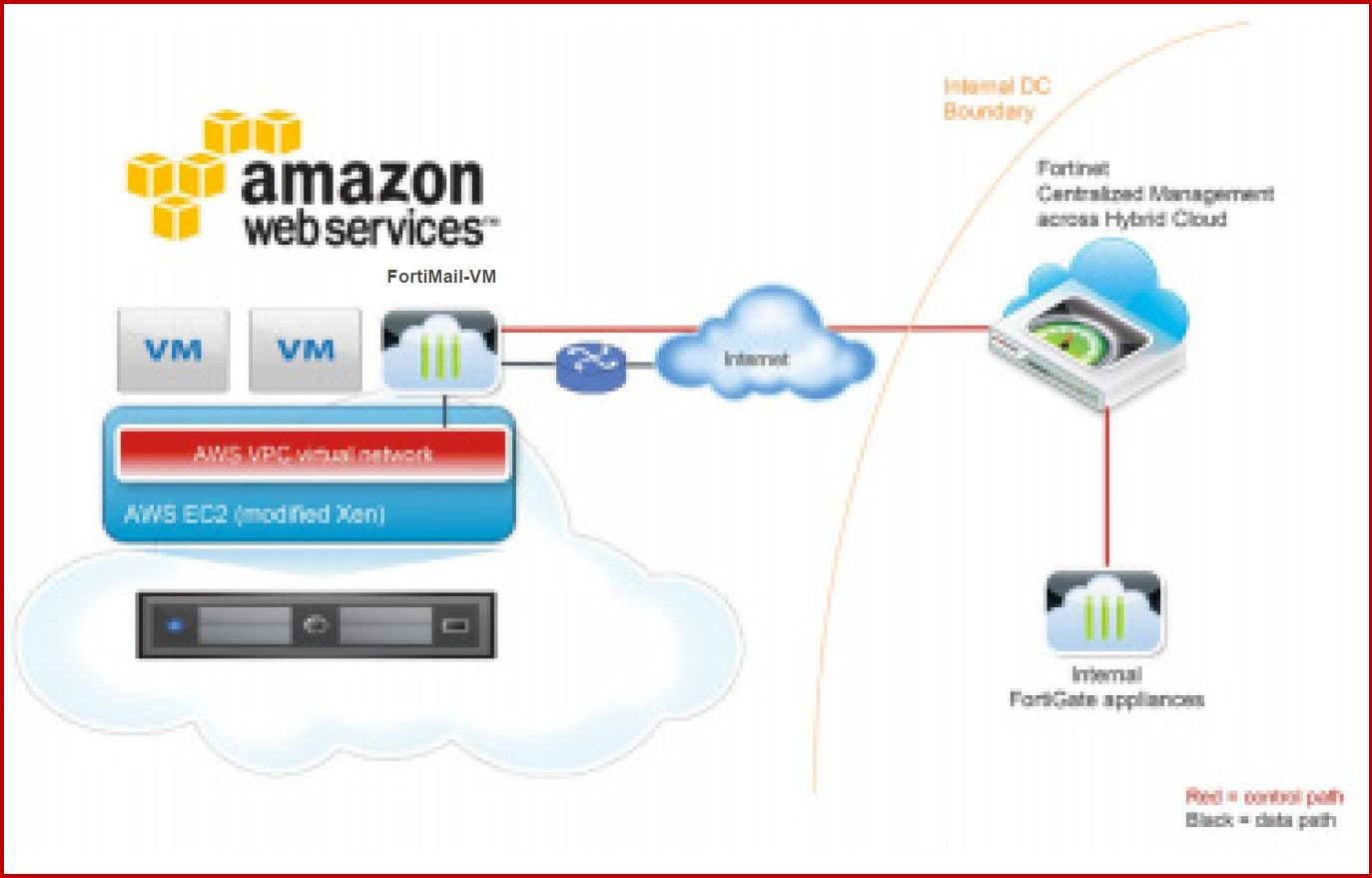
Components of Amazon VPC
Amazon VPC is comprised of a variety of objects that will be familiar to customers with existing networks:
-
A Virtual Private Cloud (VPC): a logically isolated virtual network in the AWS cloud. You define a VPC’s IP address space from a range you select.
-
Subnet: a segment of a VPC’s IP address range where you can place groups of isolated resources.
-
Internet Gateway: the Amazon VPC side of a connection to the public Internet.
-
NAT Instance: An EC2 instance that provides Port Address Translation for non-EIP instances to access the Internet via the Internet Gateway.
-
Hardware VPN Connection: a hardware-based VPN connection between your Amazon VPC and your datacenter, home network, or co-location facility.
-
Virtual Private Gateway: the Amazon VPC side of a VPN Connection.
-
Customer Gateway: Your side of a VPN Connection.
-
Router: Routers interconnect Subnets and direct traffic between Internet Gateways, Virtual Private Gateways, NAT instances and Subnets.
-
Peering Connection: A peering connection enables you to route traffic via private IP addresses between two peered VPCs.
How do instances in a VPC access the Internet?
Elastic IP addresses (EIPs) give instances in the VPC the ability to both directly communicate outbound to the Internet and to receive unsolicited inbound traffic from the Internet (e.g., web servers)
How do instances without EIPs access the Internet?
Instances without EIPs can access the Internet in one of two ways:
-
Instances without EIPs can route their traffic through a NAT instance to access the Internet. These instances use the EIP of the NAT instance to traverse the Internet. The NAT instance allows outbound communication but doesn’t enable machines on the Internet to initiate a connection to the privately addressed machines using NAT.
-
For VPCs with a Hardware VPN connection, instances can route their Internet traffic down the Virtual Private Gateway to your existing datacenter. From there, it can access the Internet via your existing egress points and network security/monitoring devices.
Network information
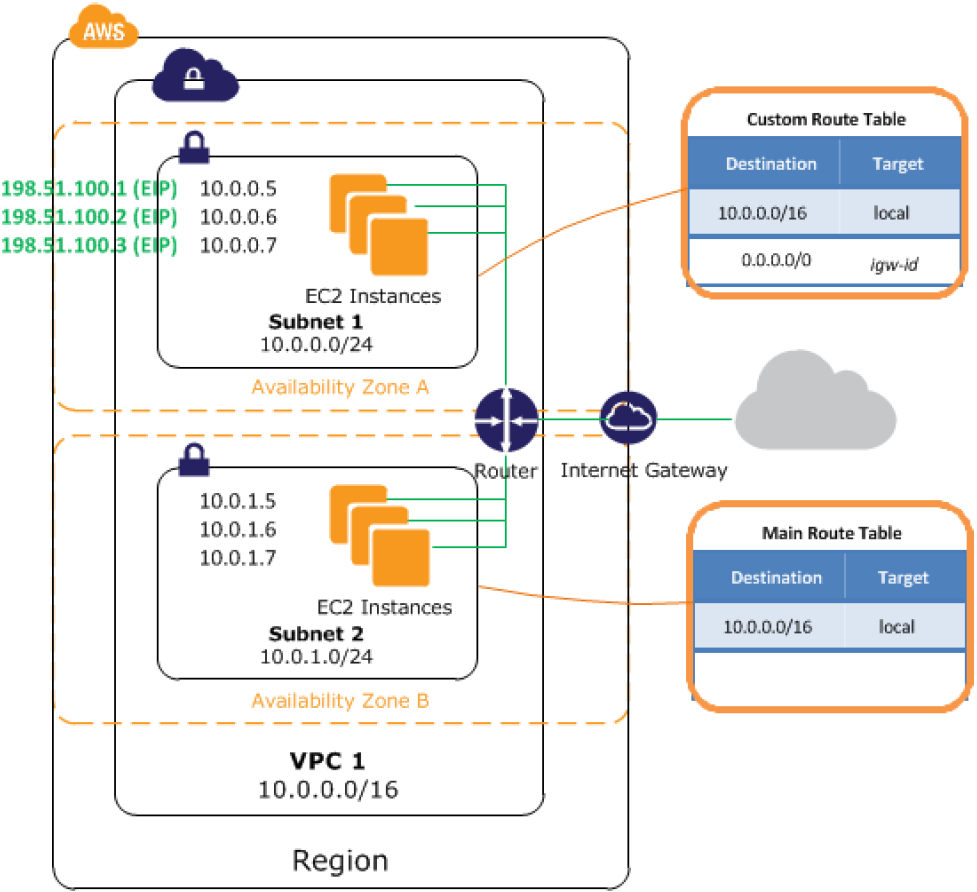
The following diagram shows the default network design for a Public and Private VPC. We will be replacing much of the router functionality with the FortiMail as described in the previous diagram.
-
VPC subnet: 10.0.0.0/16
-
Public subnet: 10.0.0.0/24
-
Private subnet: 10.0.1.0/24

|
Warning: AWS blocks outbound traffic on port 25 (SMTP) of all EC2 instances by default. For information about how to remove the restriction, see: |