
Fortinet white logo
Fortinet white logo

Getting started

Getting started

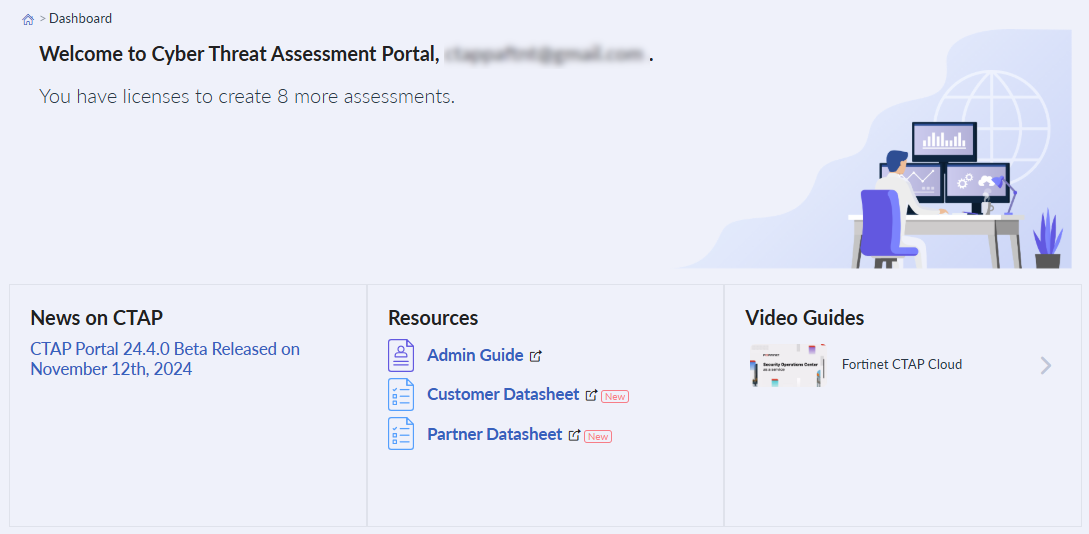
You can access the CTAP Cloud portal from your FortiCloud account. After logging into the account and selecting the Partner user, go to the Services dropdown menu and select CTAP. You will be directed to the CTAP Cloud Dashboard.
General process

The general process of creating and provisioning an assessment is as follows:

  1. Provision a CTAP Cloud assessment in the FortiCloud Marketplace portal. See CTAP in the FortiCloud Asset Management guide.

  2. Create the assessment in the CTAP Cloud portal:

    1. The assessment is created by defining opportunity and device details. See Creating new assessments.

    2. The portal generates a configuration file to add to the FortiGate device. See Working with configuration files.

  3. Configure the device with the provided configuration file. See Working with configuration files.

  4. Provision the device and connect it to the customer's environment.

  5. Collect logs from the device over a series of days.

  6. Generate the report. See Generating reports.

  7. Review the report with the customer.

Getting started

Getting started

You can access the CTAP Cloud portal from your FortiCloud account. After logging into the account and selecting the Partner user, go to the Services dropdown menu and select CTAP. You will be directed to the CTAP Cloud Dashboard.

General process

The general process of creating and provisioning an assessment is as follows:

  1. Provision a CTAP Cloud assessment in the FortiCloud Marketplace portal. See CTAP in the FortiCloud Asset Management guide.

  2. Create the assessment in the CTAP Cloud portal:

    1. The assessment is created by defining opportunity and device details. See Creating new assessments.

    2. The portal generates a configuration file to add to the FortiGate device. See Working with configuration files.

  3. Configure the device with the provided configuration file. See Working with configuration files.

  4. Provision the device and connect it to the customer's environment.

  5. Collect logs from the device over a series of days.

  6. Generate the report. See Generating reports.

  7. Review the report with the customer.