

Configuring a FortiGate virtual machine (VM)
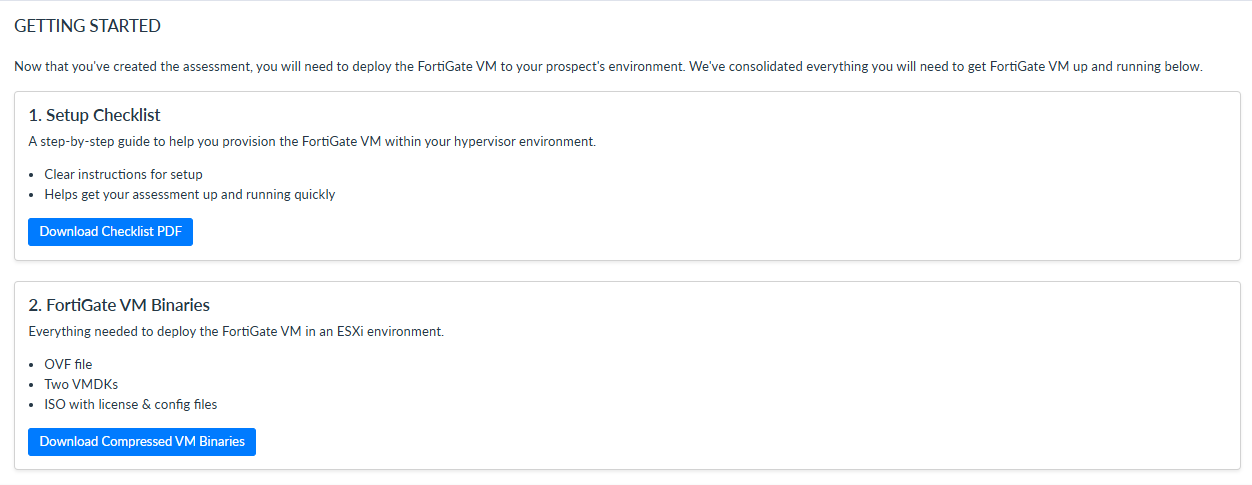
After creating an FortiGate VM assessment, the Setup Checklist and FortiGate VM Binaries files will become available:
-
The Setup Checklist outlines the procedure needed to prepare and set up your FortiGate VM.
-
The FortiGate VM Binaries compressed file includes the OVF file, two VMDKs, and the ISO with the license and configuration files. These files are necessary to preparing and running the VM ahead of the assessment.
Currently, only ESXi-based FortiGate VMs are supported by CTAP Cloud. After creating the FortiGate VM in the ESXi environment, upload and install the OVF file. Once the OVF file is deployed, the binaries, license, and configuration files should be installed automatically.
To access the files needed to configure the VM:
-
Go to Assessments.
-
Select the VM assessment you created.
-
In the Getting Started section, select Download Checklist PDF and Download Compressed VM Binaries.
-
Follow the instructions in the Setup Checklist to prepare your VM.