Creating a hardware appliance configuration
Specify the device model and service package to use in a hardware device entitlement. See Creating hardware device entitlements.
To create a hardware appliance configuration:
- Go to Configurations, and click New Configuration.
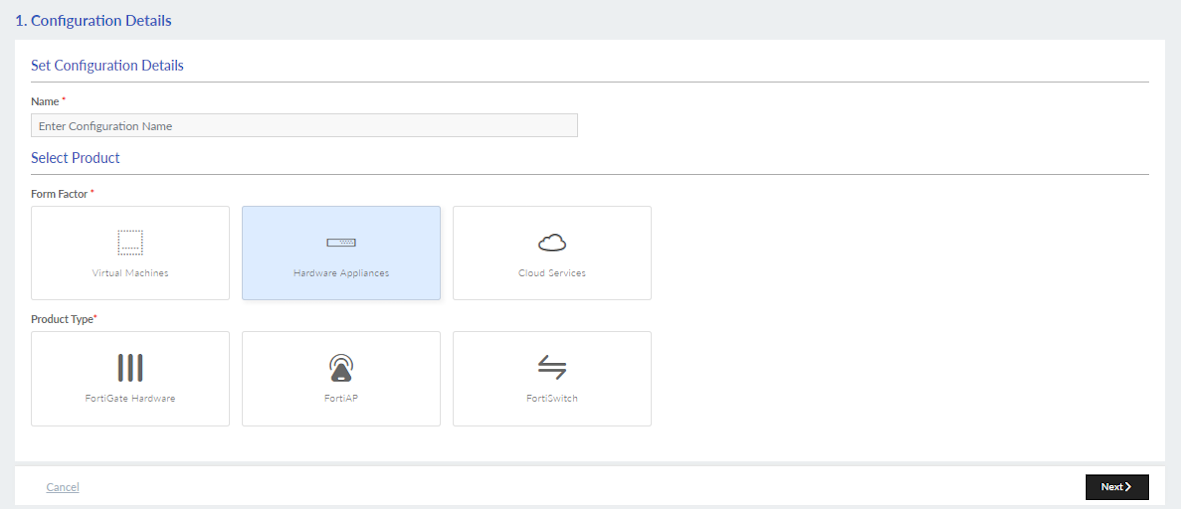
- In the Configuration Details page, set the configuration details and click Next.
Name Enter a configuration name.

The configuration name is a label and not the identifier of the configuration. Changes to the name do not affect any references to the given configuration, which is referred to by its configuration ID. However, you cannot have two configurations with the same name.
Form Factor
Hardware Appliances
Product Type Select the following option:
- FortiGate Hardware
- FortiAP
- FortiSwitch
For information, see Service offerings.
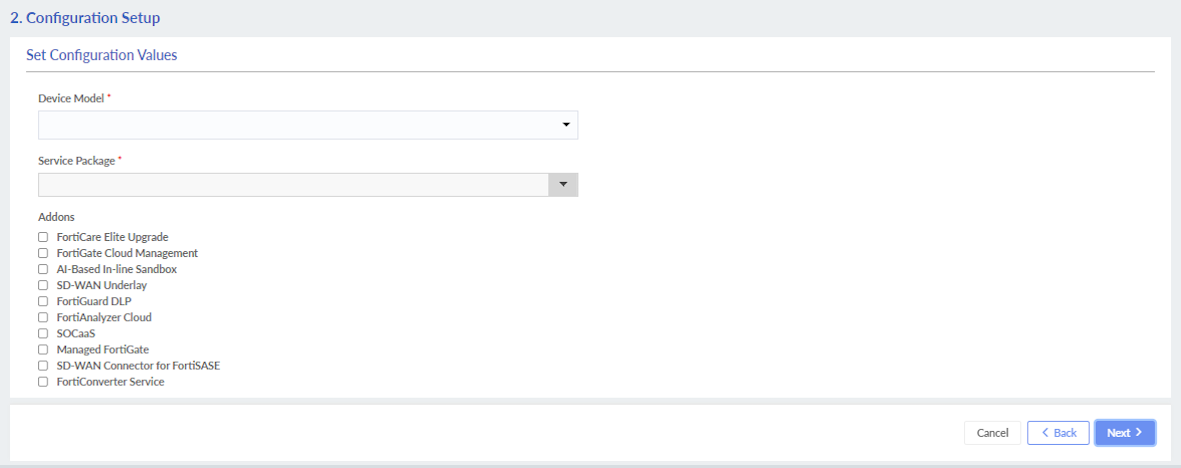
- In the Configuration Setup page, set the service details and click Next. For more information, see Configuration details.
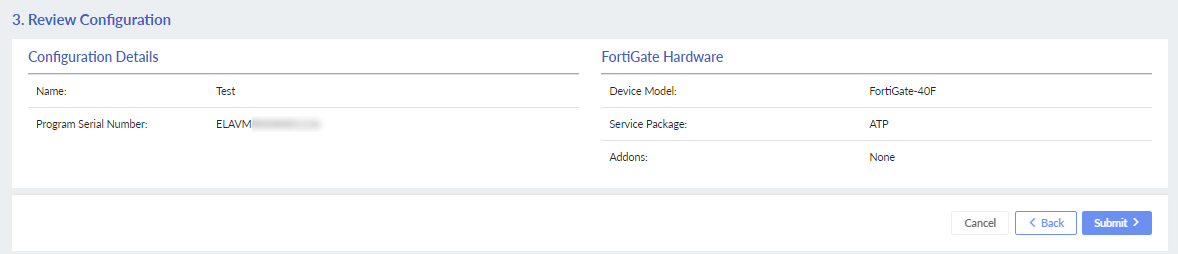
- Review the configuration details, and click Submit.
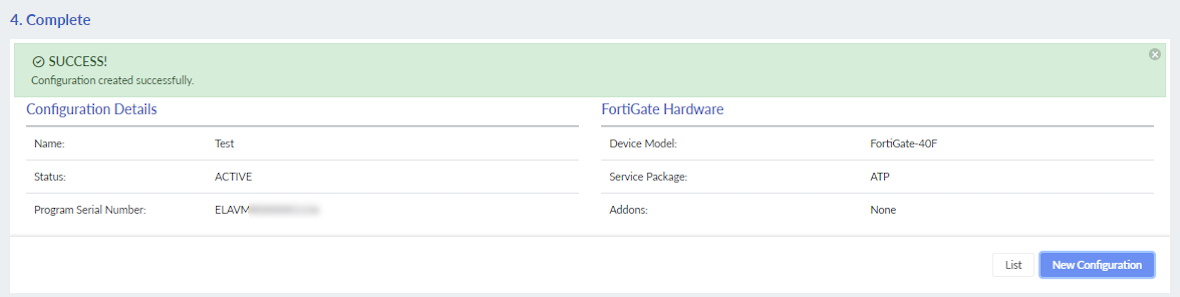
- Click List to view the configuration in the Configurations tab.