

User Interface Overview
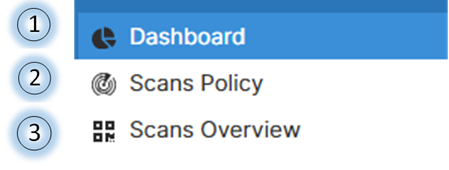
The FortiDAST solution provides an interactive and easy to use GUI which enables easy vulnerability assessment. The GUI home page contains 3 sections accessible from the left navigation menu.
|
Section |
Description |
|---|---|

|
The dasboard displays the overall statistics and details for a scanned asset. See Dashboard |
|
|
The scans policy allows you add assets, authorize, and scan them for vulnerability scanning. The IP address/FQDN of web applications and the port are inputs on this page. The authorization and scan status of the assets are also displayed on this page. You can also configure the scanner for vulnerability assessment. See Vulnerability Assessment (scanning) of an Asset |

|
The scans overview displays the detailed scan result for vulnerability assessment. Scans Overview (Scan Result) |

Notifications
Click on the  notification icon to view the following notifications; notifications are retained for 7 days.
- License about to expire
- License expired
- Alerts configured in custom settings of email notifications
- WAF rules generated for the vulnerablities selected
- The selected vulnerability is not detected for report generation
- Scheduled portal upgrade
- Portal upgrade completed
Support Resources
To access FortiDAST support resources:
-
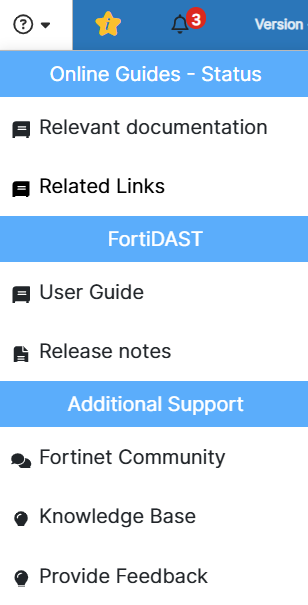
Click Help in the top menu.
-
From the dropdown menu, select the resource you need:
-
Online Guides: Includes context-sensitive help links embedded throughout the application.
-
FortiDAST: Provides links to release notes and the user guide.
-
Additional Support: Offers links to the Fortinet Community, Knowledge Base, and a feedback form.
-
Feedback
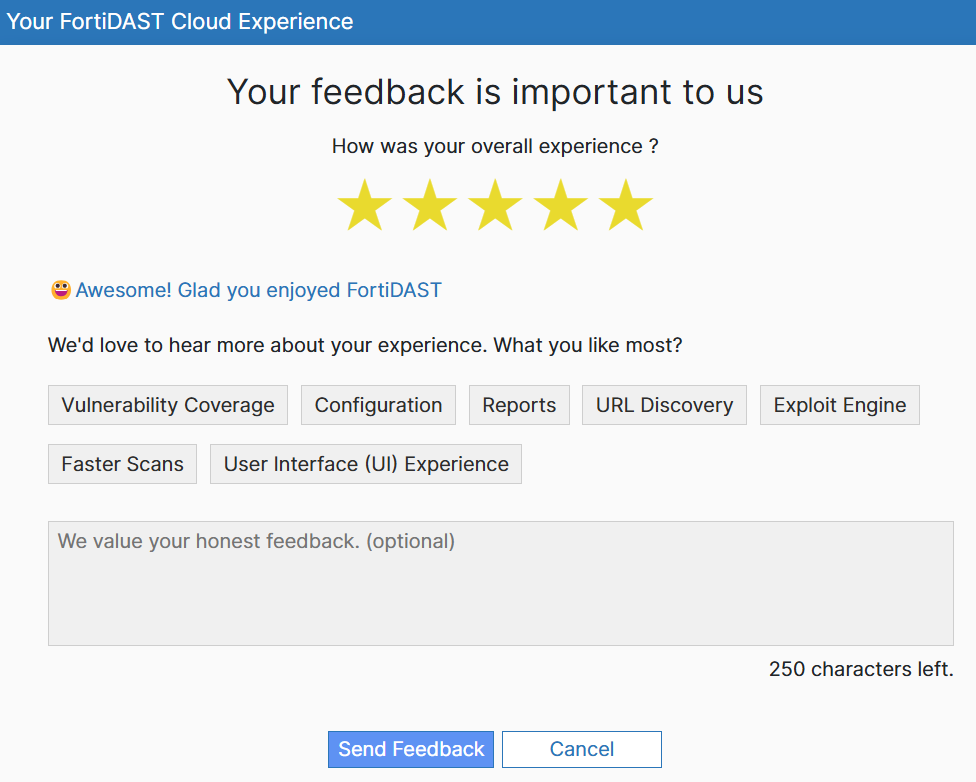
We value your feedback and encourage you to share your thoughts to help us improve FortiDAST. To provide feedback:
-
Locate and click the Feedback floating button, which is accessible from any page within FortiDAST.
-
In the feedback window, select a rating that reflects your experience.
-
Enter your comments in the provided text area.
-
Click Send Feedback to submit your feedback.
Outbreak Alerts
The FortiGuard labs will constantly monitor for potential security vulnerabilities and will designate certain CVEs as outbreak alerts if they are being widely exploited. All the outbreak alerts for the top 5 scanned assets can be viewed in the Dashboard > Outbreak Alerts page and asset specific outbreak alerts can be viewed in the Summary and Vulnerabilites pages.