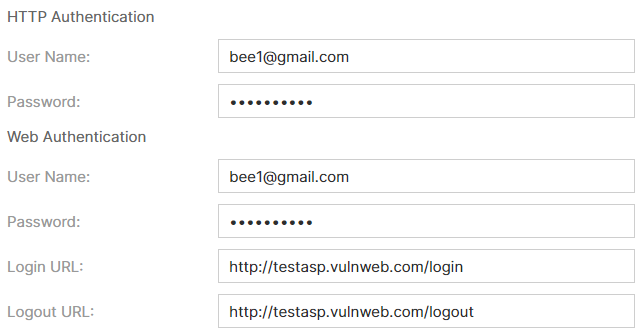
Authentication (via GUI)
This is required for assets that have authentication enabled.
-
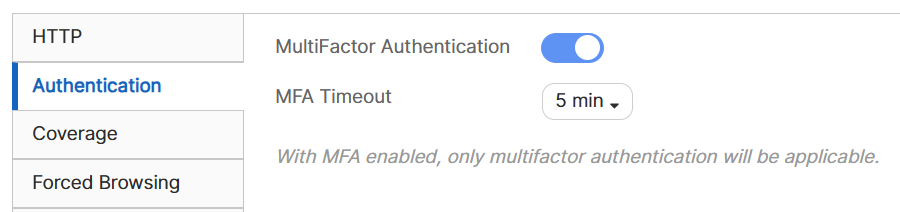
Multi-Factor Authentication:You can configure a timeout for multi-factor authentication (MFA) for target website logins. This feature is useful when the login process requires additional steps, such as CAPTCHA or one-time password entry.
To enable MFA, toggle Multi-Factor Authentication and configure the timeout setting. You can set the timeout between 3 and 10 minutes. This timeout is the duration allowed to complete the MFA login process.
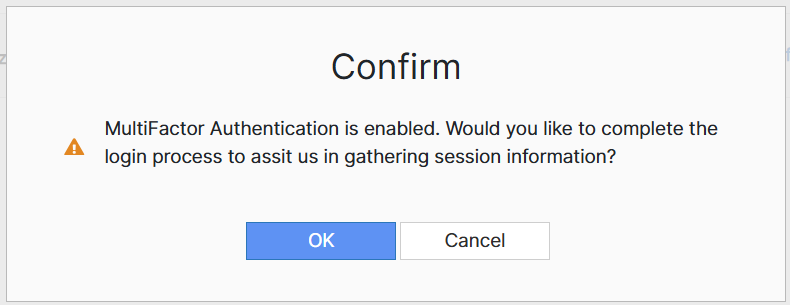
When you initiate a scan with MFA enabled, click OK when prompted to proceed with the MFA login.
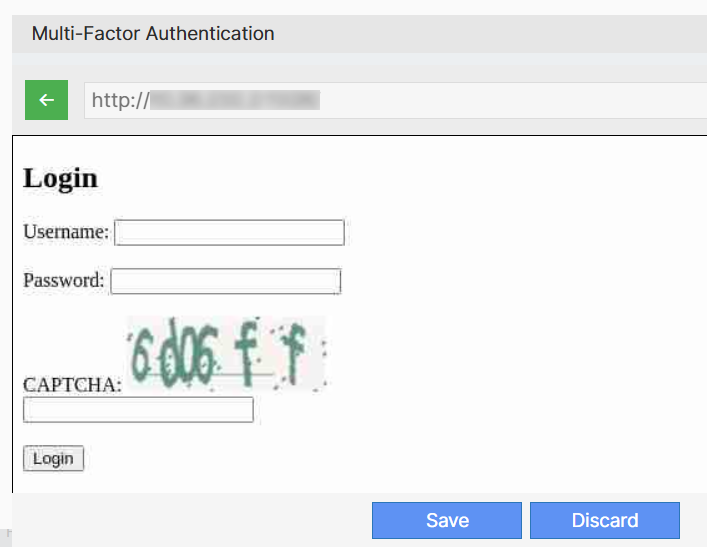
The target URL opens in an embedded browser. Complete the login process, including any required MFA steps, within the configured timeout period. Click Save.
If you do not click Save or click Discard after completing the MFA login, the scan will continue without session information.

When MFA is enabled, only multi-factor authentication is applicable.
- Web Authentication or HTTP Authentication - This is required for websites that have a login form and require credentials to be validated. For a website that has authentication enabled, you are required to enter the username and password for the entire web application to be scanned. HTTP Basic, Digest, and NTLM authentication frameworks are supported.
- Login URL - The login URL of your asset.
- Logout URL - The logout URL of your asset.