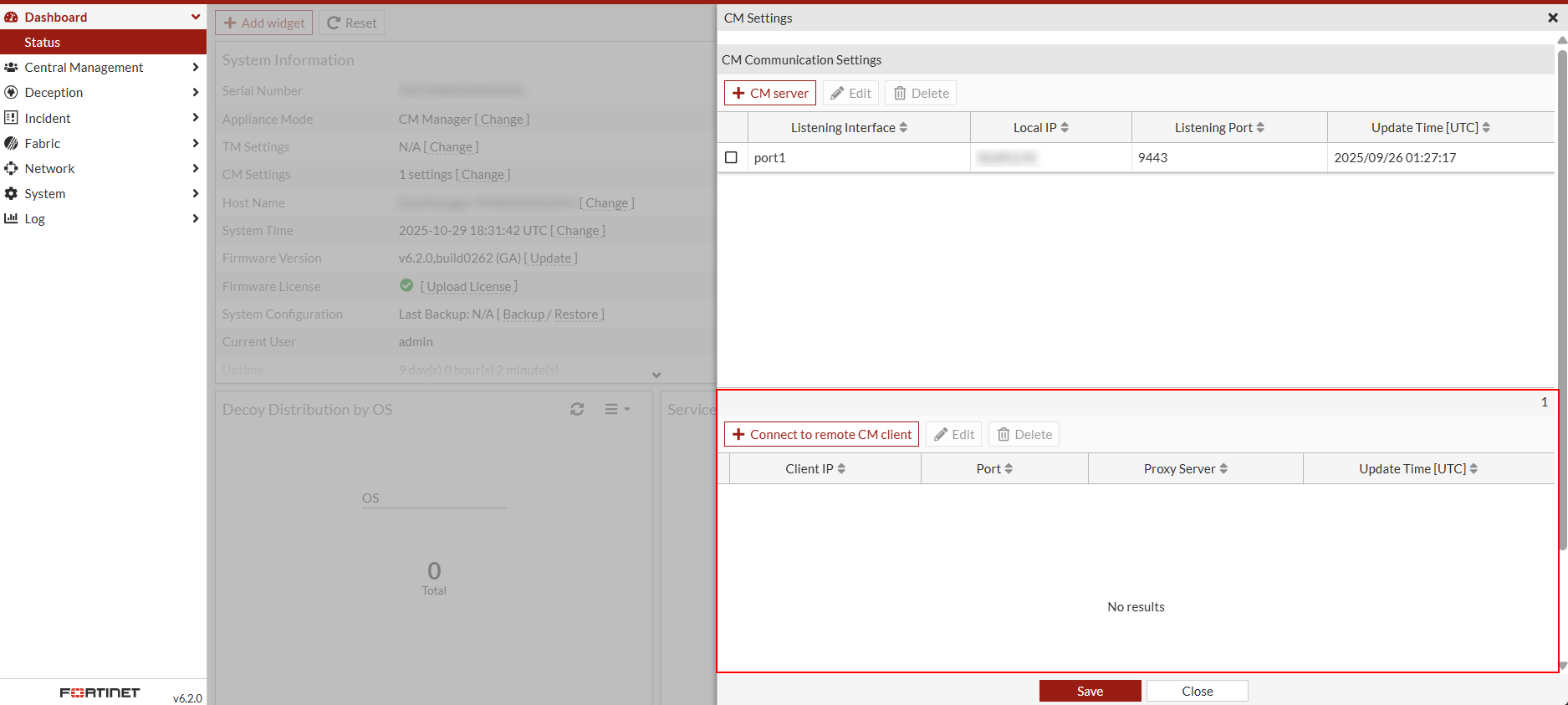
Adding a cloud appliance
To add a cloud appliance, configure the Central Management (CM) settings on both the cloud client and the manager.
To add a cloud appliance:
- On the cloud client, configure the CM Settings:
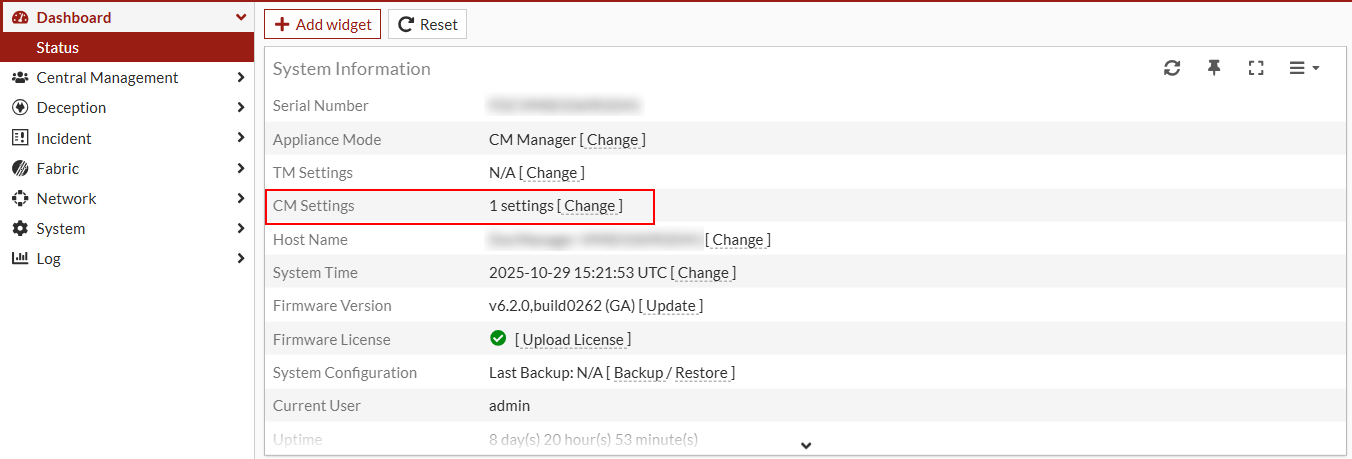
- Go to Dashboard > Status > System Information.
- Locate CM Settings and click Change. The CM Settings pane opens.
- Select Wait for connections from manager.
- Configure the following:
- Listening Interface
- Port
- Encryption Method
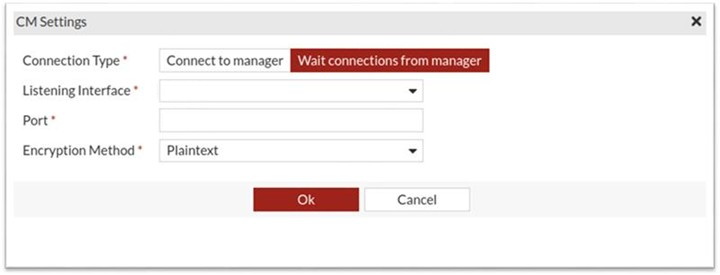
- Click Ok.
- On the FortiDeceptor manager, configure the CM Settings:
- Go to Dashboard > Status > System Information > CM Settings.
- Click Change. The CM Settings pane opens.
- Click Connect to remote CM client.
- Configure the following:
- Client IP
- Port
- Proxy Server (if one is configured)
- Click Ok.
If successful, the cloud client’s IP will appear in the CM Communication Settings table. Go to Dashboard > Status > System Information widget and click Change next to CM Settings.