What's new
The FortiEDR 7.2.3 GA build includes the following features, enhancements, and changes:
- On-premise deployment in air-gapped environments
- New AV Signature policy
- Defining Collector behavior in specific operating modes
- Improvement to the File Encryptor rule for the Ransomware Prevention policy Windows Collector 6.2 or later
- New color scheme of the Central Manager console
On-premise deployment in air-gapped environments
FortiEDR 7.2.3 adds support for on-premise deployment in air-gapped environments. You can download the required deployment files at the Fortinet Support website using an Internet-connected system and transfer the files to the air-gapped (isolated) environment using approved removable media. See the FortiEDR Administration Guide for more information.
New AV Signature policy
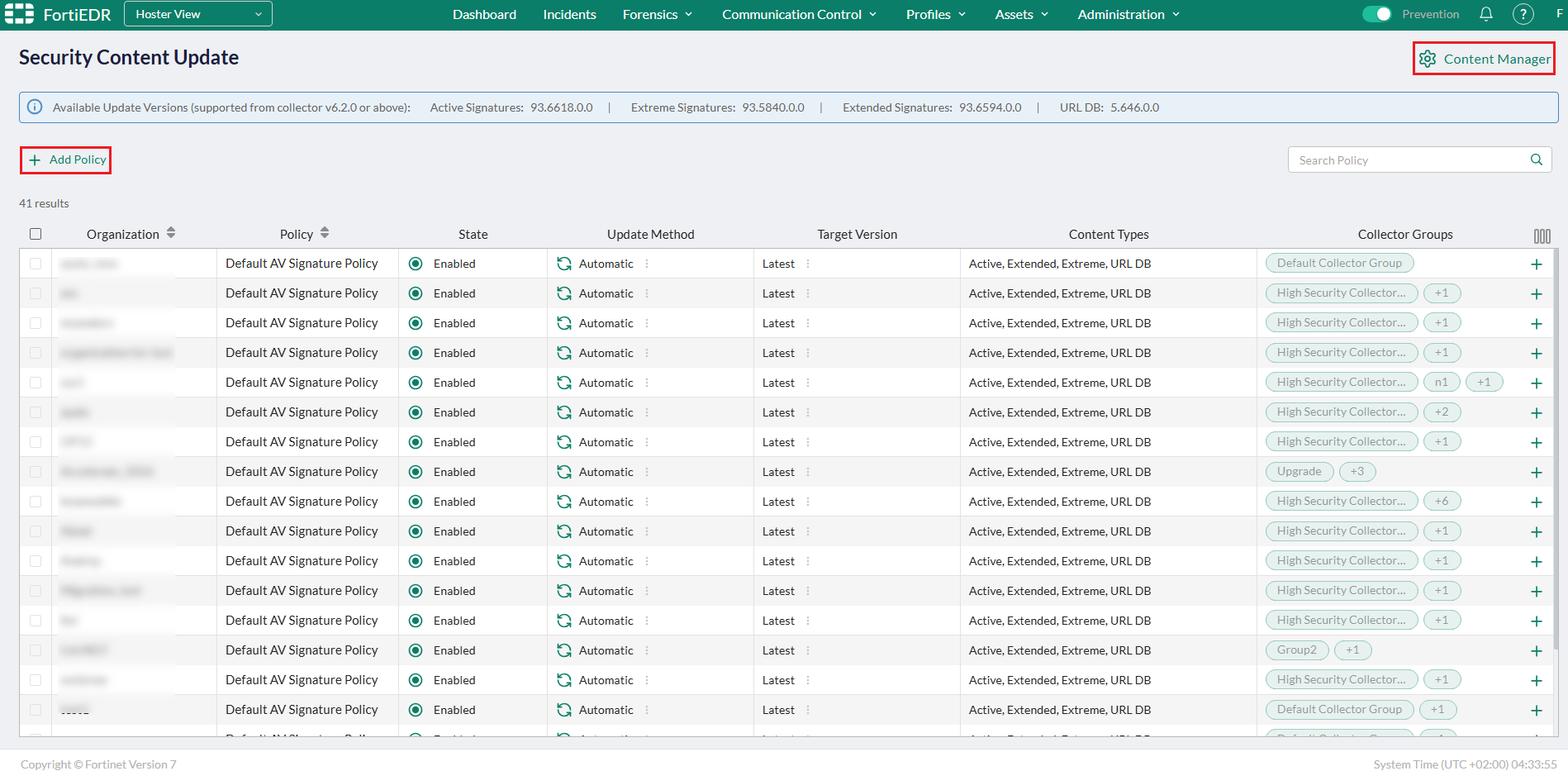
To support OT and segmented environments that require controlled update windows, FortiEDR 7.2.3 adds the new AV Signature policy (under Profiles > Security > Security Content Update), which defines when and how Collector groups download AV signatures for each type (Active, Extended, Extreme, and URL DB) based on time-based rules and time zones. You can also manually upload and manage AV signatures using the Content Manager button at the top-right corner in hoster view, which is particularly useful for air-gapped environments.
Defining Collector behavior in specific operating modes
FortiEDR7.2.3 adds the new Collector Settings policy (under Profiles > Security > Collector Settings), which defines how Collectors behave in specific operating modes. For example, you can configure a policy to close all active network connections (in addition to new connections) for Collectors entering isolation mode . You can also configure a schedule for OTI upgrade for specific Collector groups.

Improvement to the File Encryptor rule for the Ransomware Prevention policy Windows Collector 6.2 or later
The File Encryptor rule for the Ransomware Prevention policy now includes the High-Sensitivity Mode toggle that you can disable to reduce false positives.
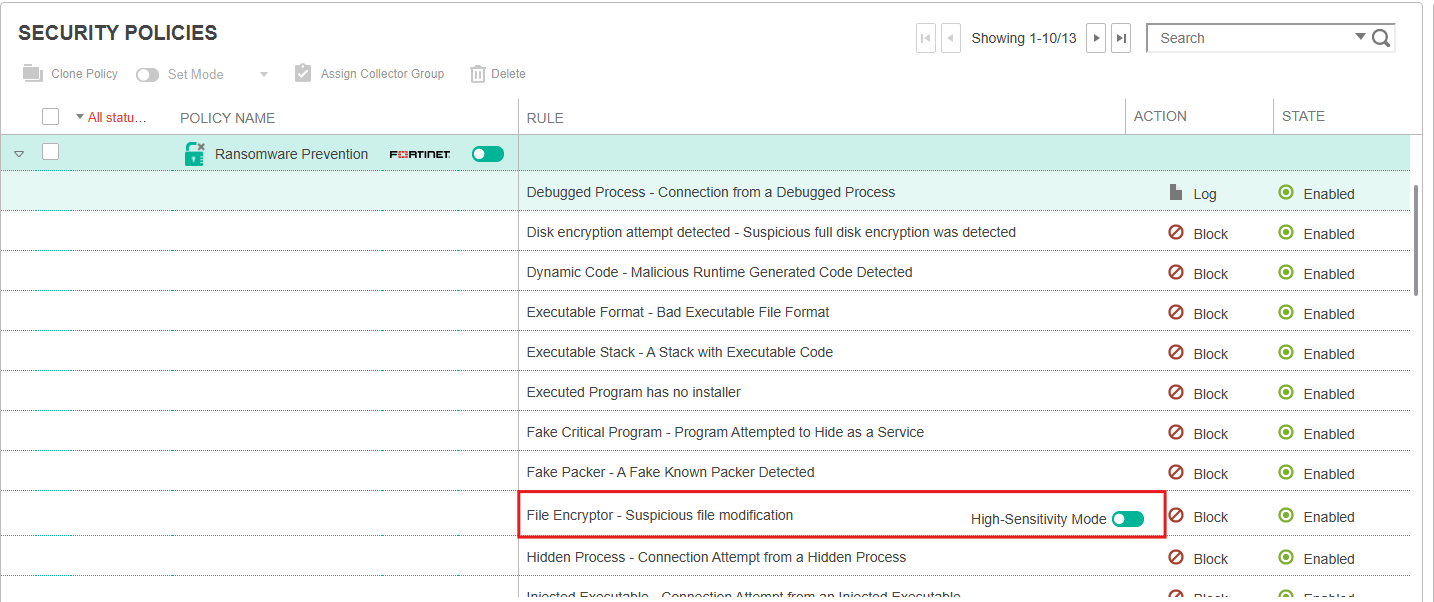
| Enabled | The whole computer is protected. Enable this option for debugging purposes only. |
| Disabled | (Recommended) Only critical files and paths are protected (to reduce false positives). |

|
This toggle is disabled by default on newly installed Windows Collectors 6.2+. For Windows Collectors 6.2+ upgraded from older versions, you must manually disable the High-Sensitivity Mode option to take advantage of this feature. |
New color scheme of the Central Manager console
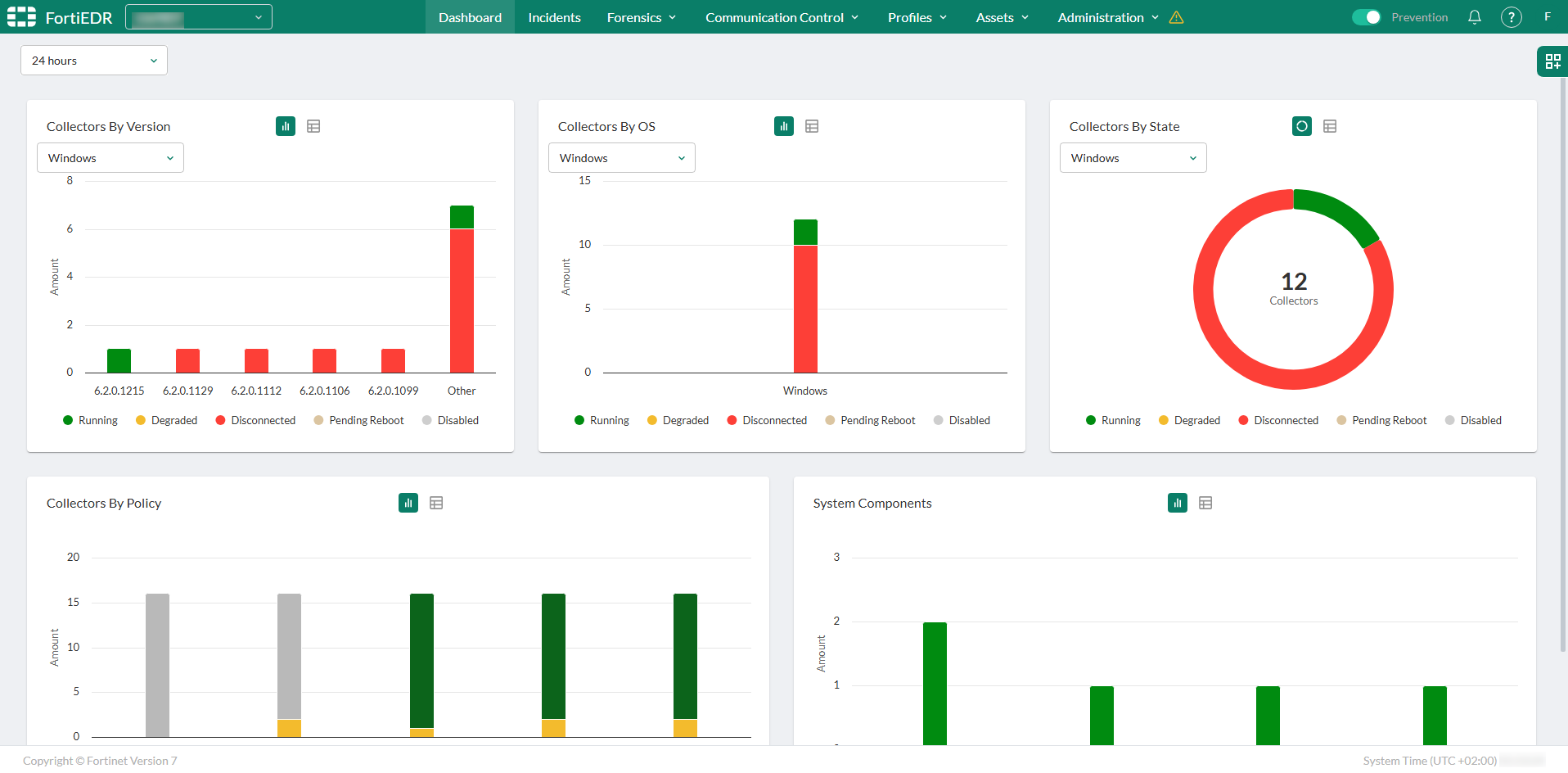
The FortiEDR 7.2.3 Central Manager console use a new green color scheme for consistency with other Fortinet endpoint products: