
Fortinet white logo
Fortinet white logo

Administration Guide

Registering devices

Registering devices

All Fortinet devices (FortiGates, FortiAPs, and FortiSwitches) that are in the same Security Fabric can be registered to the same FortiCare account at the same time, as opposed to having to register each device individually.

To register devices from the Firmware & Registration page:
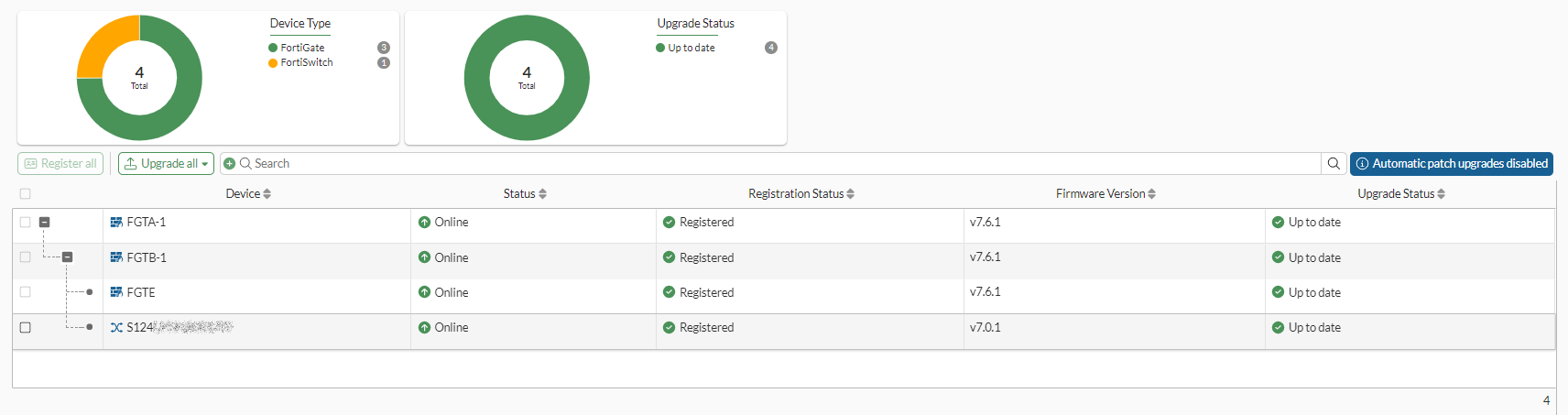
  1. On the Fabric root FortiGate, go to System > Firmware & Registration. The Registration Status column shows whether or not a device has been registered to FortiCare.
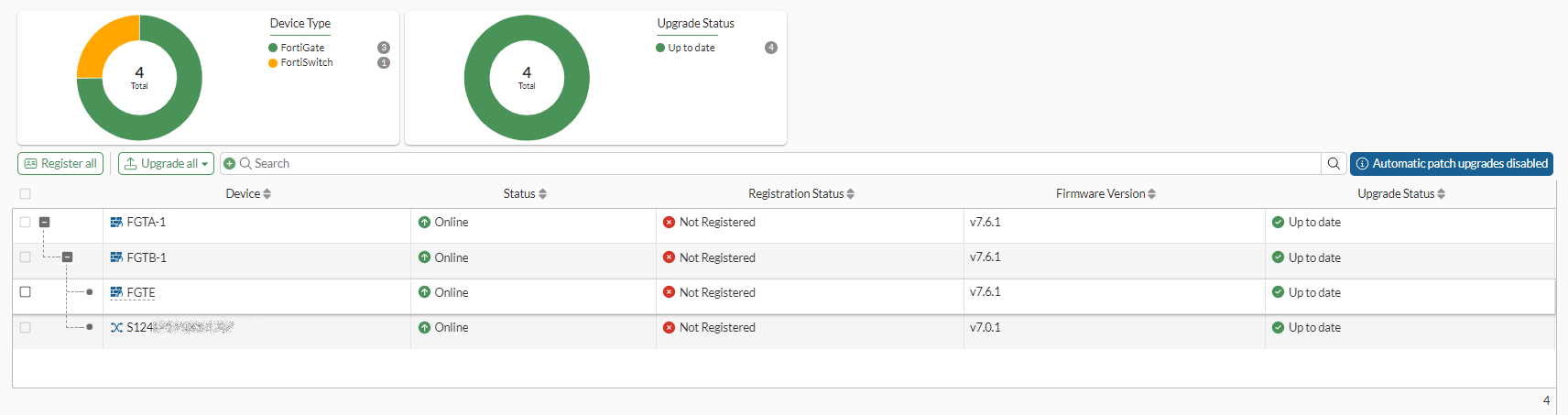
  2. Click Register All.

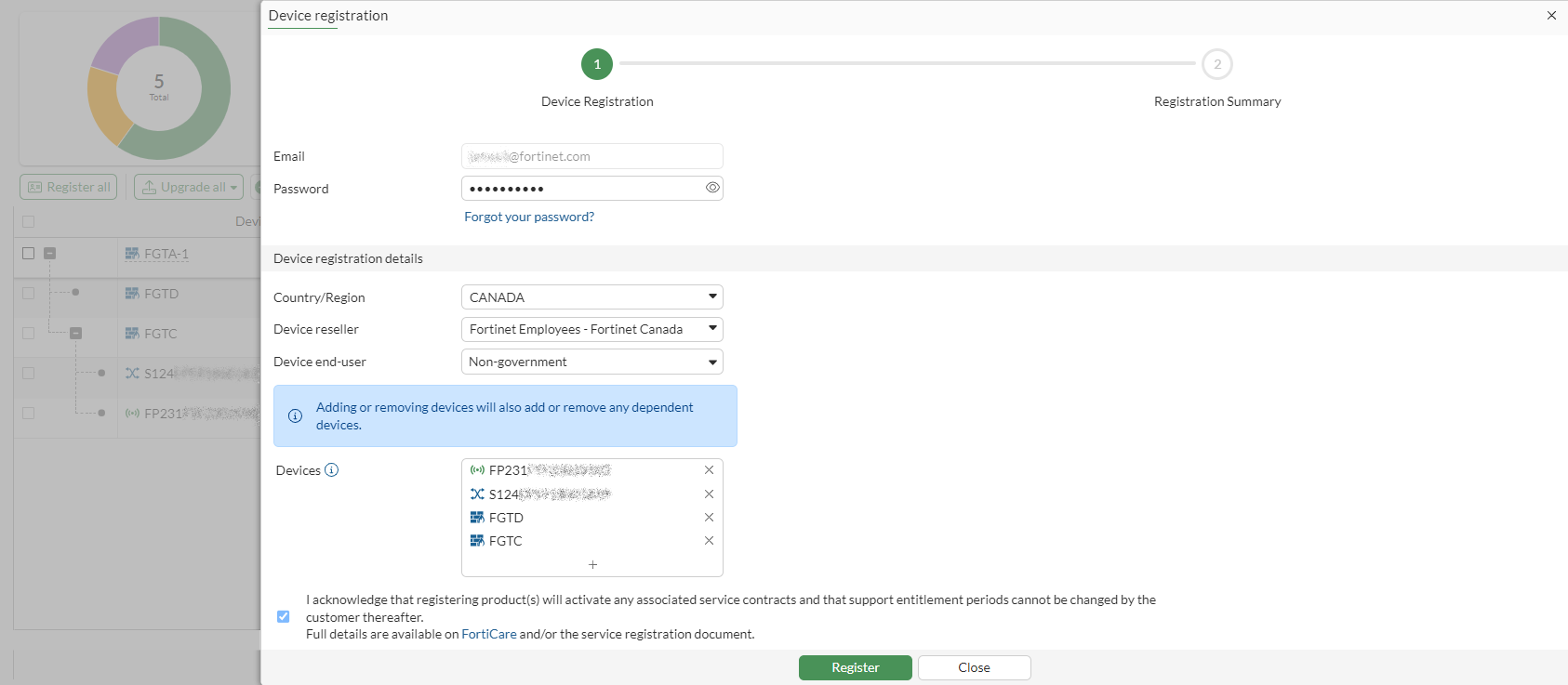
  3. Fill in the Device registration pane, adding all of the unregistered devices in the Devices field.
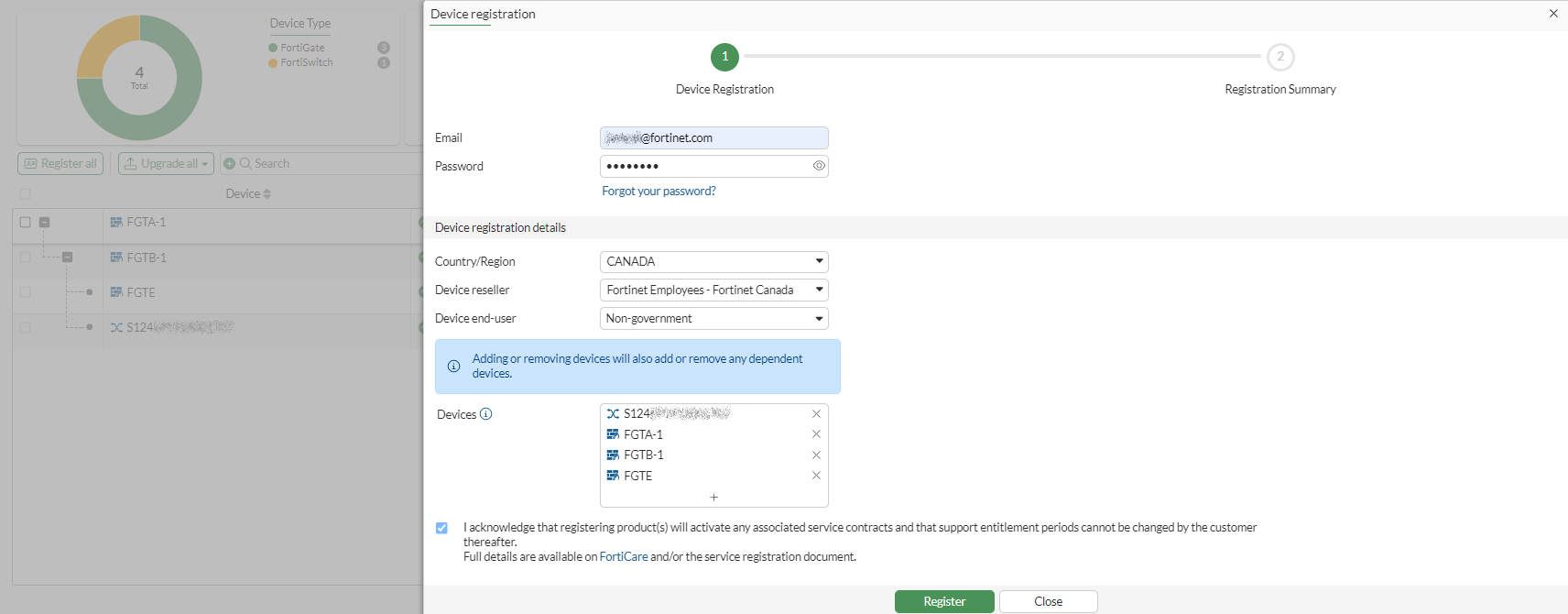
    If the root FortiGate device is already registered, the Email address will already be set.
  4. Click Register. A registration request for all of the selected devices is sent to FortiCare and the Device registration summary table is shown.
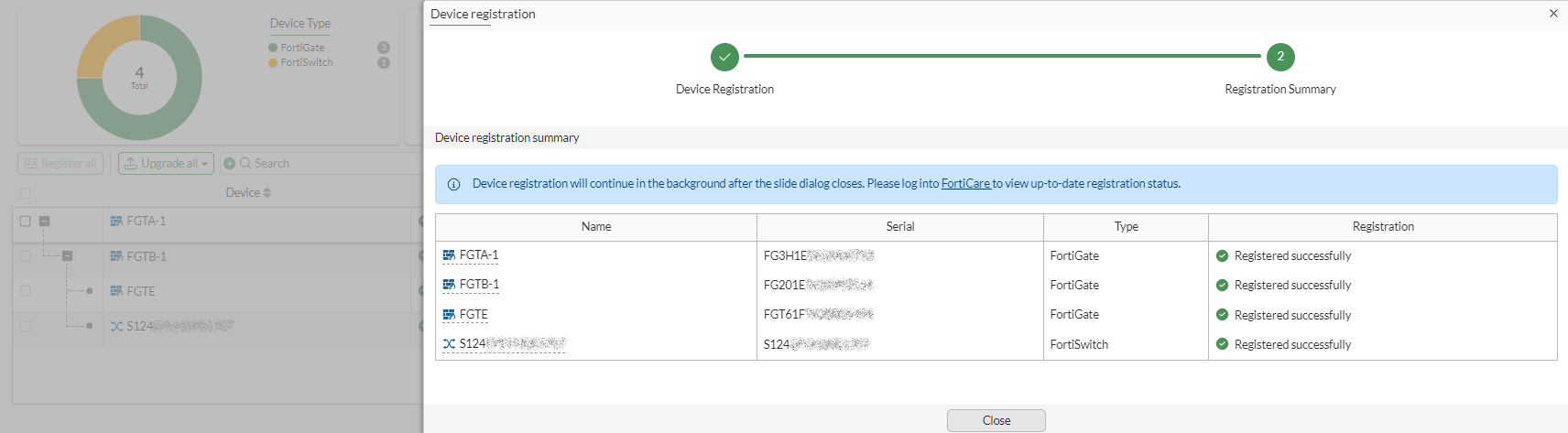
  5. Click Close. The Firmware & Registration page shows the updated registration statuses.
Registering devices

Registering devices

All Fortinet devices (FortiGates, FortiAPs, and FortiSwitches) that are in the same Security Fabric can be registered to the same FortiCare account at the same time, as opposed to having to register each device individually.

To register devices from the Firmware & Registration page:
  1. On the Fabric root FortiGate, go to System > Firmware & Registration. The Registration Status column shows whether or not a device has been registered to FortiCare.

  2. Click Register All.

  3. Fill in the Device registration pane, adding all of the unregistered devices in the Devices field.

    If the root FortiGate device is already registered, the Email address will already be set.

  4. Click Register. A registration request for all of the selected devices is sent to FortiCare and the Device registration summary table is shown.

  5. Click Close. The Firmware & Registration page shows the updated registration statuses.