

Viewing the firmware upgrade status
You can view the status of firmware upgrades from the Firmware Upgrade Progress window.
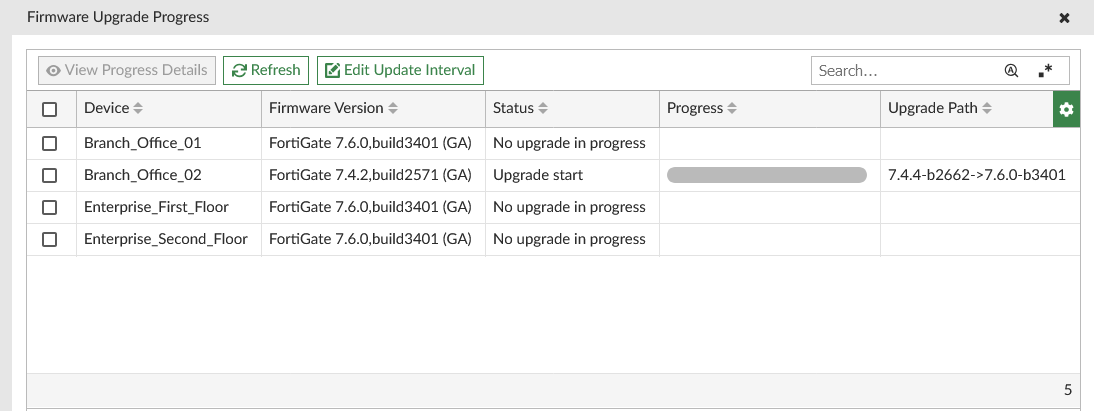
The Firmware Upgrade Progress window displays the current upgrade status of all devices in the ADOM. By default, the update interval is set to 10 seconds, and this can be manually changed using the Edit Update Interval option.
To view the firmware upgrade status:
-
If you are using ADOMs, select the appropriate ADOM.
-
Go to Device Manager.
-
Select More > Upgrade Status from the toolbar.
The Firmware Upgrade Status window appears:-
The table displays the current Firmware Version, Status, Progress, and Upgrade Path for each device in the ADOM.
-
When an upgrade is in progress, you can select the upgrading device from the table and click View Progress Details. The progress report displays details about the upgrade tasks being performed, including downloading the image from FortiManager or FortiGuard.
-
By default, the table is refreshed every 10 seconds. You can manually refresh the table by clicking Refresh, or change the update interval by clicking Edit Update Interval.
-