
Fortinet white logo
Fortinet white logo

Administration Guide

View session diff

View session diff

A session diff can be viewed prior to submitting the session for approval.

To view the session diff:
  1. While currently working in a session, ensure that the session has been saved. See Saved sessions.
  2. Click Workflow Session > View Diff.
    The Session Diff dialog box opens. New changes introduced by the session are identified in green.
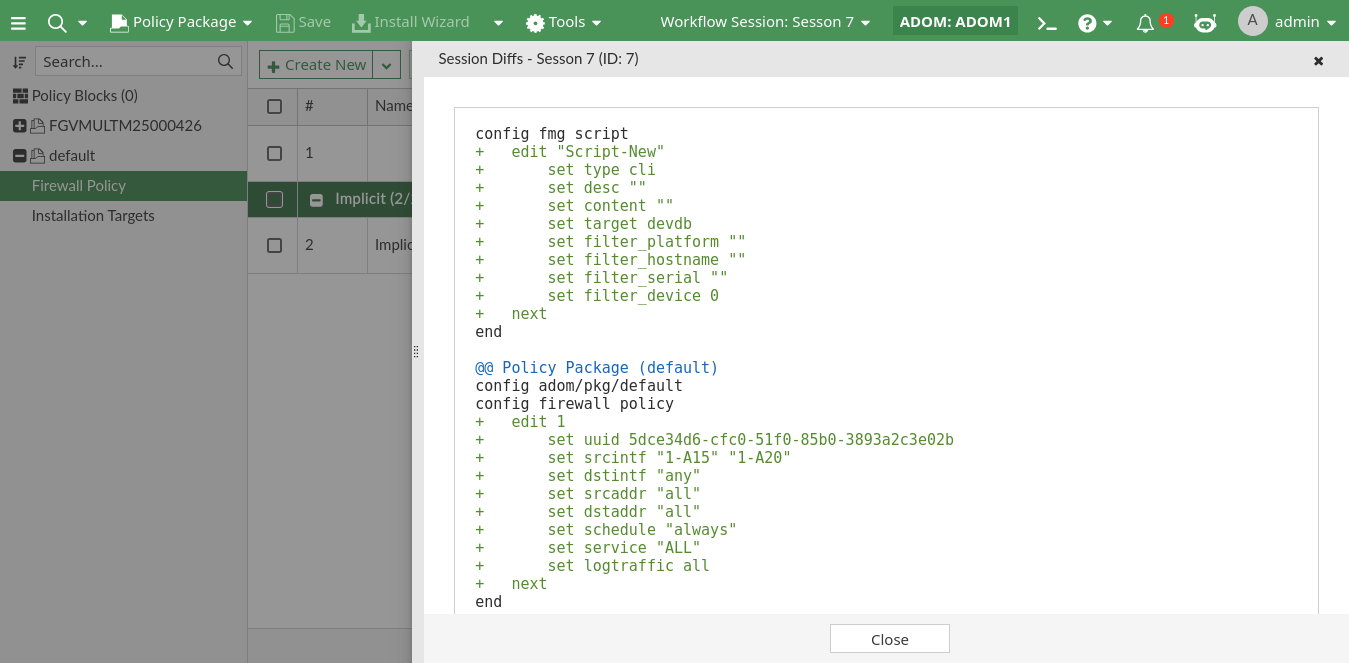
  3. Click Close to close the dialog box and return to the session.

View session diff

View session diff

A session diff can be viewed prior to submitting the session for approval.

To view the session diff:
  1. While currently working in a session, ensure that the session has been saved. See Saved sessions.
  2. Click Workflow Session > View Diff.
    The Session Diff dialog box opens. New changes introduced by the session are identified in green.

  3. Click Close to close the dialog box and return to the session.