

Version 25.1.c
- New functionality
- Improved functionality
- Other improvements
- Deprecated functionality
- Resolved issues
New functionality
Reports
FortiNDR Cloud Network Security Posture Report
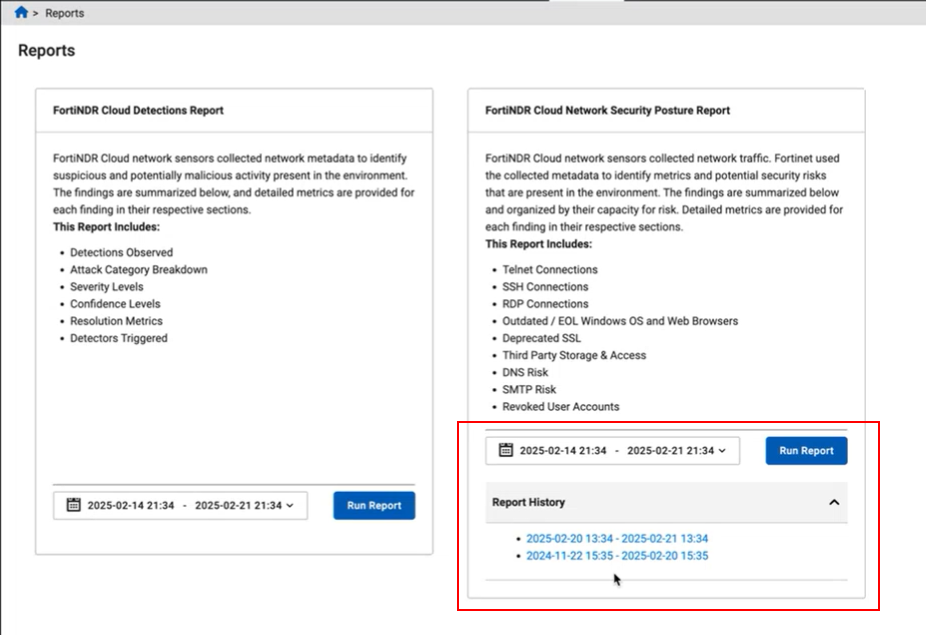
We have added a Report History panel to the FortiNDR Cloud Network Security Posture Report in the Reports page. When you click the Run Report button, the Report History panel displays a log of previously generated reports. To view the report, click the date in the report history.
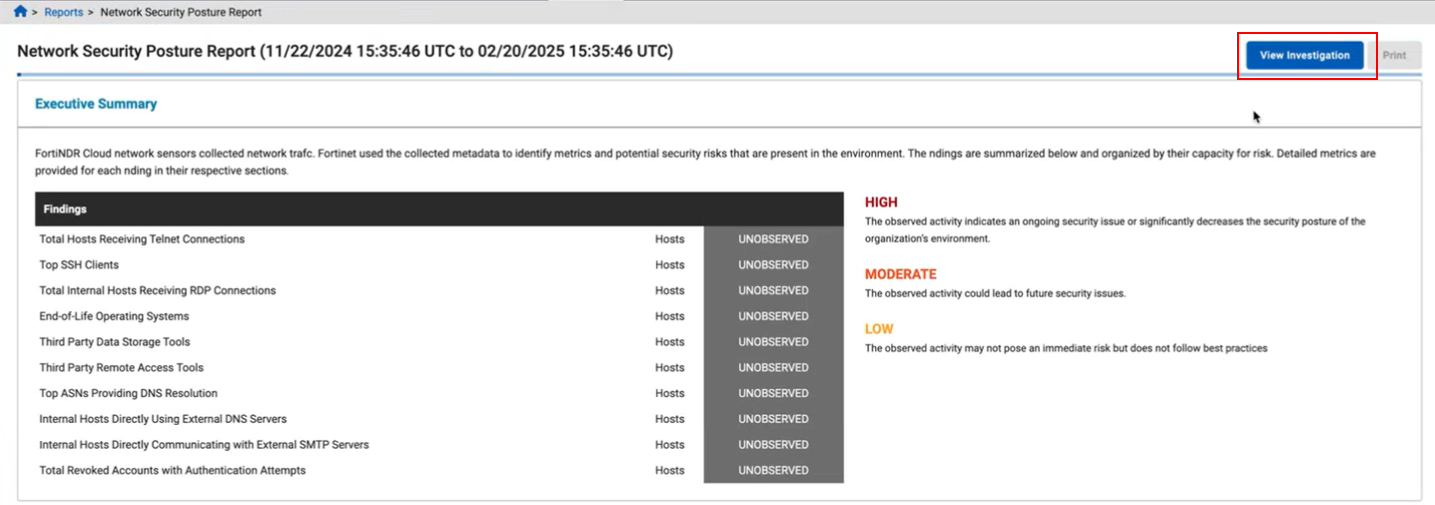
The FortiNDR Cloud Network Security Posture Report also contains a View Investigation button to view the investigation in Read-Only mode.
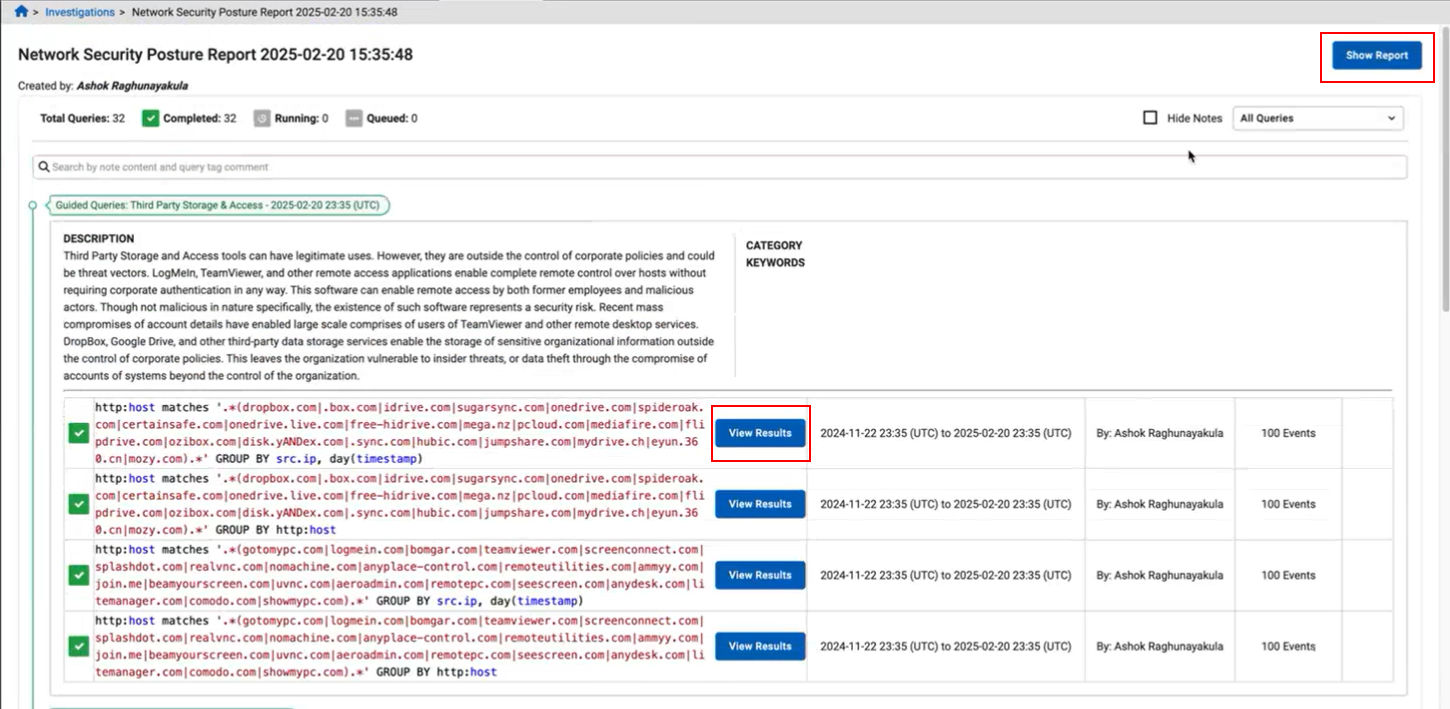
The investigation cannot be altered, however, you can view individual results or go back to the report.
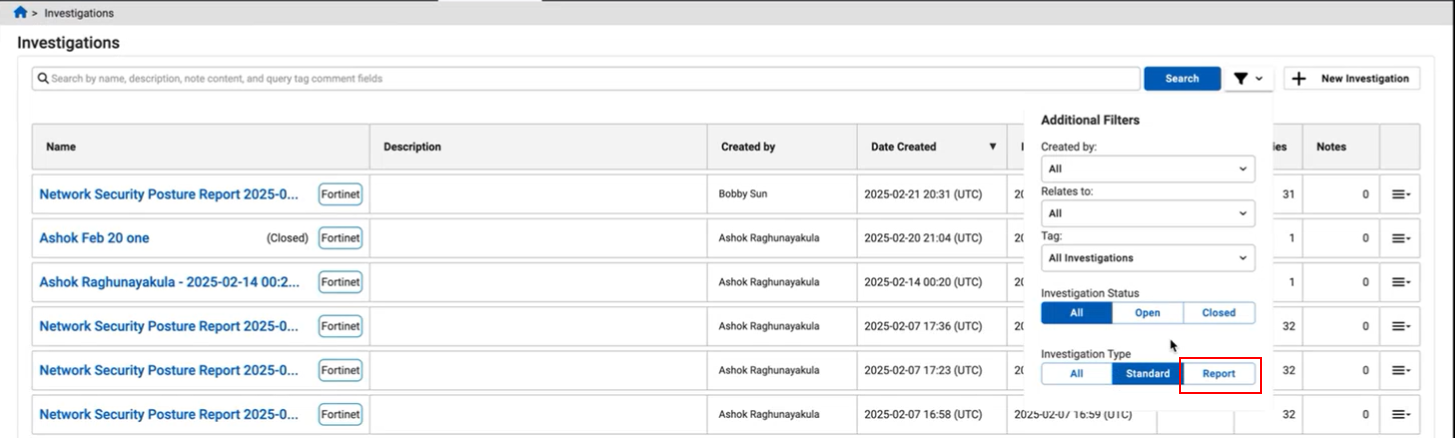
We have also added a Report option to the Investigation Type filter in the Investigations page to view report investigations.
Improved functionality
Sensors
Download sensor images
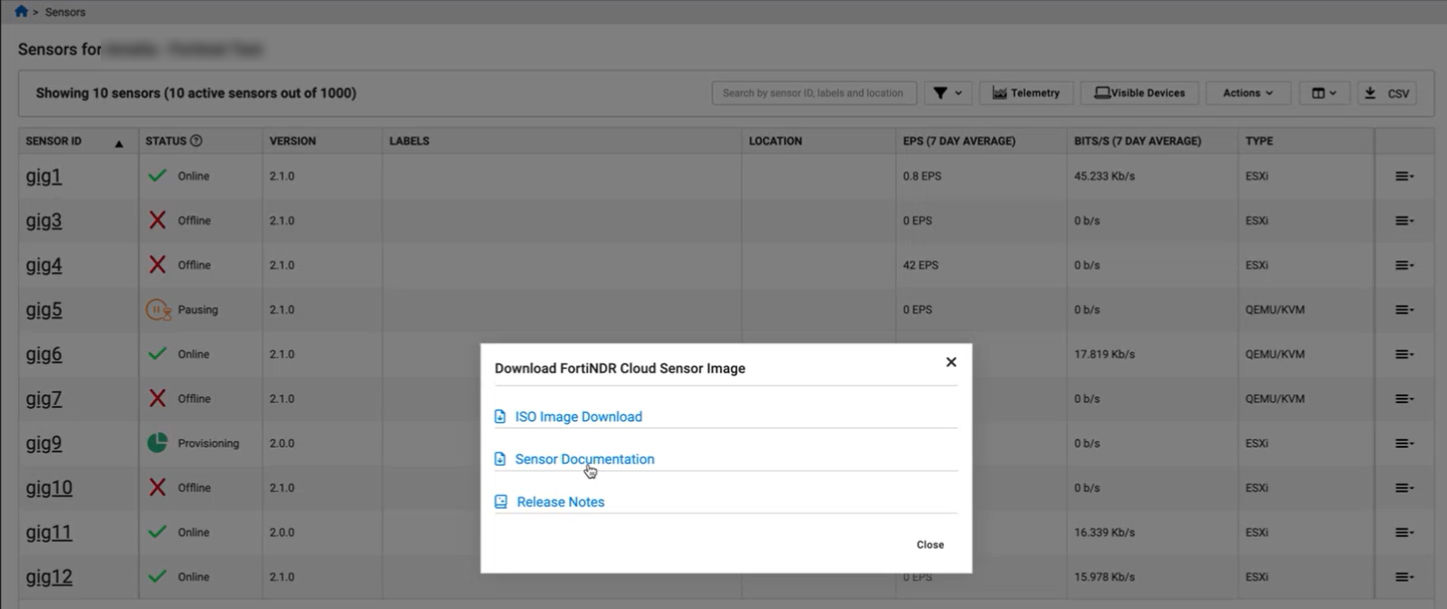
The Download FortiNDR Cloud Sensor Image dialog has been updated to include all the sensor images, as well as links to sensor documentation and release notes. To download the KVM and ESXi sensor images, click ISO Image Download.
Other improvements
Portal
When a user logs into the portal for first time, or when a user logs in using a private or incognito browser, the portal defaults to the account the user was created in.
Deprecated functionality
Dashboard
Support for the following dashboards has been deprecated:
- Example Hunt Dashboard 2
- Security Posture - Deprecated SSL
- Security Posture - DNS
- Security Posture - Outdated / EOL Software
- Security Posture - SSH Connections
- Security Posture - Third Party Storage & Access
Please use Guided Queries instead.