

Version 25.1.a
New functionality
Integrations
Endace integration
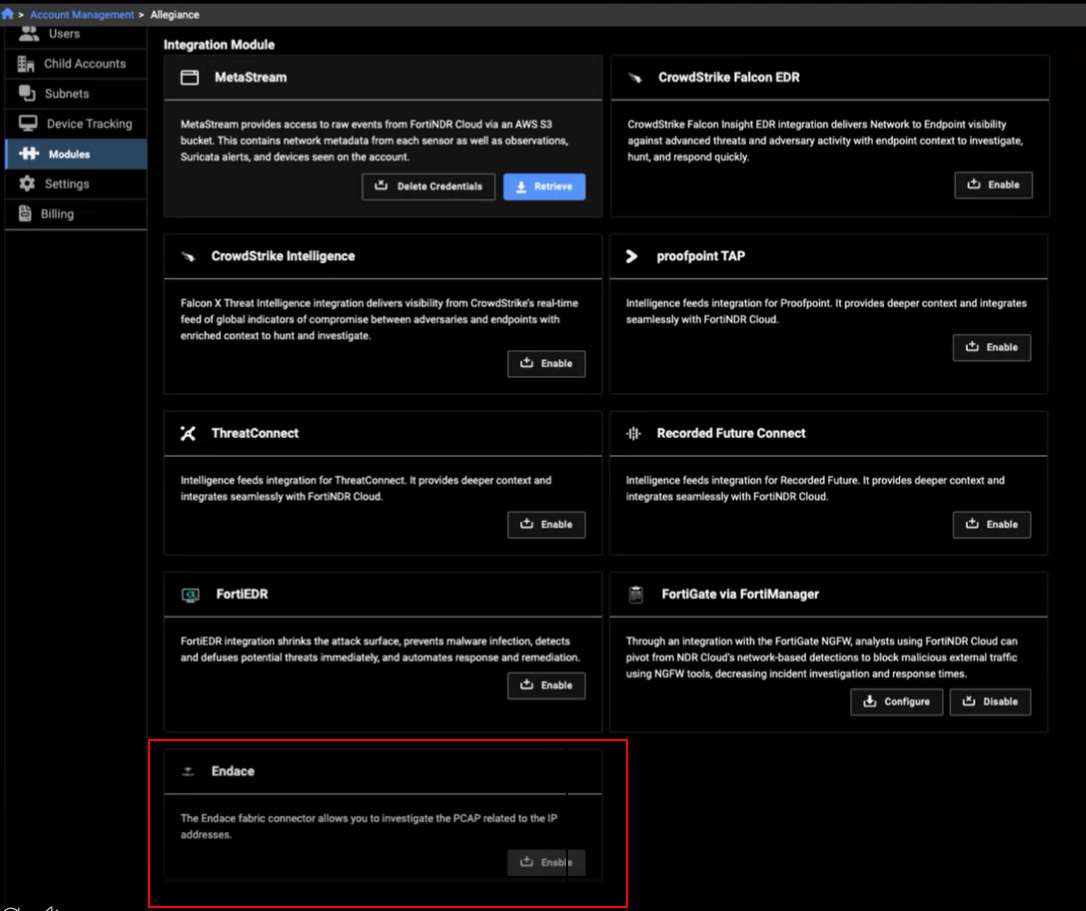
FortiNDR Cloud now supports integration with Endace. Endace probes packet capture data from on-premise, public, and private cloud environments. To enable the integration, go to Account Management > Modules and click Enable in the Endace module.
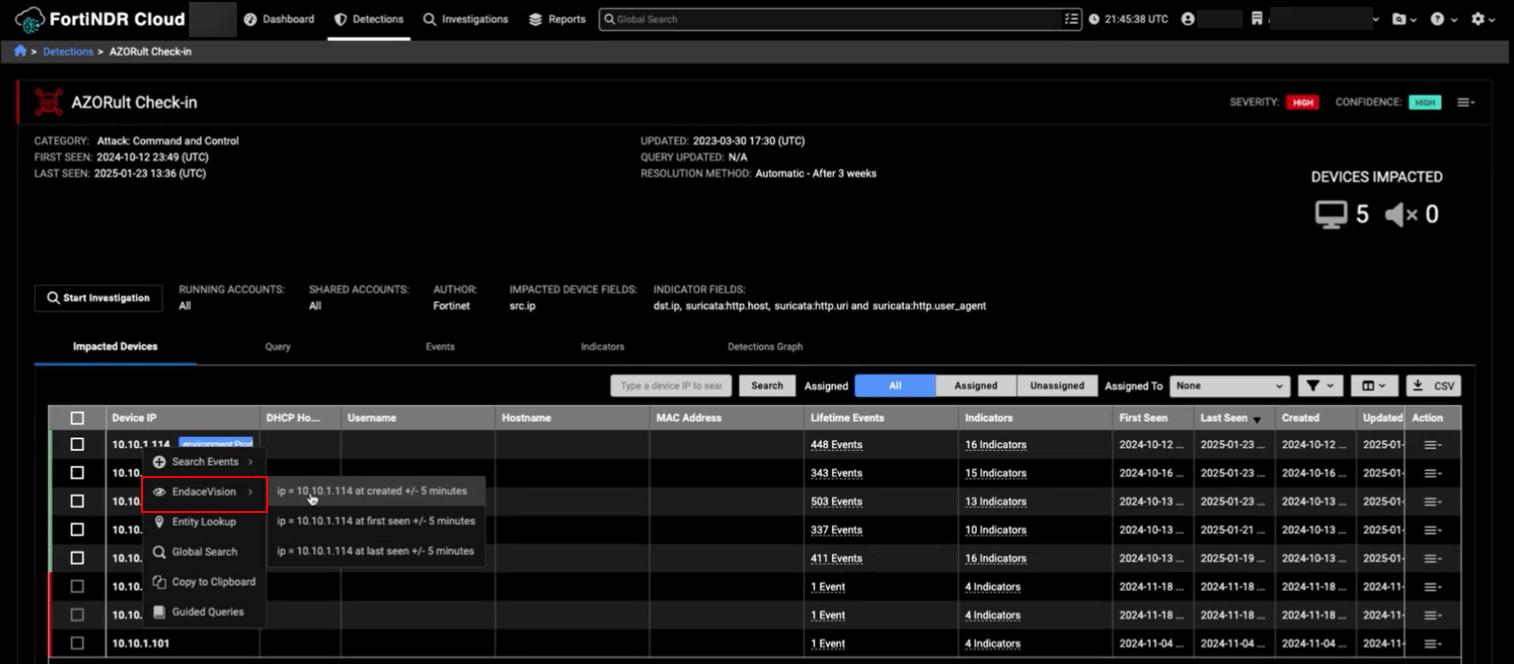
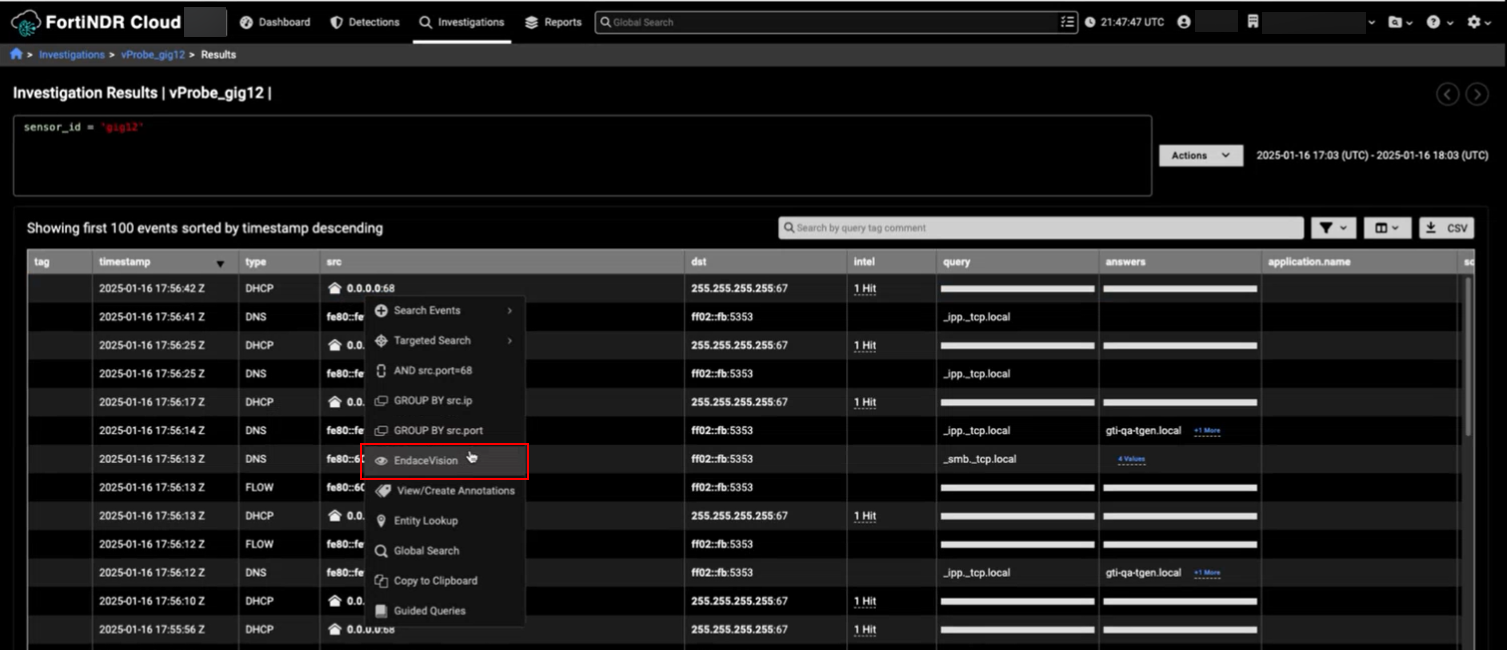
You can pivot to Endace by right-clicking an IP address in the Detections table or the Events table. After you pivot from FortiNDR Cloud, Endace will automatically create a new investigation.
In the Detections table, right-click the IP address and select the timestamp you want to use (At created, First seen and Last seen) to pivot to Endace.
In the Events table, right-click the IP address and select the EndaceVisionto pivot to Endace.
The time range used is generated from the value in the timestamp column +/- 5 minutes.
In the Entity Panel you can also pivot to Endace by right-clicking the IP address at the top of the panel.
The time range used will be the same as the Entity Panel.

Investigations
Annotations
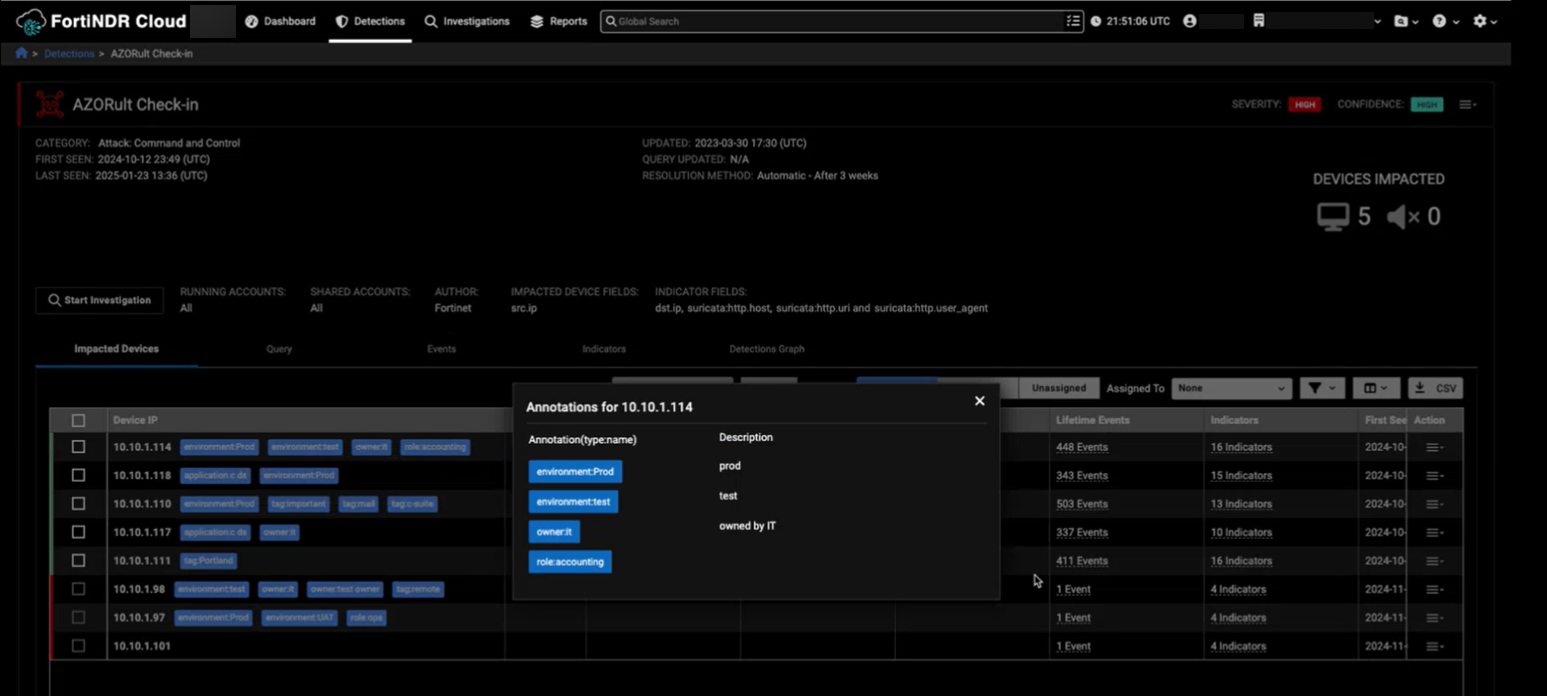
We have added annotations to the impacted Device IPs in all of the Detection tables.
Improved functionality
Reports
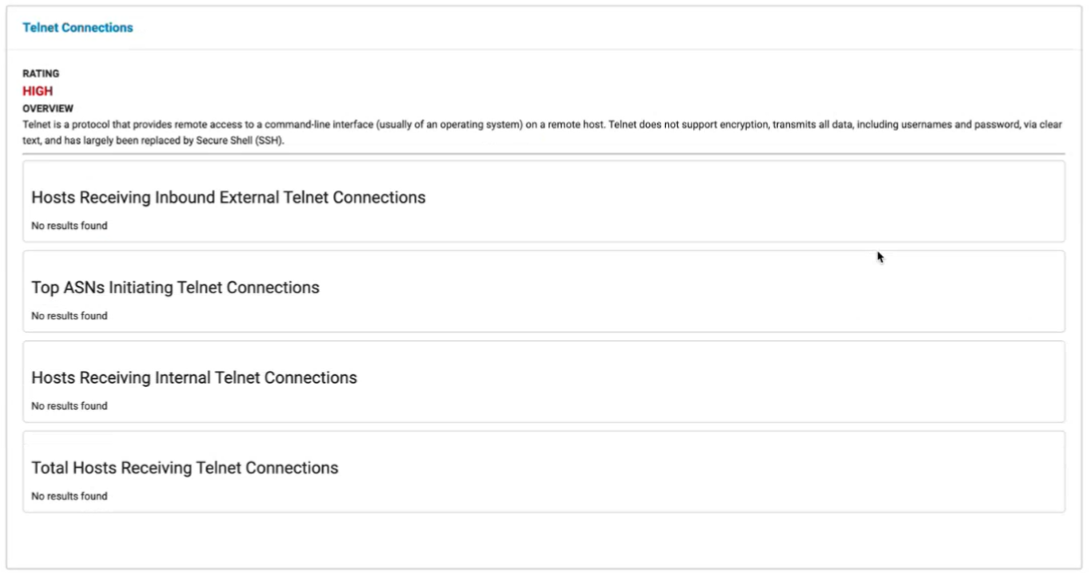
FortiNDR Cloud Network Security Posture Report
The FortiNDR Cloud Network Security Posture Report has been redesigned to include images and more sections with more information. This feature is available upon request.
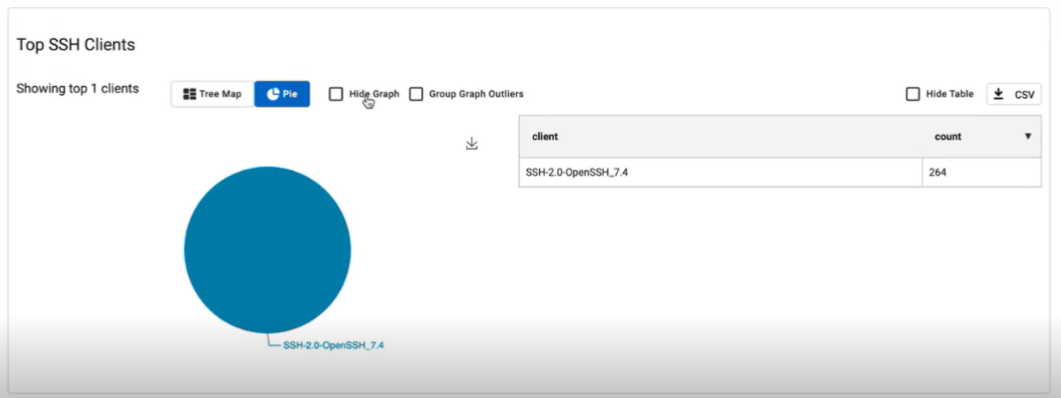
You can switch between charts, hide graphs and tables as well as group graph outliers.
Behavioral observations
Time ranges
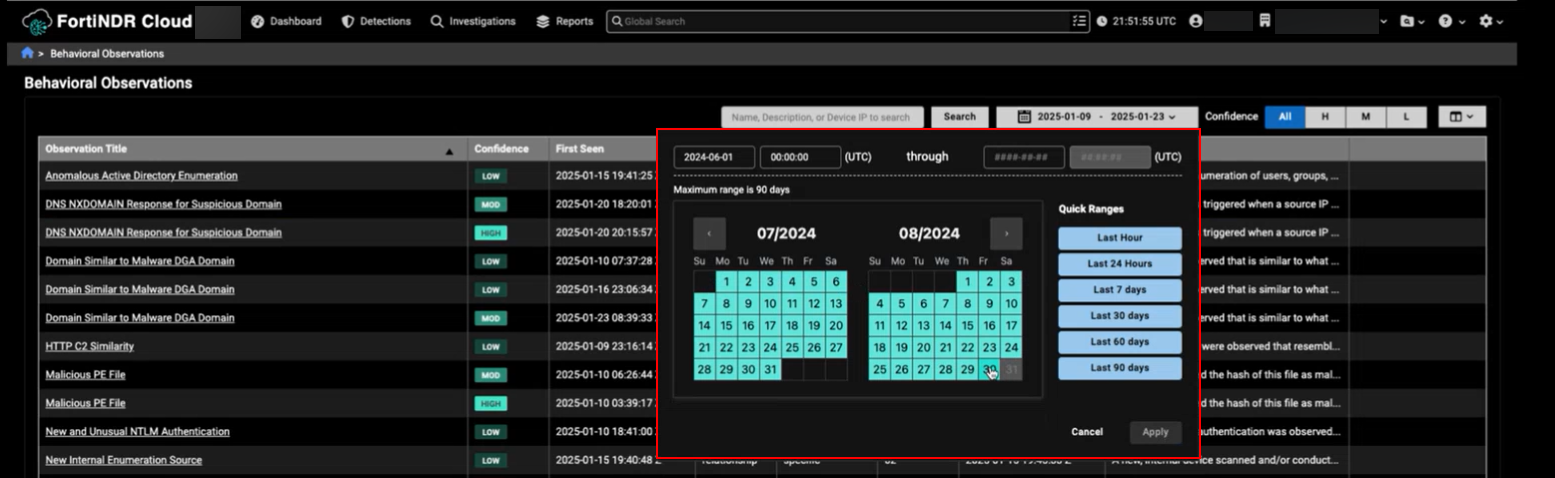
You can view behavioral observations for any 90 days within the last year. In previous versions you could only view the previous 90 days. This functionality is also availble in the Observation Details page.
Integrations
FortiEDR
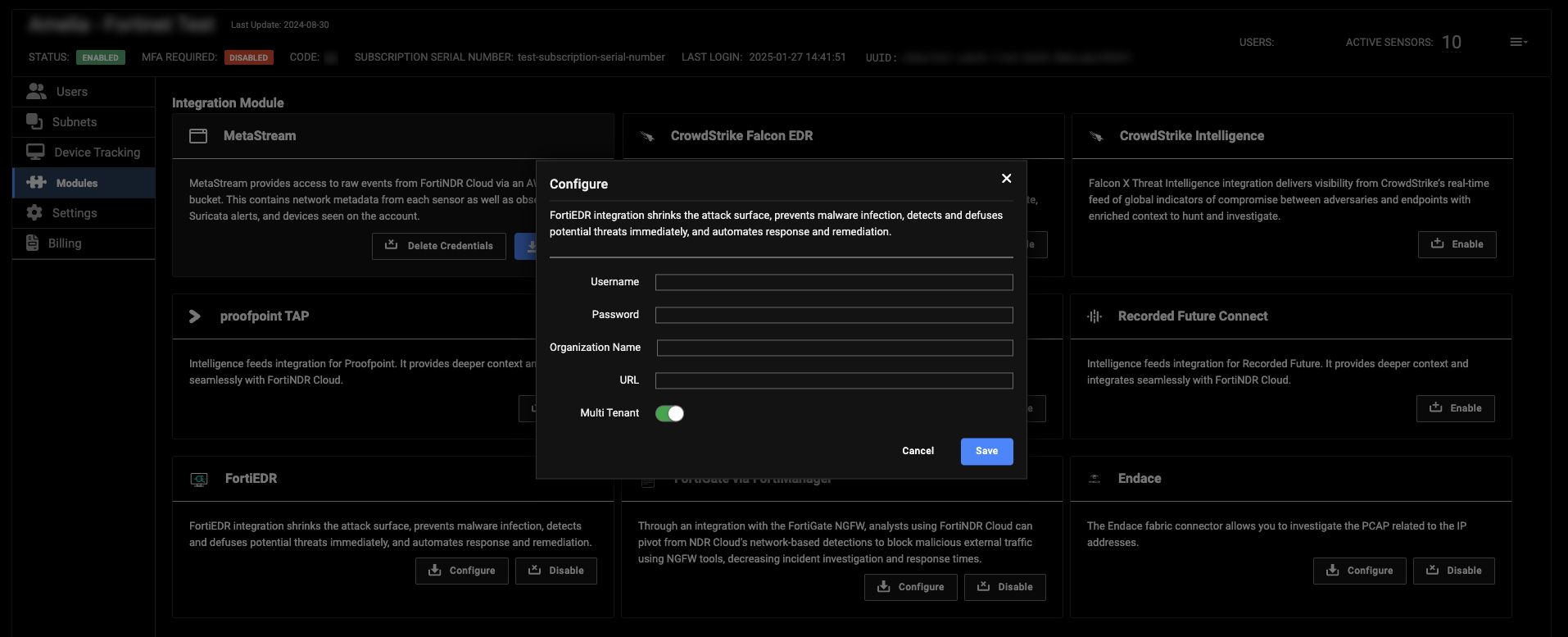
Admin users can now make changes to a multi-tenant flag the FortiEDR integration.
Other improvements
Tooltips
-
The chart tooltips have been redesigned to make them easier to read.
-
A scroll bar was added to longer tooltips allowing the information to fit the page.
-
The Throughput tooltip in the Sensors widget now shows the time when you hover over a data point.