

Mutes and excludes
The Mutes and Excludes page summarizes all muted and excluded devices, including device-level mutes for detectors. It contains three tabs: Mutes, Excludes and Subnets. To open the page, click the gear icon and select Mutes and Excludes.
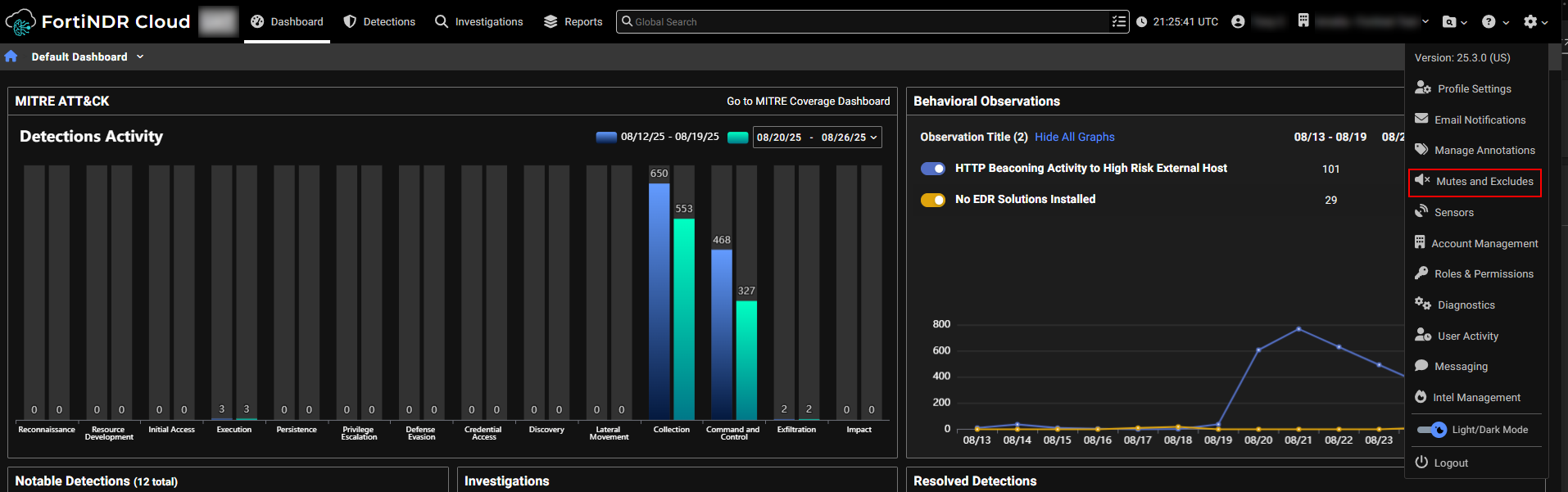
Mutes tab
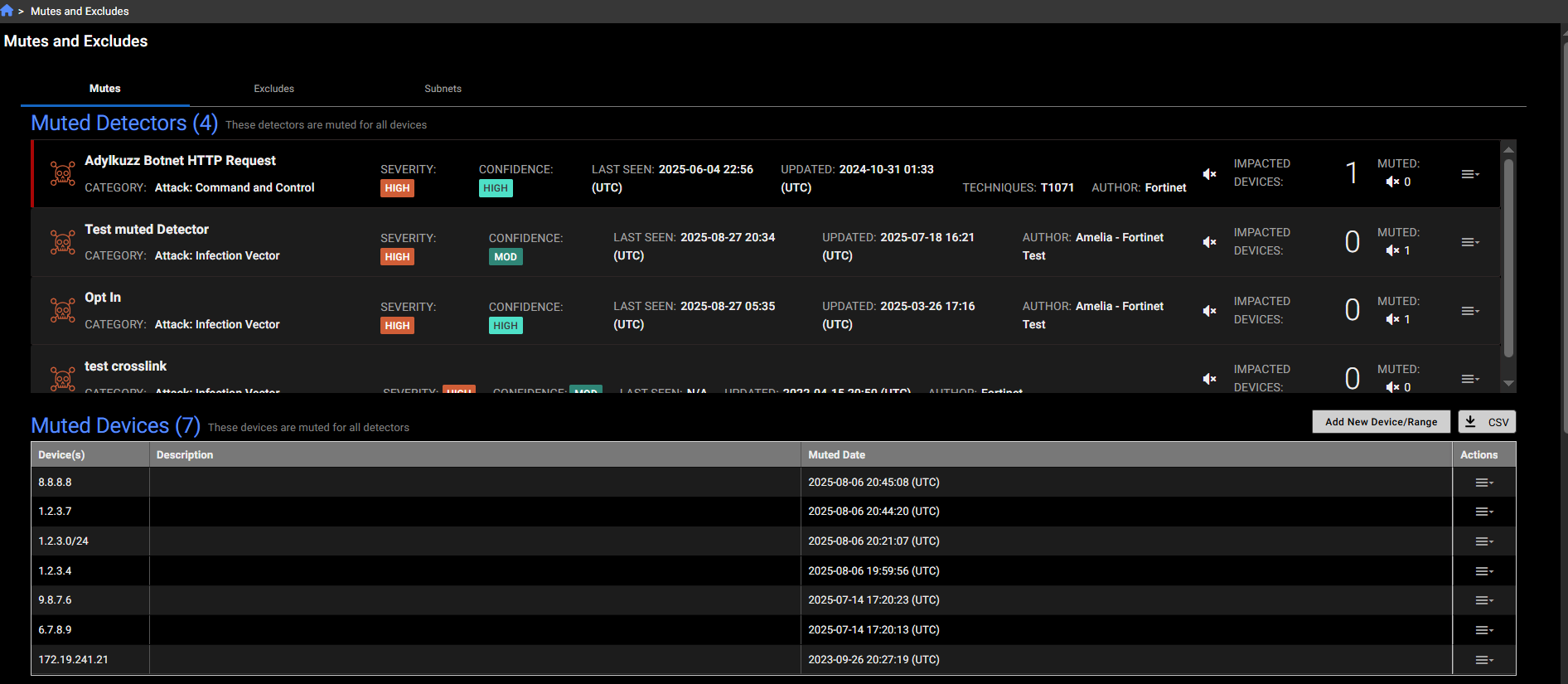
The Mutes tab displays four categories:
- Muted Detectors: Detectors that are muted across all devices.
- Muted Devices: Devices that have muted all detectors.
- Muted Devices for Detectors: Devices muted for specific detectors.
- Muted Detections: Detections that are muted either at the account level or for a specific detector.
You can use the menu in the Actions column of the tables to add a muted device for the whole account, unmute or edit existing muted devices, add or update a muted device for a specific detector. For more information, see Muting
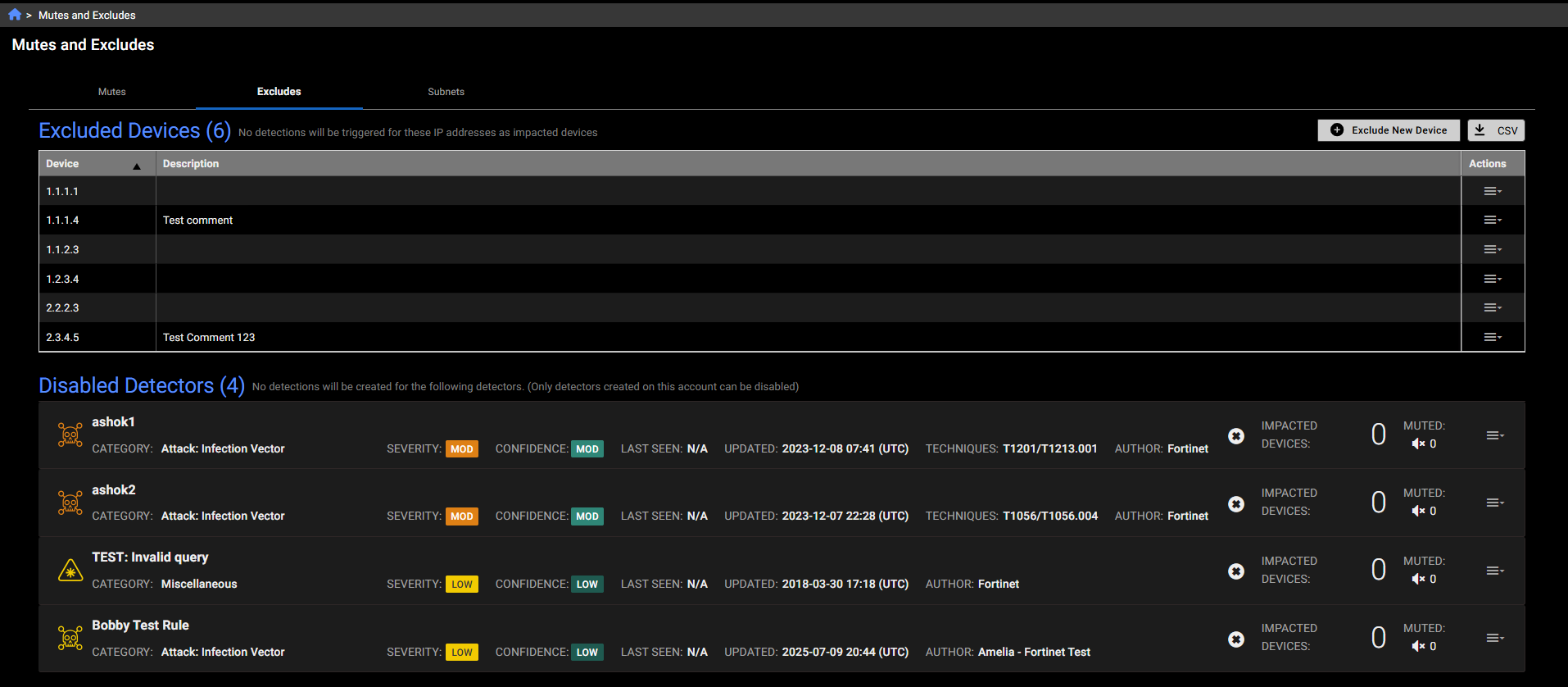
Excludes tab
The Excludes tab lists devices excluded at the account level, meaning they will not trigger any detections. It also includes disabled detectors.
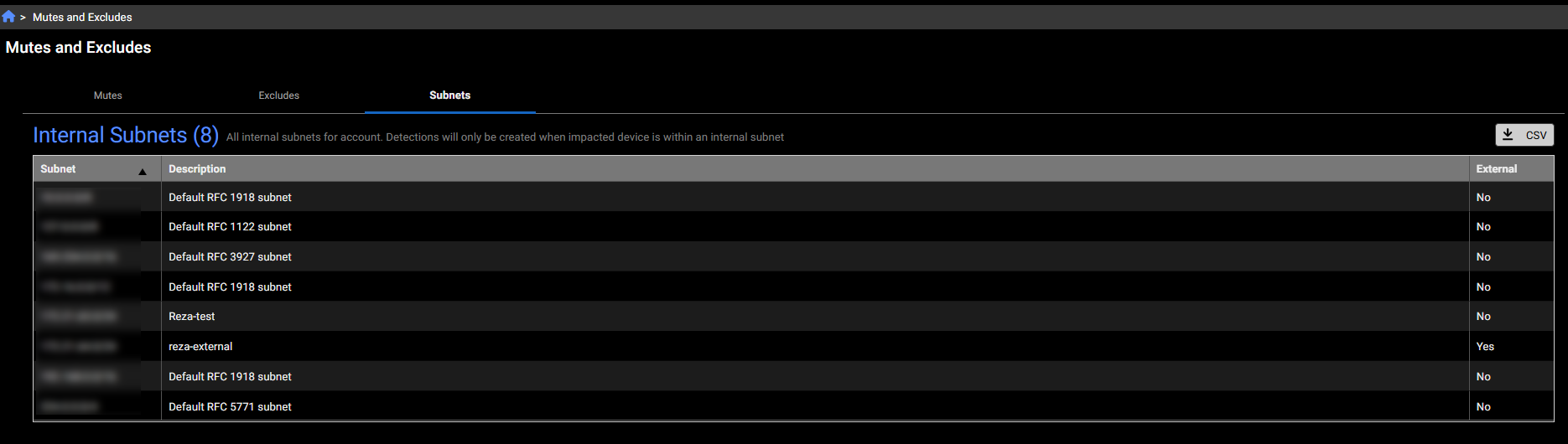
Subnets tab
This tab displays all internal subnets for the account. Detections will only be created when the impacted device is within an internal subnet. It allows you to view and modify settings related to muted devices, excluded devices, and subnets all in one place.
=