Fortinet white logo
Fortinet white logo

User Guide

ERSPAN

ERSPAN

ERSPAN (Encapsulated Remote SPAN) mirrors traffic from one or more source interfaces and encapsulates it using GRE so it can traverse a routed IP network.

Starting from version 2.4.0, the FortiNDR Cloud sensor can forward ERSPAN packets for threat analysis.

FortiNDR Cloud supports ERSPAN Type II and Type III.

Note

Refer to your switch, router, or firewall documentation for instructions on forwarding ERSPAN packets to the sensor. Ensure that your firewall allows inbound GRE traffic to the sensor.

Enabling ERSPAN on the FortiNDR Cloud sensor

To enable ERSPAN on the cloud sensor:
  1. Log into the sensor console using:
    • Username: config
    • Password: (The password set during initial installation)
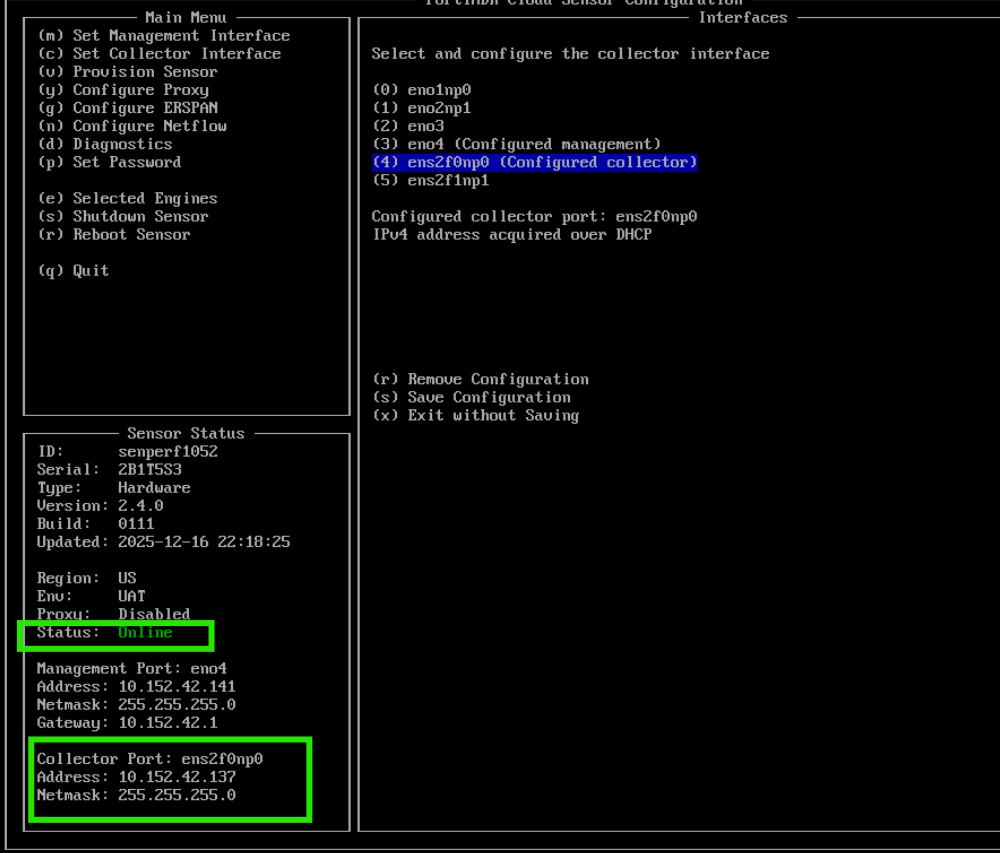
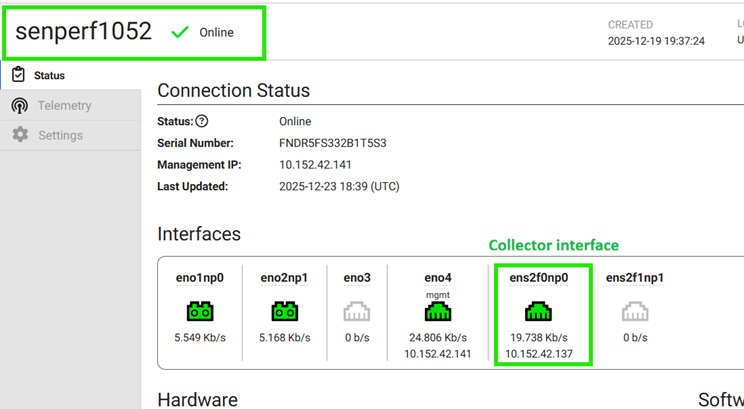
  2. Confirm that the sensor is online and the collector interface is up with an assigned IP address (see the Collector Port Configuration section in this document).
  3. Set up the collector interface with DHCP or static IP. See Collector interface.
  4. From the sensor config menu, select Configure ERSPAN (or press g).
  5. Select Enable (or press e).
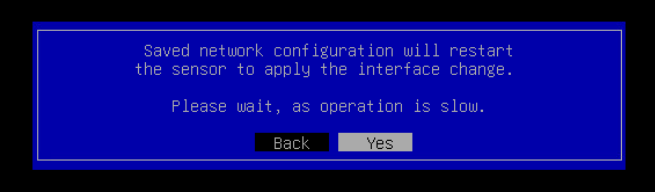
  6. Select Yes in the next menu.

  7. Once the sensor status pane is populated, sensor is ready to receive ERSPAN packets.
  8. Configure your switch/router/firewall to send ERSPAN packets to the sensor’s collector IP.
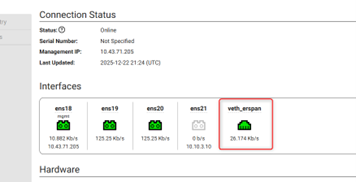
  9. On the FortiNDR cloud portal, verify that the veth_erspan exists.
ERSPAN

ERSPAN

ERSPAN (Encapsulated Remote SPAN) mirrors traffic from one or more source interfaces and encapsulates it using GRE so it can traverse a routed IP network.

Starting from version 2.4.0, the FortiNDR Cloud sensor can forward ERSPAN packets for threat analysis.

FortiNDR Cloud supports ERSPAN Type II and Type III.

Note

Refer to your switch, router, or firewall documentation for instructions on forwarding ERSPAN packets to the sensor. Ensure that your firewall allows inbound GRE traffic to the sensor.

Enabling ERSPAN on the FortiNDR Cloud sensor

To enable ERSPAN on the cloud sensor:
  1. Log into the sensor console using:
    • Username: config
    • Password: (The password set during initial installation)
  2. Confirm that the sensor is online and the collector interface is up with an assigned IP address (see the Collector Port Configuration section in this document).

  3. Set up the collector interface with DHCP or static IP. See Collector interface.
  4. From the sensor config menu, select Configure ERSPAN (or press g).
  5. Select Enable (or press e).
  6. Select Yes in the next menu.

  7. Once the sensor status pane is populated, sensor is ready to receive ERSPAN packets.
  8. Configure your switch/router/firewall to send ERSPAN packets to the sensor’s collector IP.
  9. On the FortiNDR cloud portal, verify that the veth_erspan exists.