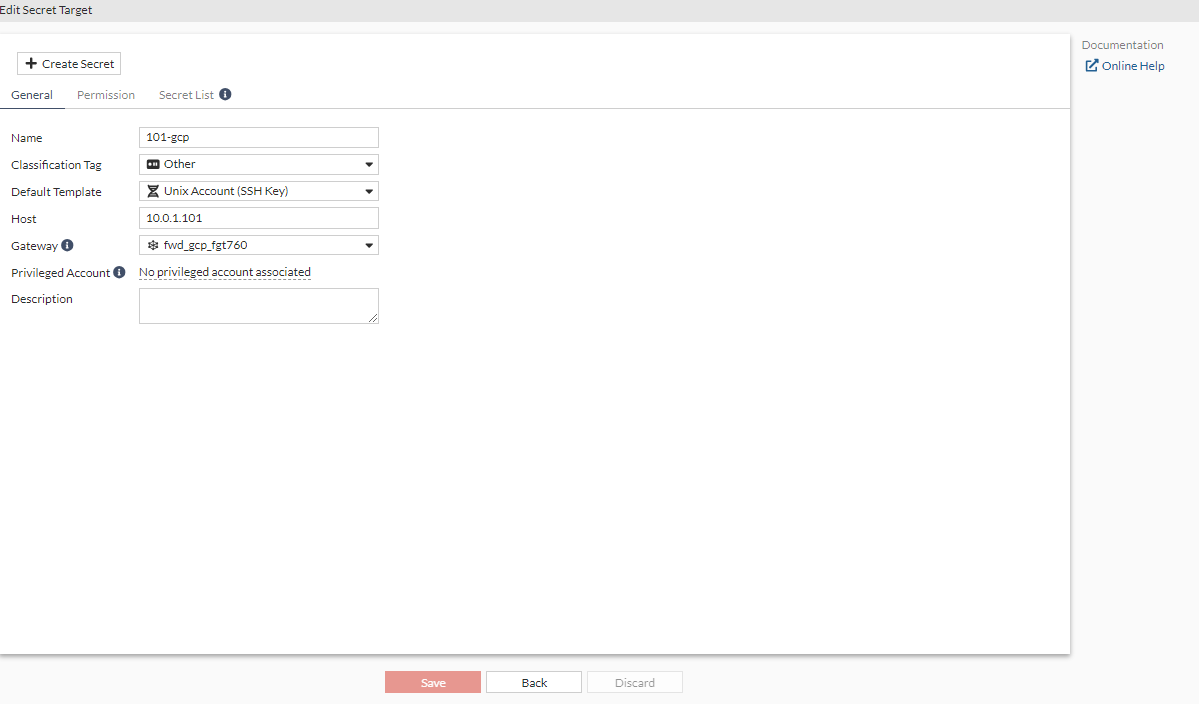
Configuring a target using the forward gateway on FortiPAM server
To configure a target using the forward gateway on the FortiPAM server:
- Go to Secrets > Targets.
- Select +Create.
The New Secret Target window opens.
- In Name, enter a name for the target.
- In the Classification Tag dropdown, select Other.
- In the Default Template dropdown, select Unix Account (SSH Key).
- In Host, enter
10.0.1.101. - In the Gateway dropdown, select the gateway created in Configuring a gateway on the FortiPAM server.
- Optionally, enter a description.
- Click Submit.