

User Profile
The User Profile page displays the detailed information of a user.
User Information
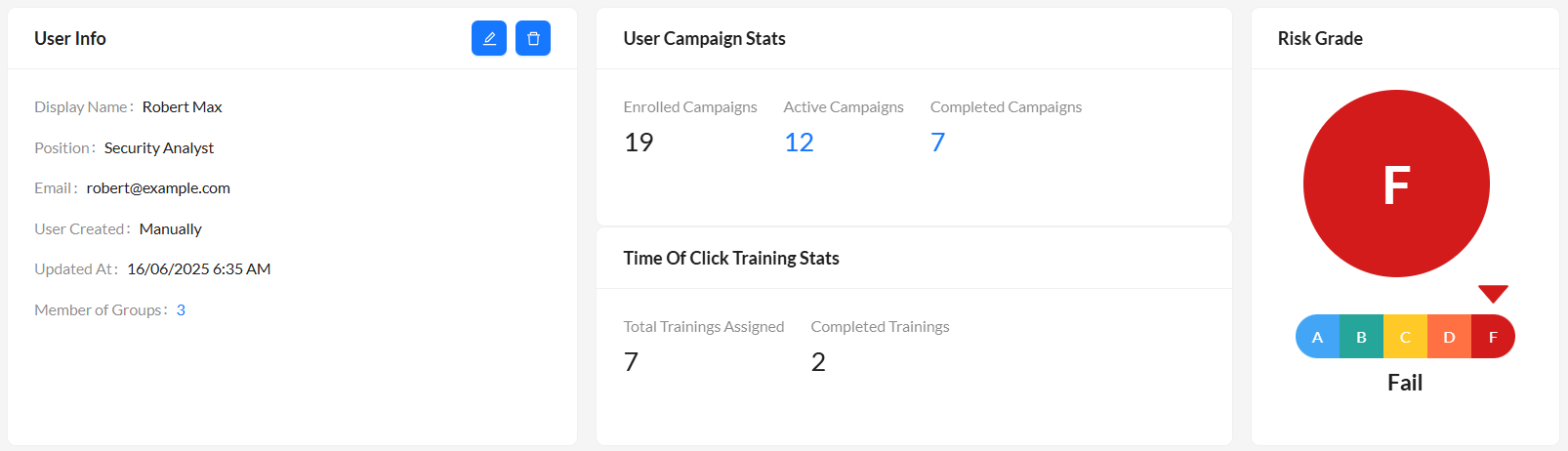
The user information section displays the following information.
|
Display Name |
The name of the user. |
|
Position |
The job title or role of the user. |
| The email address of the user. | |
| User Created | Displays the method of user creation, Manually or Azure AD. |
| Updated At | Displays the timestamp of the last modification to the user's data. |
| Member of Groups |
The count of the groups the user belongs to. Click count to navigate to Member of Groups section. |
| Enrolled Campaigns | The total count of campaigns the user is part of. |
|
Active Campaigns |
The count of active campaigns the user is part of. Click count to navigate to Active Campaigns section. |
|
Completed Campaigns |
The count of completed campaigns the user was part of. Click count to navigate to Completed Campaigns section. |
|
Total Trainings Assigned |
The total count of trainings assigned to the user. |
|
Completed Trainings |
The count of trainings the user has completed. |
|
Risk Rating |
The letter grade between A and F assigned to the recipient . An A indicates the user poses minimal risk and a F grade indicates the user poses the maximum risk to the organization. |
Click Edit to update the user details. Click Delete to delete the user.

|
Campaign counts exclude deleted campaigns. |
Azure AD User Information
For users imported from Azure AD, FortiPhish displays additional attributes when available, supplementing the general user information.
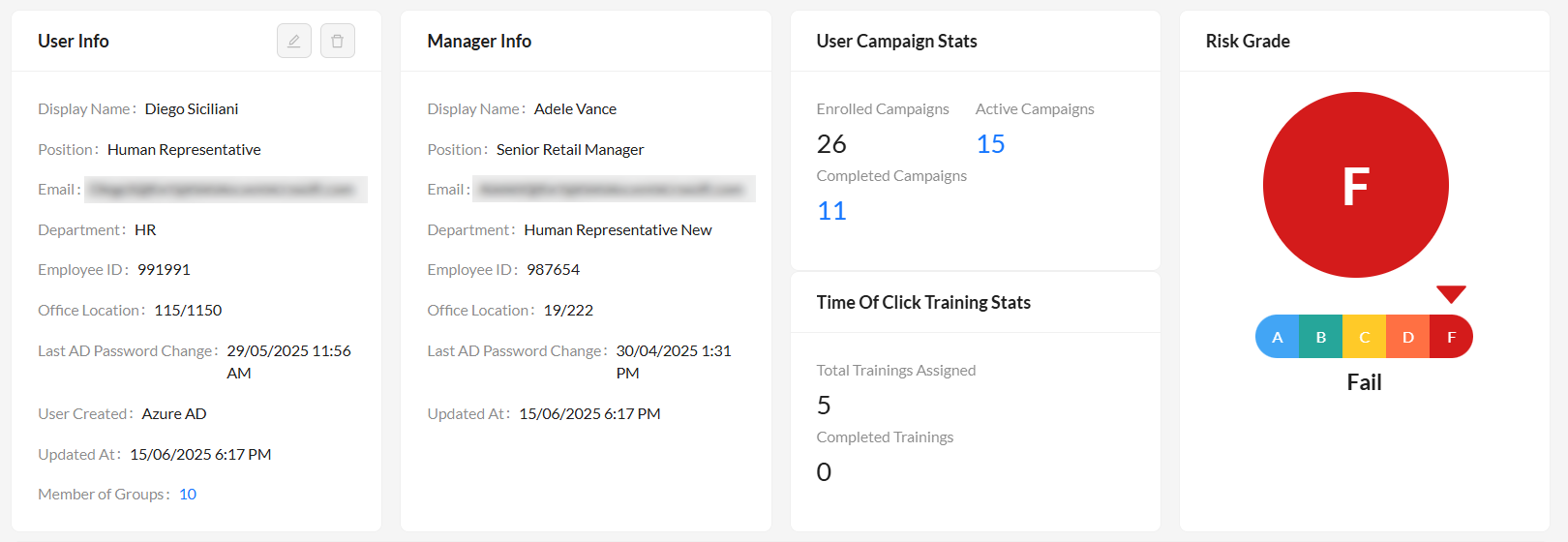
| Department | The user's department. |
| Employee ID | The user's employee identification number. |
| Office Location | The user's primary office location. |
| Last AD Password Change | The timestamp of the user's last password change in Azure AD. |
| User Created | Displays the method of user creation, Azure AD. |
Additionally, a separate Manager Info card appears if the manager's information is available from Azure AD.
| Display Name | The manager's name. |
| Position | The manager's job title or role. |
| The manager's email address. | |
| Department | The manager's department. |
| Employee ID | The manager's employee identification number. |
| Office Location | The manager's office location. |
| Last AD Password Change | The timestamp of the manager's last password change in Azure AD. |
| Updated At | The timestamp of the last modification to the manager's data. |
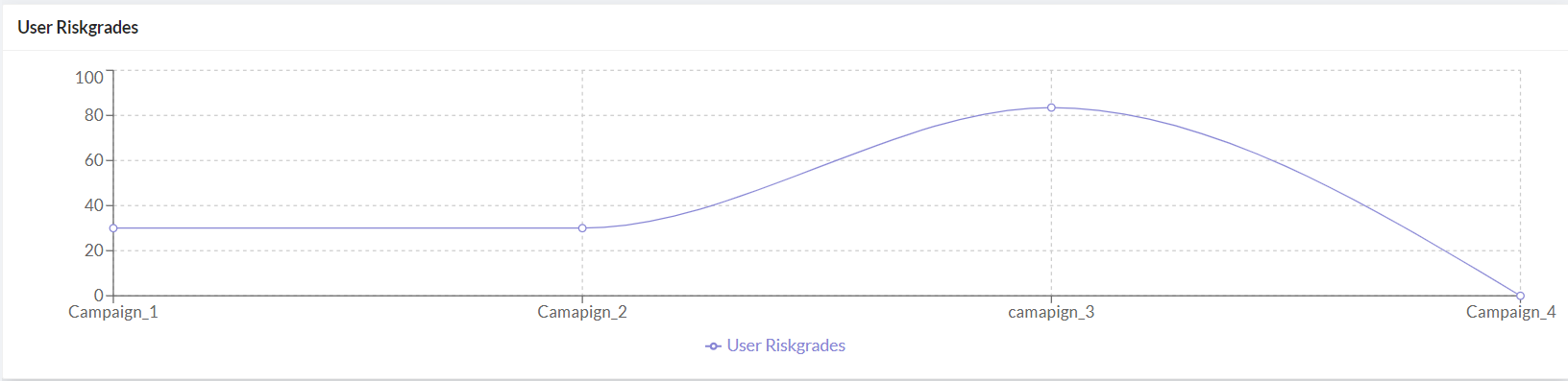
User Risk Grades
Provides a graphical representation of the user's risk score across campaigns. Hover over the graph to view the risk grade.
Member of Groups
Displays a list of groups the user belongs to. Click a group name to navigate to the corresponding group page. See Groups.

Active Campaigns
Displays a list of active campaigns the user is currently part of. Click a campaign name to navigate to the corresponding campaign details page. See Viewing campaign statistics.

Completed Campaigns
Displays a list of completed campaigns the user was part of. Click a campaign name to navigate to the corresponding campaign details page. See Viewing campaign statistics.
