
Fortinet white logo
Fortinet white logo

Administration Guide

Display CORS content in explicit proxy NEW

Display CORS content in explicit proxy NEW

Webpages can properly display Cross-Origin Resource Sharing (CORS) content in an explicit proxy environment when using session-based, cookie-enabled, and captive portal assisted authentication.

config authentication rule
    edit <name>
        set web-auth-cookie enable
        set cors-stateful {enable | disable}
        set cors-depth <integer>
    next
end

cors-stateful {enable | disable}

Enable/disable allowing CORS access (default = disable). This setting is only available when web-auth-cookie is enabled.

cors-depth <integer>

Set the depth to allow CORS access (1 - 8, default = 3).

For example, when visiting domain A, the returned web page may refer the browser to a cross-origin domain B (depth of 1). When the browser visits domain B, the returned web content may further refer the browser to another cross-origin domain C (depth of 2).

Example

CORS access is enabled in this example. When a user access the Microsoft Sign in page using an explicit proxy, the page appears and the user can log in. This example assumes the web proxy and user group have already been configured, and that the proxy captive portal setting has been enabled on the appropriate interface.

To view CORS content in an explicit proxy environment:
  1. Configure the authentication scheme:

    config authentication scheme
        edit "form"
            set method form
            set user-database "local-user-db"
        next
    end
  2. Configure the authentication rule:

    config authentication rule
        edit "form"
            set srcaddr "all"
            set ip-based disable
            set active-auth-method "form"
            set web-auth-cookie enable
            set cors-stateful enable
            set cors-depth 3
        next
    end
  3. Configure the captive portal:

    config authentication setting
        set captive-portal-type ip
     set captive-portal-ip 10.120..209
    end
    					
  4. Configure the policy:

    config firewall policy
        edit 1
            set type explicit-web
    	 set uuid 921737c8-d81a-51ee-76db-dcd160b8695d
            set dstintf "port9"
            set srcaddr "all"
            set dstaddr "all"
            set service "webproxy"
            set action accept
            set schedule "always"
    	 set explicit-web-proxy "web-proxy"
            set logtraffic all
    	 set logtraffic-start enable
    	 set log-http-transaction all
    	 set extended-log enable
            set groups "localgroup"
            set utm-status enable
            set ssl-ssh-profile "deep-custom"
            set av-profile "av"
        next
    end
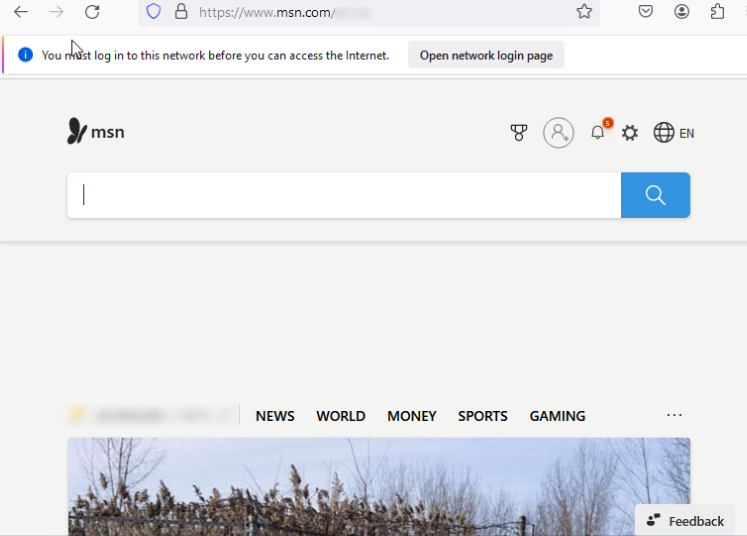
  5. Get a user to access www.msn.com through the explicit web proxy. The website loads CORS content.
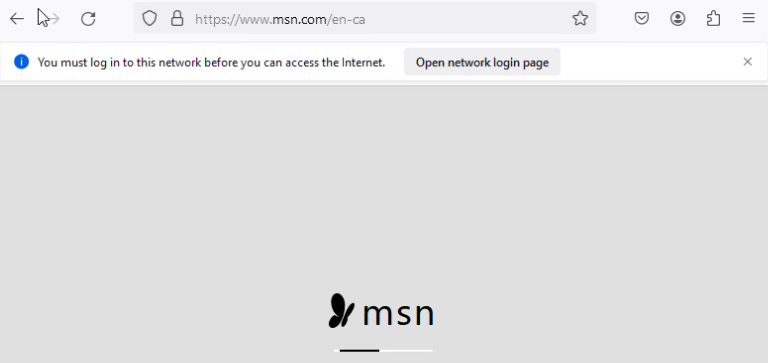
    If CORS access (cors-stateful) was disabled, the browser would display an incomplete page with CORS content hidden.
Display CORS content in explicit proxy NEW

Display CORS content in explicit proxy NEW

Webpages can properly display Cross-Origin Resource Sharing (CORS) content in an explicit proxy environment when using session-based, cookie-enabled, and captive portal assisted authentication.

config authentication rule
    edit <name>
        set web-auth-cookie enable
        set cors-stateful {enable | disable}
        set cors-depth <integer>
    next
end

cors-stateful {enable | disable}

Enable/disable allowing CORS access (default = disable). This setting is only available when web-auth-cookie is enabled.

cors-depth <integer>

Set the depth to allow CORS access (1 - 8, default = 3).

For example, when visiting domain A, the returned web page may refer the browser to a cross-origin domain B (depth of 1). When the browser visits domain B, the returned web content may further refer the browser to another cross-origin domain C (depth of 2).

Example

CORS access is enabled in this example. When a user access the Microsoft Sign in page using an explicit proxy, the page appears and the user can log in. This example assumes the web proxy and user group have already been configured, and that the proxy captive portal setting has been enabled on the appropriate interface.

To view CORS content in an explicit proxy environment:
  1. Configure the authentication scheme:

    config authentication scheme
        edit "form"
            set method form
            set user-database "local-user-db"
        next
    end
  2. Configure the authentication rule:

    config authentication rule
        edit "form"
            set srcaddr "all"
            set ip-based disable
            set active-auth-method "form"
            set web-auth-cookie enable
            set cors-stateful enable
            set cors-depth 3
        next
    end
  3. Configure the captive portal:

    config authentication setting
        set captive-portal-type ip
     set captive-portal-ip 10.120..209
    end
    					
  4. Configure the policy:

    config firewall policy
        edit 1
            set type explicit-web
    	 set uuid 921737c8-d81a-51ee-76db-dcd160b8695d
            set dstintf "port9"
            set srcaddr "all"
            set dstaddr "all"
            set service "webproxy"
            set action accept
            set schedule "always"
    	 set explicit-web-proxy "web-proxy"
            set logtraffic all
    	 set logtraffic-start enable
    	 set log-http-transaction all
    	 set extended-log enable
            set groups "localgroup"
            set utm-status enable
            set ssl-ssh-profile "deep-custom"
            set av-profile "av"
        next
    end
  5. Get a user to access www.msn.com through the explicit web proxy. The website loads CORS content.

    If CORS access (cors-stateful) was disabled, the browser would display an incomplete page with CORS content hidden.