Create a CIFS proxy option
CIFS can be configure in the GUI by creating or editing a proxy option under Proxy Settings > Proxy Options, and in the CLI using the config firewall profile-protocol-options command. The cifs-profile command is no longer available from the firewall policy options.
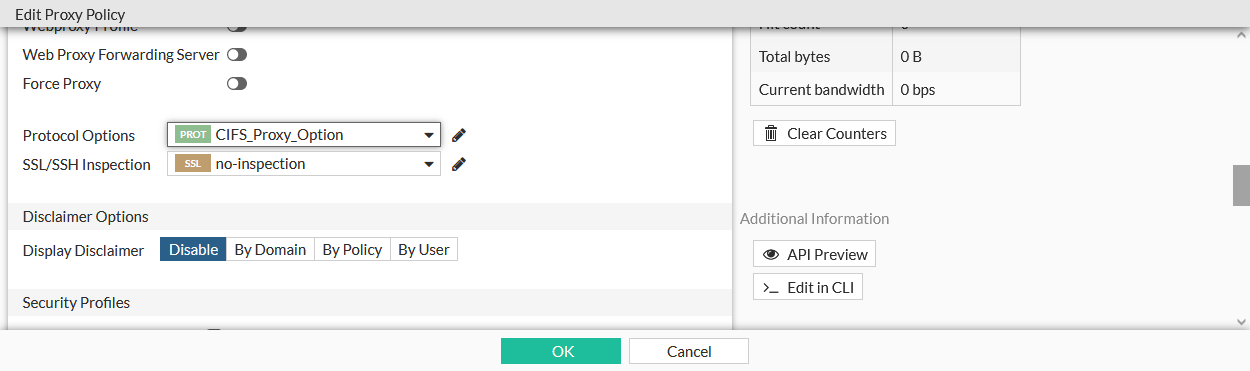
The CIFS proxy option can then be used in a policy.
To create a CIFS proxy option:
config firewall profile-protocol-options
    edit <option>
        config cifs
            set ports <port>
            set status {enable | disable}
            set options <string>
            set oversize-limit <integer>
            set uncompressed-oversize-limit <integer>
            set uncompressed-nest-limit <integer>
            set scan-bzip2 {enable | disable}
            set tcp-window-type {auto-tuning | system | static | dynamic}
            set server-credential-type {none | credential-replication | credential-keytab}
        end
    next
end
To use the CIFS proxy option in a policy:
-
In the CLI, select the option using the set
profile-protocol-options <option>command:config firewall policy edit 1 set profile-protocol-options <option> next end -
In the GUI, select the option in the Protocol Options field when editing a policy.