
Fortinet white logo
Fortinet white logo

Release Notes

Support UEFI-Preferred boot mode on AWS FortiProxy-VM models

Support UEFI-Preferred boot mode on AWS FortiProxy-VM models

When deployed on instance types that support --boot-mode uefi-preferred, FortiProxy-VM on AWS supports UEFI-Preferred boot mode. You can label AMI images as UEFI-Preferred and boot with UEFI when the instance type supports UEFI.

You can register a FortiProxy-VM64-AWS custom image with the --boot-mode uefi-preferred option.
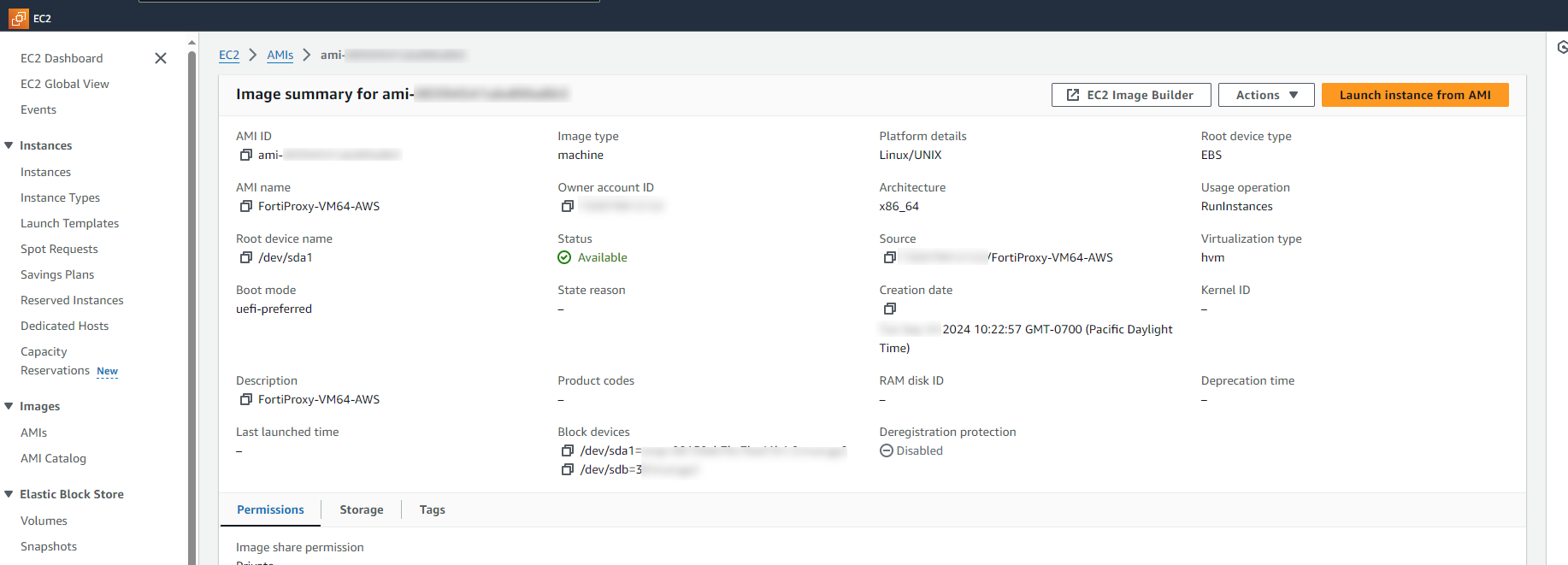
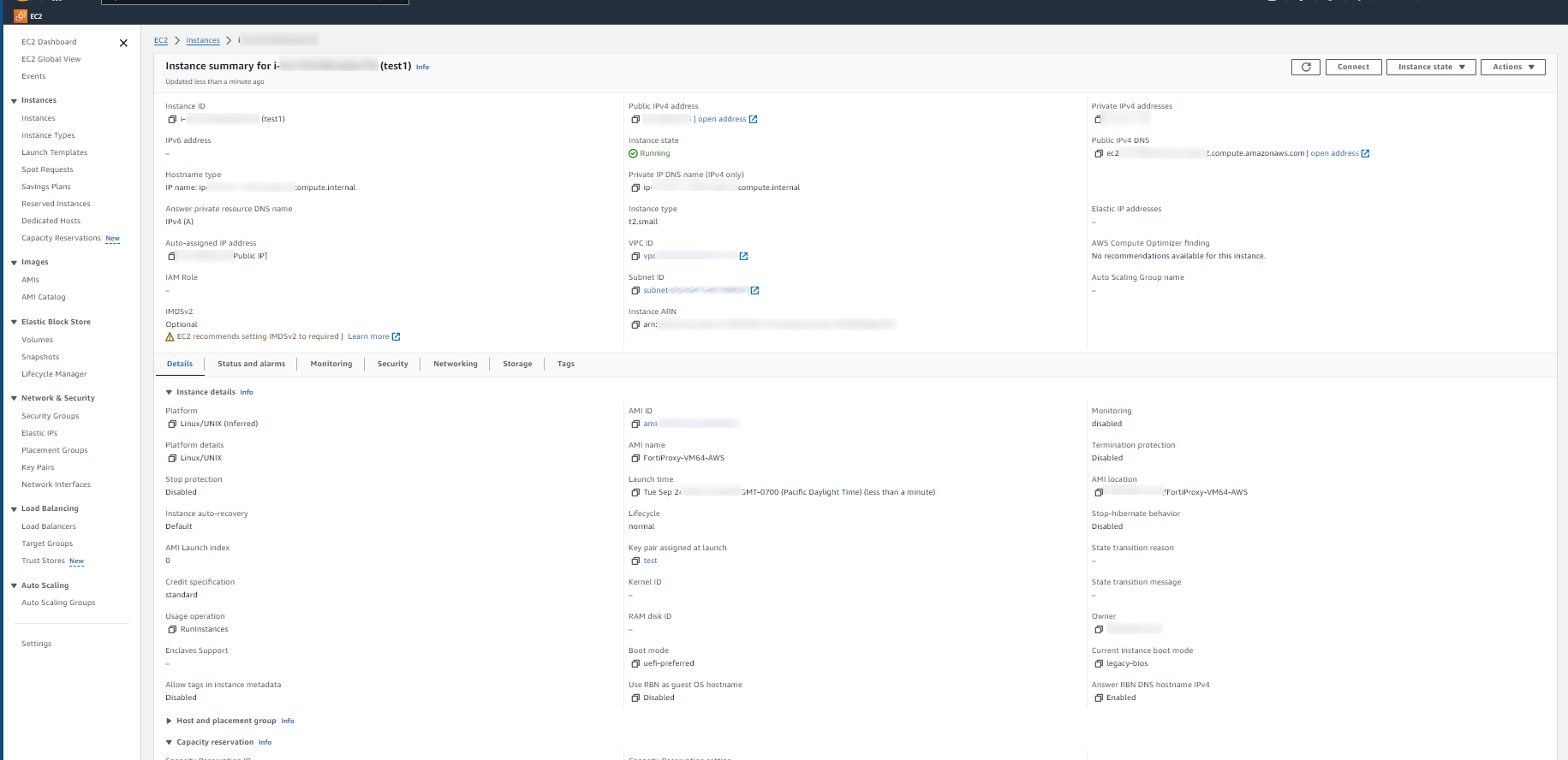
If the instance type only supports legacy BIOS boot mode, the FortiProxy-VM64-AWS boots in BIOS mode even if it is labelled as --boot-mode uefi-preferred. For example, the t2.small instance type does not support UEFI-Preferred boot mode.
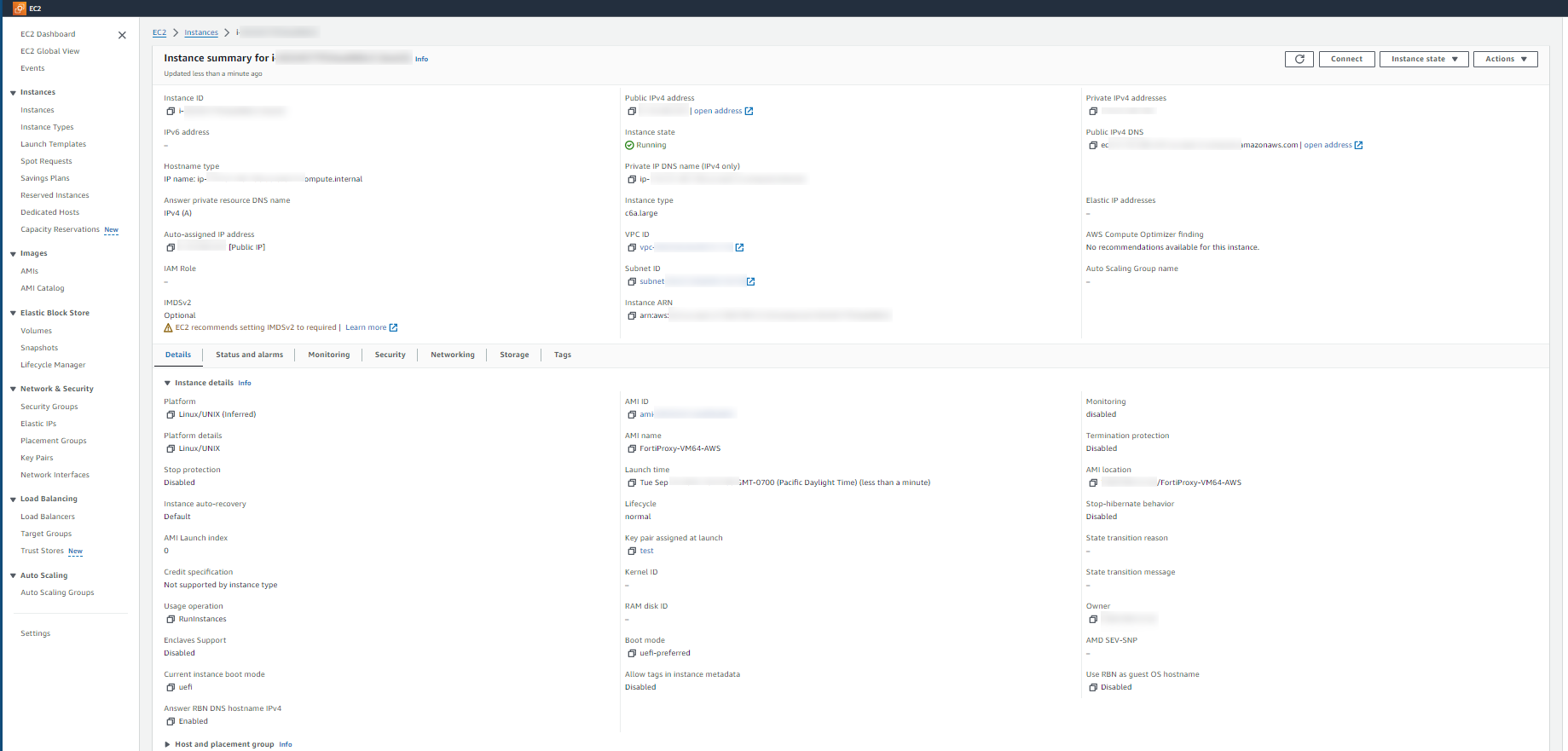
If the instance type supports legacy BIOS and UEFI boot modes, the FortiProxy-VM64-AWS boots in UEFI mode if it is labelled as --boot-mode uefi-preferred. For example, the c6a.large instance type supports legacy BIOS and UEFI boot modes.
Support UEFI-Preferred boot mode on AWS FortiProxy-VM models

Support UEFI-Preferred boot mode on AWS FortiProxy-VM models

When deployed on instance types that support --boot-mode uefi-preferred, FortiProxy-VM on AWS supports UEFI-Preferred boot mode. You can label AMI images as UEFI-Preferred and boot with UEFI when the instance type supports UEFI.

You can register a FortiProxy-VM64-AWS custom image with the --boot-mode uefi-preferred option.

If the instance type only supports legacy BIOS boot mode, the FortiProxy-VM64-AWS boots in BIOS mode even if it is labelled as --boot-mode uefi-preferred. For example, the t2.small instance type does not support UEFI-Preferred boot mode.

If the instance type supports legacy BIOS and UEFI boot modes, the FortiProxy-VM64-AWS boots in UEFI mode if it is labelled as --boot-mode uefi-preferred. For example, the c6a.large instance type supports legacy BIOS and UEFI boot modes.