

Content disarm and reconstruction
Content disarm and reconstruction (CDR) allows the FortiProxy to sanitize Microsoft Office documents and PDF files (including those that are in ZIP archives) by removing active content, such as hyperlinks, embedded media, JavaScript, macros, and so on from the files (disarm) without affecting the integrity of its textual content (reconstruction). It allows network administrators to protect their users from malicious document files.
CDR is supported on HTTP, SMTP, POP3, and IMAP.

|
HTTP GET is supported, but not HTTP POST. SMTP splice and client-comfort mode are not supported. |
Example
In this example, the a Microsoft Office document with an embedded hyperlink (that redirects to an external website) is sent to the receiver. When the user receives the file, the hyperlink in the document is deactivated.
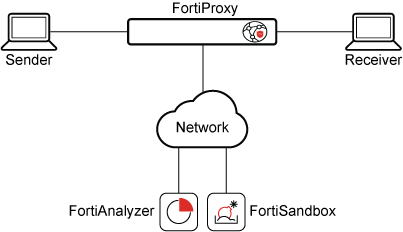
To configure CDR:
- Go to Security Profiles > AntiVirus.
- Edit an antivirus profile, or create a new one.
- Under Inspection Options, enable Content Disarm and Reconstruction.
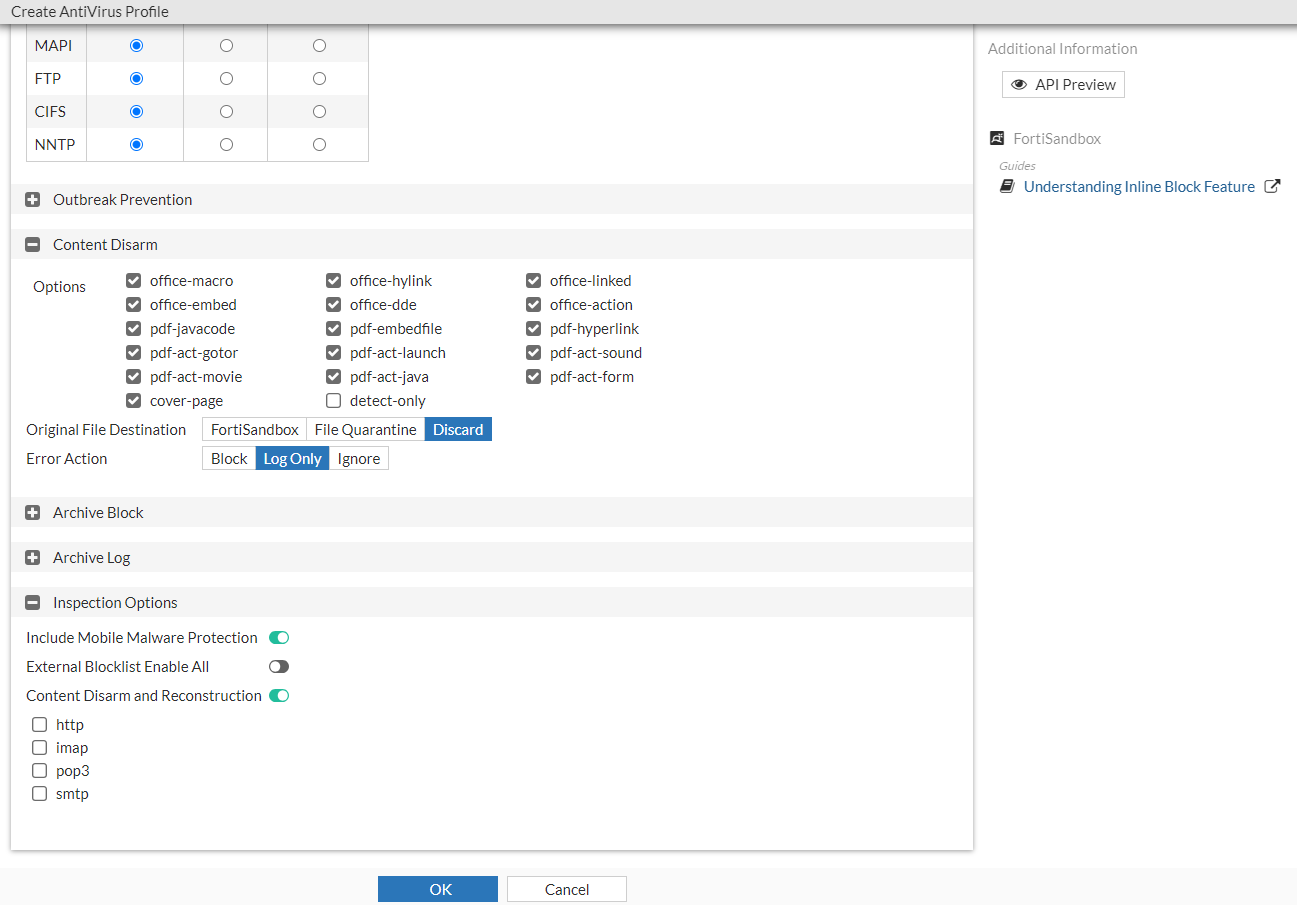
- Select a quarantine location from the available options:
FortiSandbox Saves the original document file to a connected FortiSandbox. File Quarantine Saves the original document file to disk (if possible) or a connected FortiAnalyzer based on the FortiProxy log settings ( config log fortianalyzer setting).Discard The default setting, which discards the original document file. - Click OK.
To edit the CDR detection parameters:
By default, stripping of all active Microsoft Office and PDF content types are enabled. In this example, stripping macros in Microsoft Office documents will be disabled.
config antivirus profile
    edit av
        config content-disarm
            set office-macro disable
            set detect-only {enable | disable}
            set cover-page {enable | disable}
        end
    next
end
Where:
|
detect-only |
Only detect disarmable files, do not alter content. Disabled by default. |
|
cover-page |
Attach a cover page to the file's content when the file has been processed by CDR. Enabled by default. |