

Edit a subnet segment
Select a subnet segment and click Edit to open the Edit Segment window.
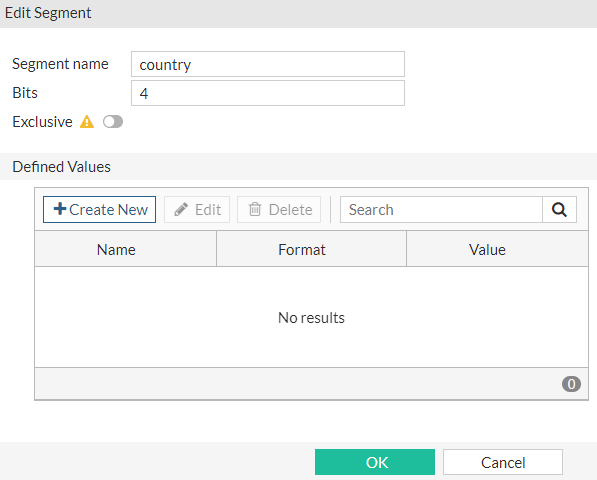
Configure the following settings in the Edit Segment window and then click OK:
|
Name |
You can change the name of the segment. |
|
Bits |
You can change the number of bits for the segment. Each segment can have a maximum of 16 bits. |
|
Exclusive |
Enable this option to make a segment exclusive so that the user must select from predefined values for the segment. NOTE: You need to define at least one value before enabling Exclusive. |
|
Defined Values |
You can create defined values for exclusive segments. |
|
Create New |
Create the predefined values for an exclusive segment. |
|
Edit |
Select a value and then click Edit to change the value. |
|
Delete |
Delete the selected value. |
|
Search |
Search for text in any column. |
|
Name |
The name of the segment value. |
|
Format |
The format of the segment value. |
|
Value |
The value of the segment. |