
Fortinet white logo
Fortinet white logo

User Guide

Viewing ransomware intelligence

Viewing ransomware intelligence

The Ransomware Intelligence page contains multiple sections that display high level information on the ransomware threat landscape. Sections include:

  • Summary: A summary to total incidents, groups currently being tracked, and the top sector, country, and active ransomware. Select a card to view more information in the Ransomware Trends.

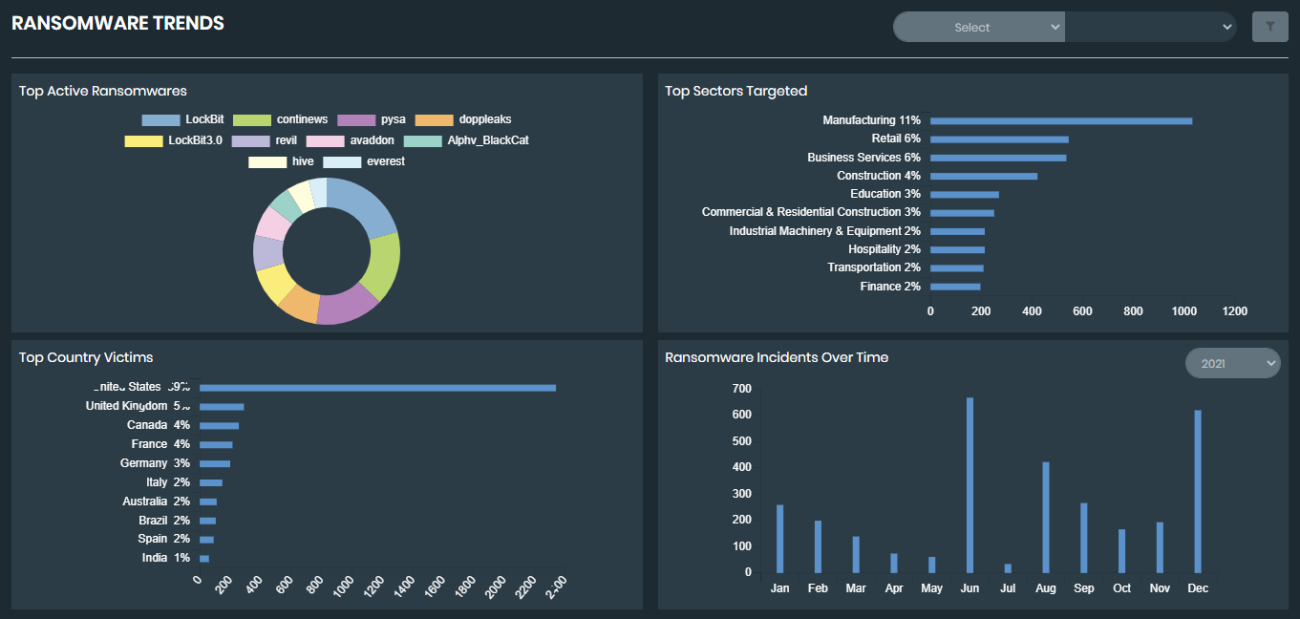
  • Ransomware Trends: Graphical representations of ransomware trends, including top targeted sectors and victimized countries. The trends will adjust to reflect a particular trend if a card is selected in the Summary.
  • Watchlist: A list of monitored organization and vendors. If an asset matches a monitor, an alert will be triggered. Add or edit your watchlist by selecting Manage.

  • Active Ransomware: A list of known, active ransomware and the current victim count for each.

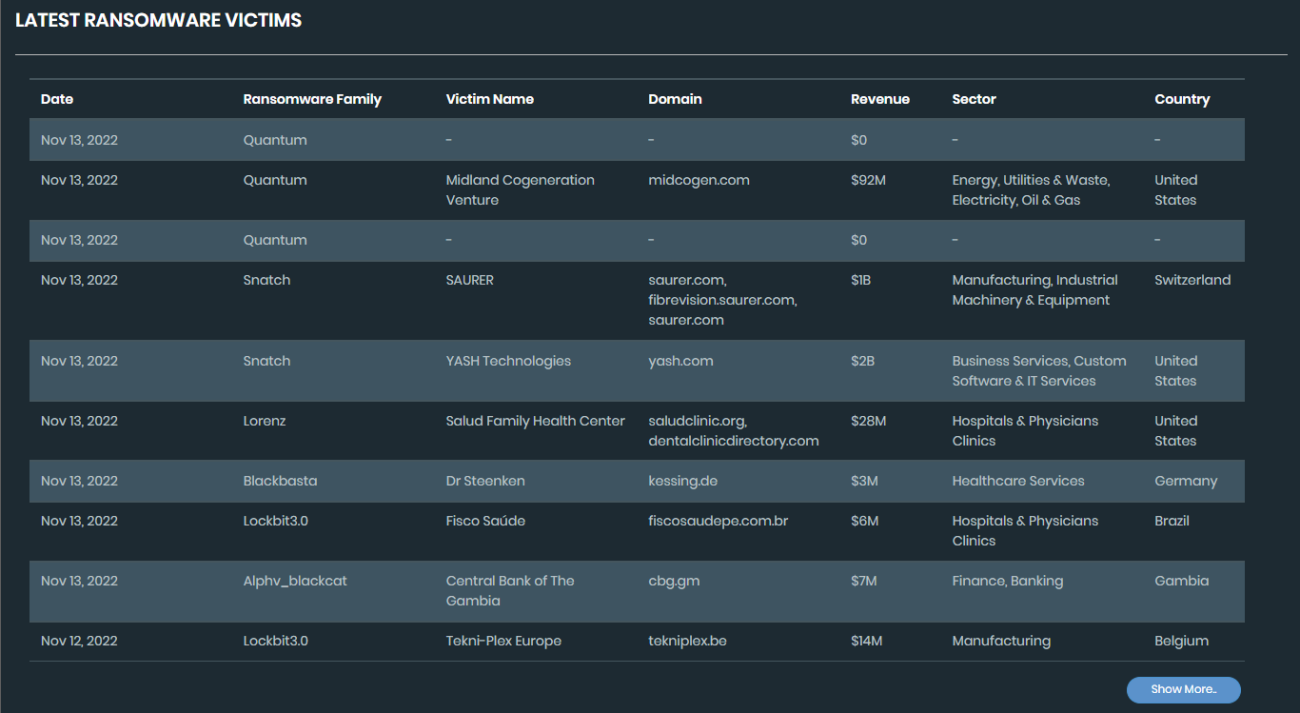
  • Latest Ransomware Victims: A list of the most recent victims of ransomware victims, including information on the victim revenue, sector, and country. Select an entry for more information on a specific victim. Click Show More to view more victims.
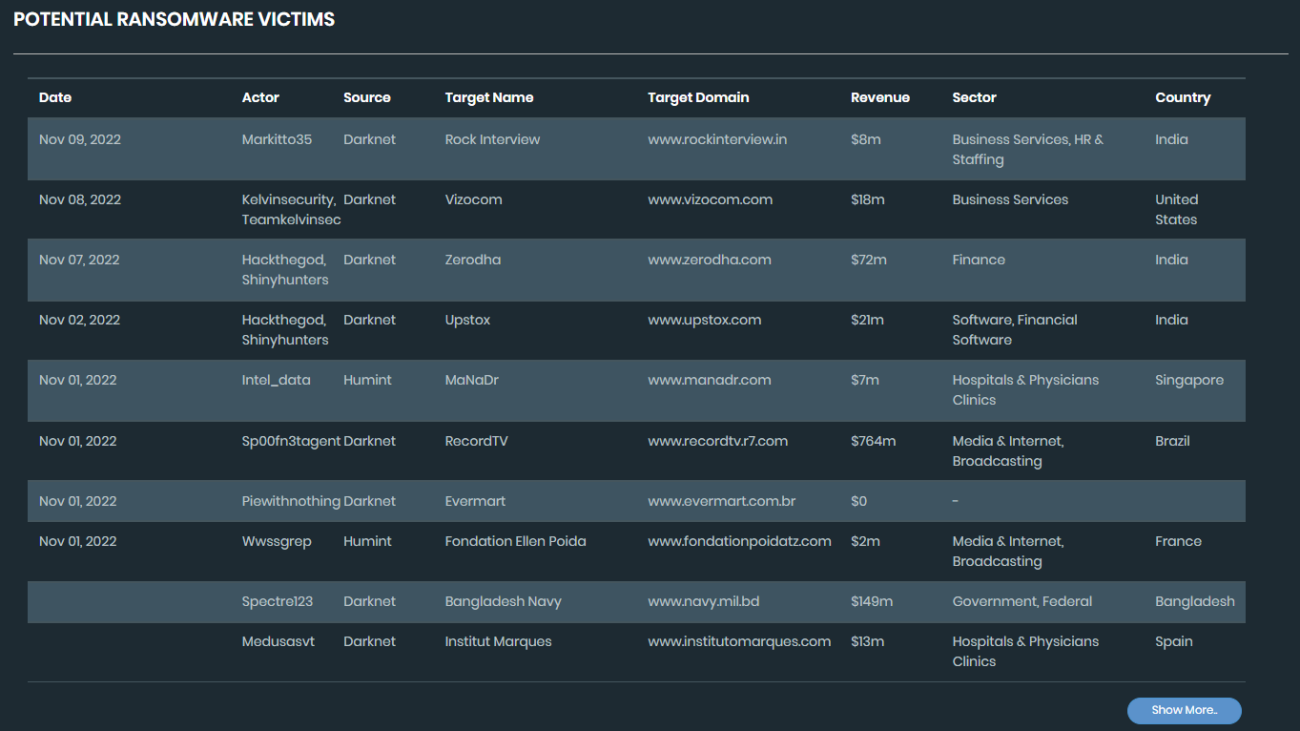
  • Potential Ransomware Victims: A list of targets identified as potential victims of ransomware, including information on revenue, sector, and country. Select an entry for more information on a specific target. Click Show More to view more potential targets.
Viewing ransomware intelligence

Viewing ransomware intelligence

The Ransomware Intelligence page contains multiple sections that display high level information on the ransomware threat landscape. Sections include:

  • Summary: A summary to total incidents, groups currently being tracked, and the top sector, country, and active ransomware. Select a card to view more information in the Ransomware Trends.

  • Ransomware Trends: Graphical representations of ransomware trends, including top targeted sectors and victimized countries. The trends will adjust to reflect a particular trend if a card is selected in the Summary.

  • Watchlist: A list of monitored organization and vendors. If an asset matches a monitor, an alert will be triggered. Add or edit your watchlist by selecting Manage.

  • Active Ransomware: A list of known, active ransomware and the current victim count for each.

  • Latest Ransomware Victims: A list of the most recent victims of ransomware victims, including information on the victim revenue, sector, and country. Select an entry for more information on a specific victim. Click Show More to view more victims.

  • Potential Ransomware Victims: A list of targets identified as potential victims of ransomware, including information on revenue, sector, and country. Select an entry for more information on a specific target. Click Show More to view more potential targets.