
Fortinet white logo
Fortinet white logo

User Guide

Viewing the alert summary

Viewing the alert summary

The Dashboard displays high level information on alerts in the Alert Trends widget.

To view the alert summary:
  1. Go to Brand Protection > Dashboard.

  2. Scroll to the Alert Trends widget. Trends are displayed in a graph and important alert highlights are organized by category.
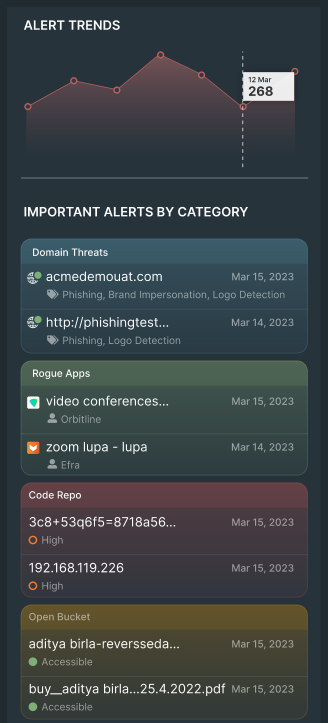
  3. Hover over the graph for more information on daily alerts.

Viewing the alert summary

Viewing the alert summary

The Dashboard displays high level information on alerts in the Alert Trends widget.

To view the alert summary:
  1. Go to Brand Protection > Dashboard.

  2. Scroll to the Alert Trends widget. Trends are displayed in a graph and important alert highlights are organized by category.

  3. Hover over the graph for more information on daily alerts.