
Fortinet white logo
Fortinet white logo

User Guide

Viewing security issues summary

Viewing security issues summary

The Attack Surface Management > Dashboard page displays the following widgets that summarize potential security issues in the Issues section:

  • Issue Wise Status
  • Total Issues
  • Severe Issues
  • Widely Exploited Vulnerabilities
To view discovered assets summary:
  1. Go to the Attack Surface Management > Dashboard page. Select IASM using toggle and scroll to the Issues section. The list of potential security issues is displayed.
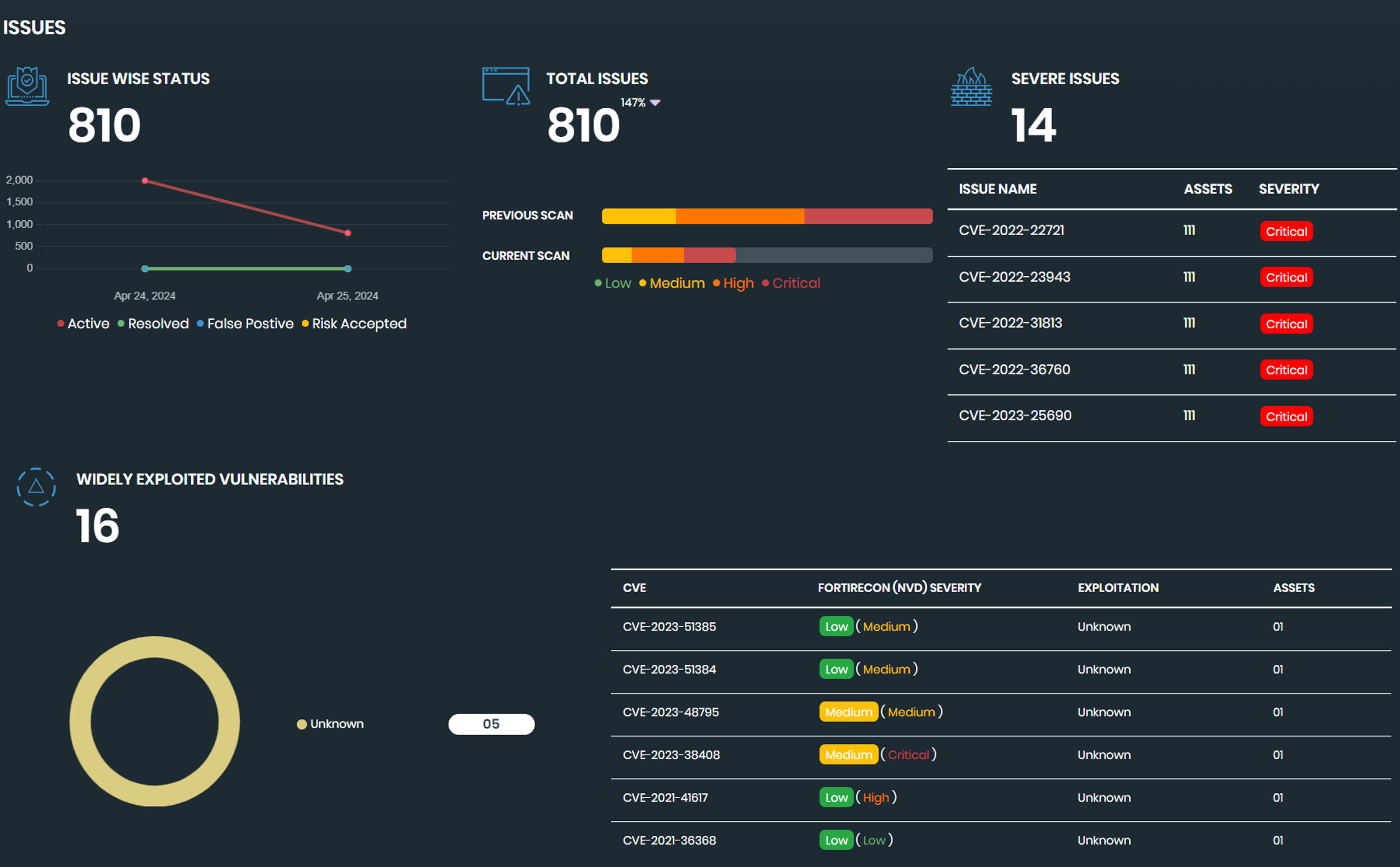
  2. Use the following widgets to review your security issues:

    Issue Wise Status

    Displays a graph visualizing the number of issues in each status over time.

    Total Issues

    Displays the total number of issues discovered by the latest scan compared to the results of the previous scan.

    Severe Issues

    Displays the number of severe issues, and then lists the name, affected assets, and severity rating of the issues.

    Widely Exploited Vulnerabilities

    Displays the number of widely exploited vulnerabilities discovered, and then lists the name, affected assets, and severity rating of the issues.

  3. Click an issue or vulnerability to display more details on the Security Issues page. See IASM Security Issues.

Viewing security issues summary

Viewing security issues summary

The Attack Surface Management > Dashboard page displays the following widgets that summarize potential security issues in the Issues section:

  • Issue Wise Status
  • Total Issues
  • Severe Issues
  • Widely Exploited Vulnerabilities
To view discovered assets summary:
  1. Go to the Attack Surface Management > Dashboard page. Select IASM using toggle and scroll to the Issues section. The list of potential security issues is displayed.
  2. Use the following widgets to review your security issues:

    Issue Wise Status

    Displays a graph visualizing the number of issues in each status over time.

    Total Issues

    Displays the total number of issues discovered by the latest scan compared to the results of the previous scan.

    Severe Issues

    Displays the number of severe issues, and then lists the name, affected assets, and severity rating of the issues.

    Widely Exploited Vulnerabilities

    Displays the number of widely exploited vulnerabilities discovered, and then lists the name, affected assets, and severity rating of the issues.

  3. Click an issue or vulnerability to display more details on the Security Issues page. See IASM Security Issues.