

Adding integrations
You can add multiple webhook integrations to your account in FortiRecon.

|
You must retrieve the webhook URL from Slack before adding an integration to FortiRecon. See Slack API Sending messages using Incoming Webhooks for more information. |
To add an integration:
-
Go to Profile Settings > Integrations.
-
Click Add Integrations. The Choose Your Integration page is displayed.
-
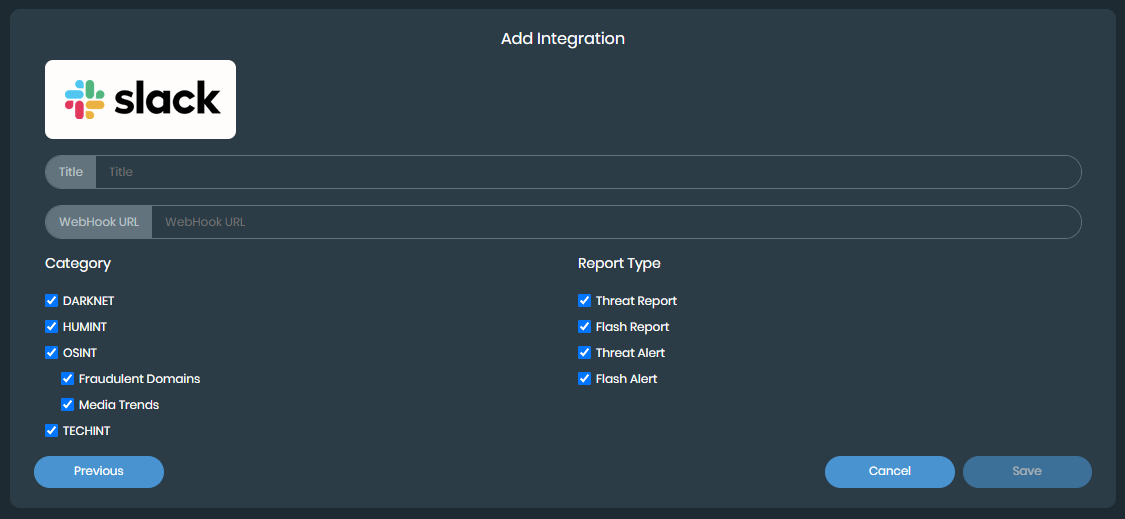
Select the software you want to integrate with. The Add Integration page is displayed.
-
Enter the name of the integration in the Title text box.
-
Paste the webhook URL from the software into the WebHook URL text box.
-
Select the Category and Report Type fields that you want to include in the integration.
-
Clear any fields that you want to exclude from the integration.
-
Click Save. The integration is added.