

3. Provisioning
 Provision your FortiSASE instance to the desired locations close to your end users.
To initialize FortiSASE:
-
Log in to the FortiSASE portal with your FortiCloud account.
-
Select the desired security PoPs for security, log storage, and endpoint management.
FortiSASE has a high-performance and scalable cloud network with 100+ security PoPs globally.
During initial provisioning, you can select fewer security PoPs than the maximum you are entitled to. In this case, upon each login, the FortiSASE portal prompts you to select up to the maximum number of security PoPs.
Do one of the following:
-
Select up to the maximum number of entitled security PoPs and click Continue.
-
Simply click Continue without selecting any sites to acknowledge this prompt. It appears upon the next login.
FortiSASE presents a map in the PoP selection dialog, which displays the geographical locations of these FortiSASE PoPs:
-
Security PoPs
-
FortiClient endpoint management PoPs
-
Logging PoPs
You can filter the map using these PoP types.
-
This map helps visualize relative distances between PoPs. Also, the map can be helpful with selecting PoPs closest to the location of your agents and edge endpoints.
The dialog you see may differ from the following example based on your region or the FortiSASE version:
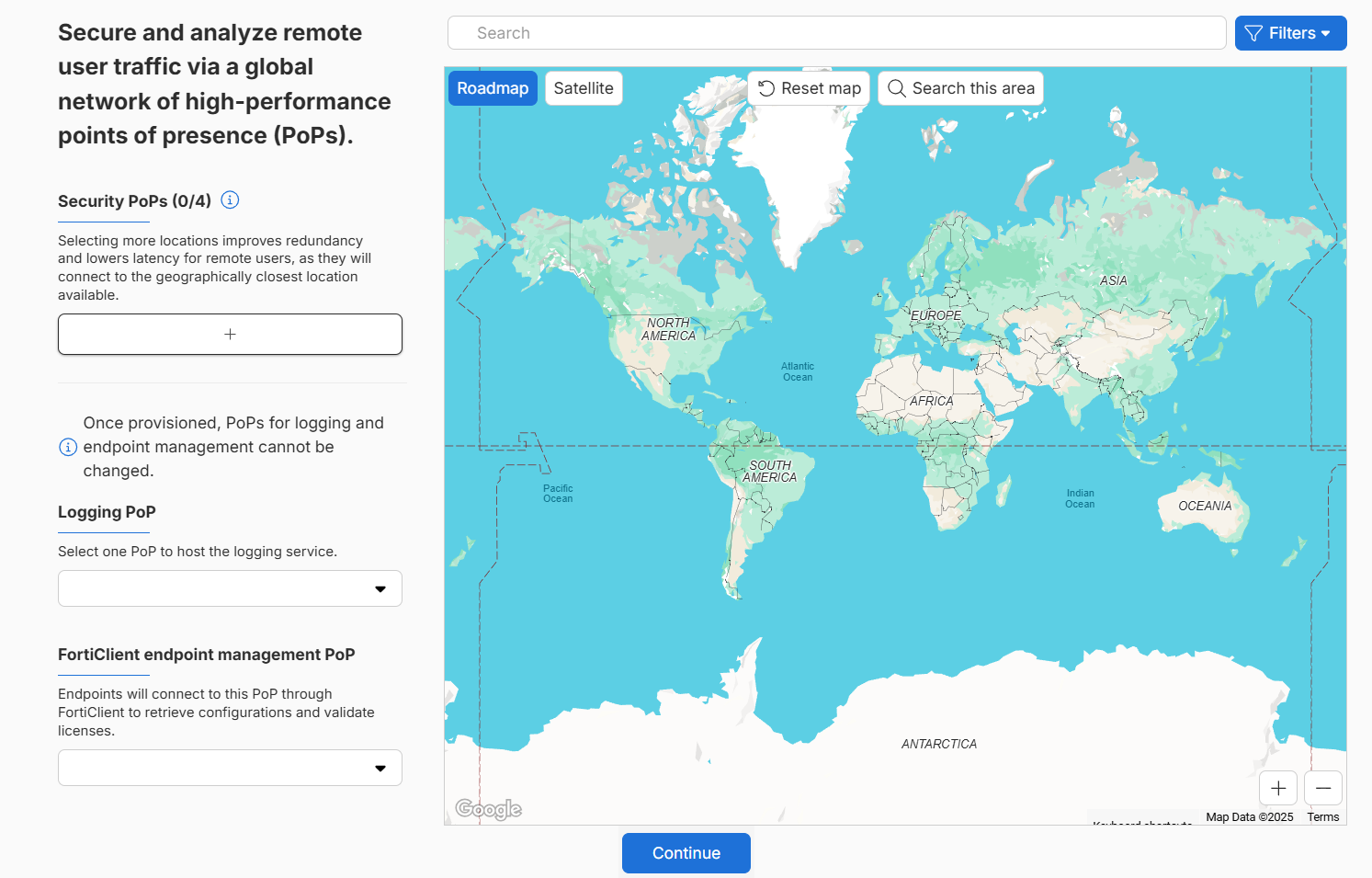
All Fortinet and Public Cloud security PoPs are included together in one list for Advanced and Comprehensive customers.
-
-
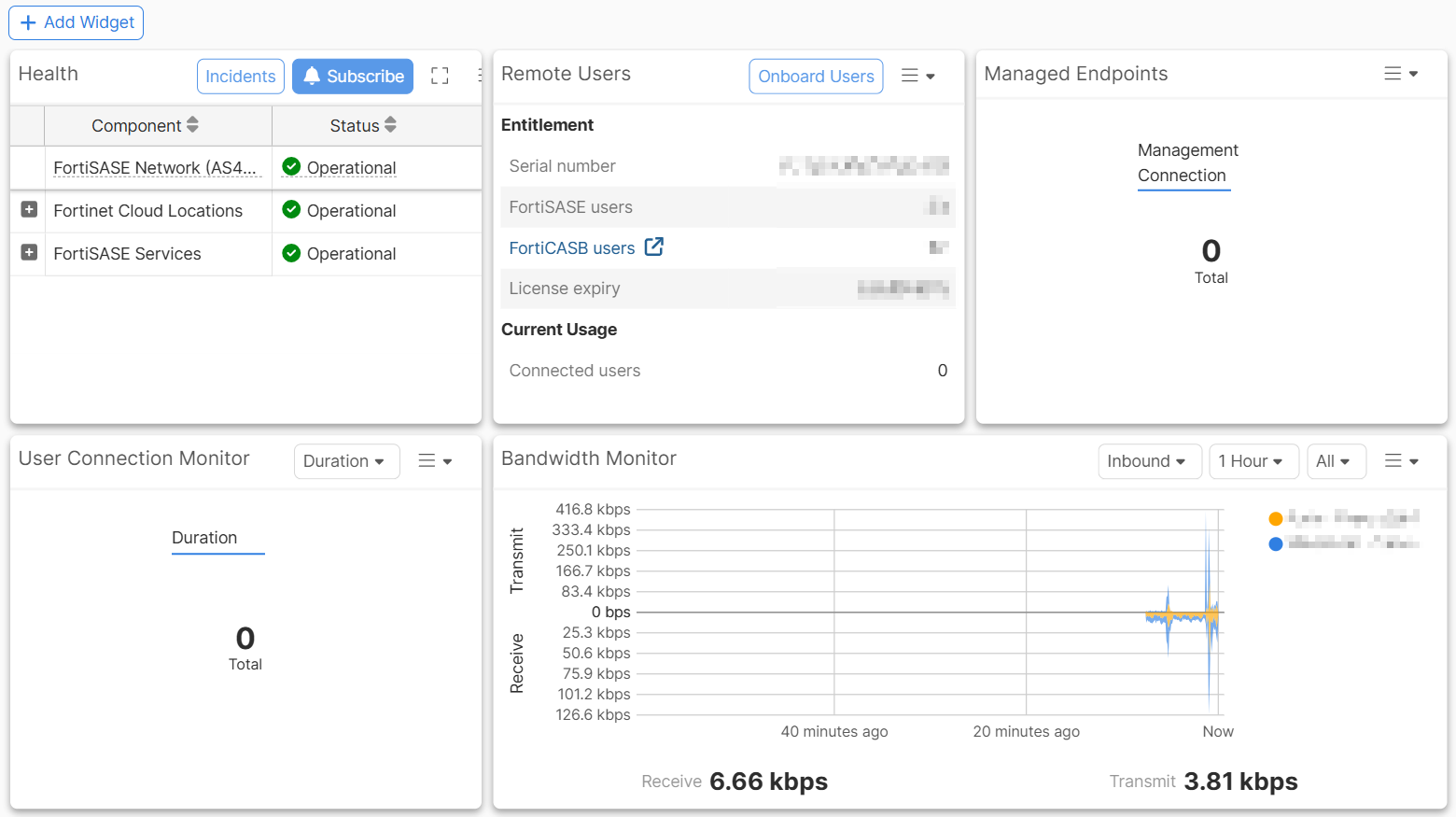
Click Start Now for FortiSASE to provision your environment. This initialization may take up to 10 minutes. The FortiSASE Dashboard displays.
Troubleshooting
Initial provisioning failure
For your new FortiSASE instance, you may see the error message Error 21400.4: Failed to configure Security PoP during initial provisioning:
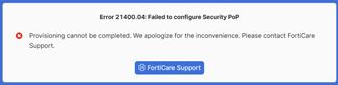
This error message indicates that provisioning could not be completed. You must contact FortiCare Support for further assistance.
Background provisioning notification
For your new FortiSASE instance, after logging into FortiSASE, you may see the notification Background provisioning: Provisioning for <security PoP location> is still in progress, please check back later.

You should not be concerned with this message, which indicates that FortiSASE has detected that a site provision has not completed successfully and triggers its recovery mechanism to handle this case. Site provisioning should complete successfully in the background after seeing this message.