
Fortinet white logo
Fortinet white logo

Administration Guide

ML-based API Protection UX design enhancements (7.6.1)

ML-based API Protection UX design enhancements (7.6.1)

We've implemented significant UX design enhancements to the FortiWeb API Protection GUI. These improvements include refined Overview data, streamlined navigation, an improved Path list layout, and a simplified Edit API Path page for a more intuitive user experience.

Policy editing and API model editing are now organized on separate pages:

  • To edit policies, navigate to API Protection > ML Based API Protection > API Protection Policy.
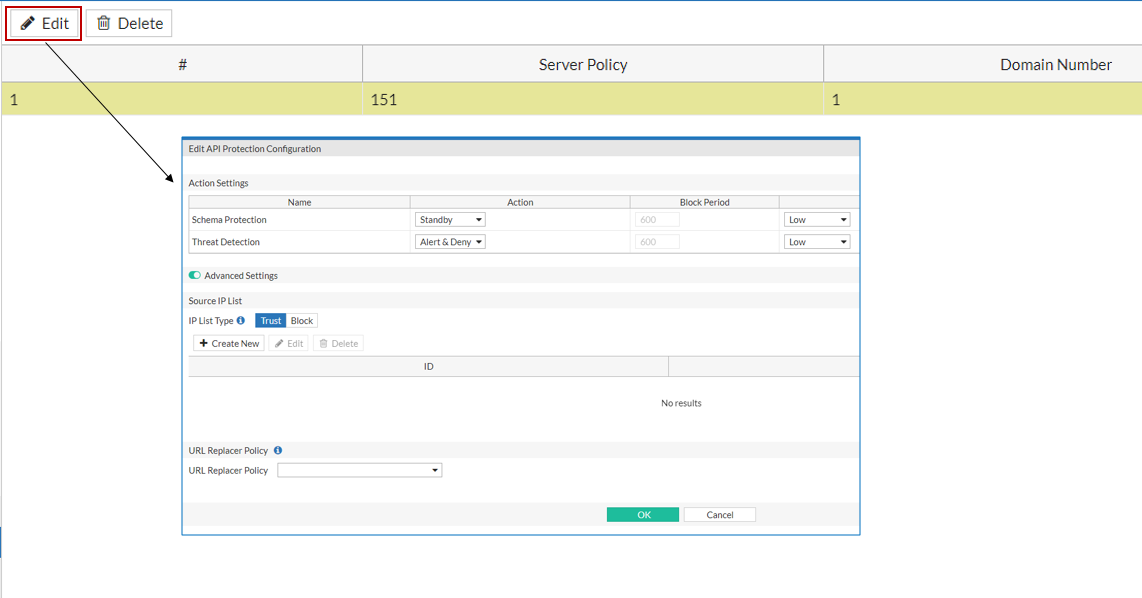
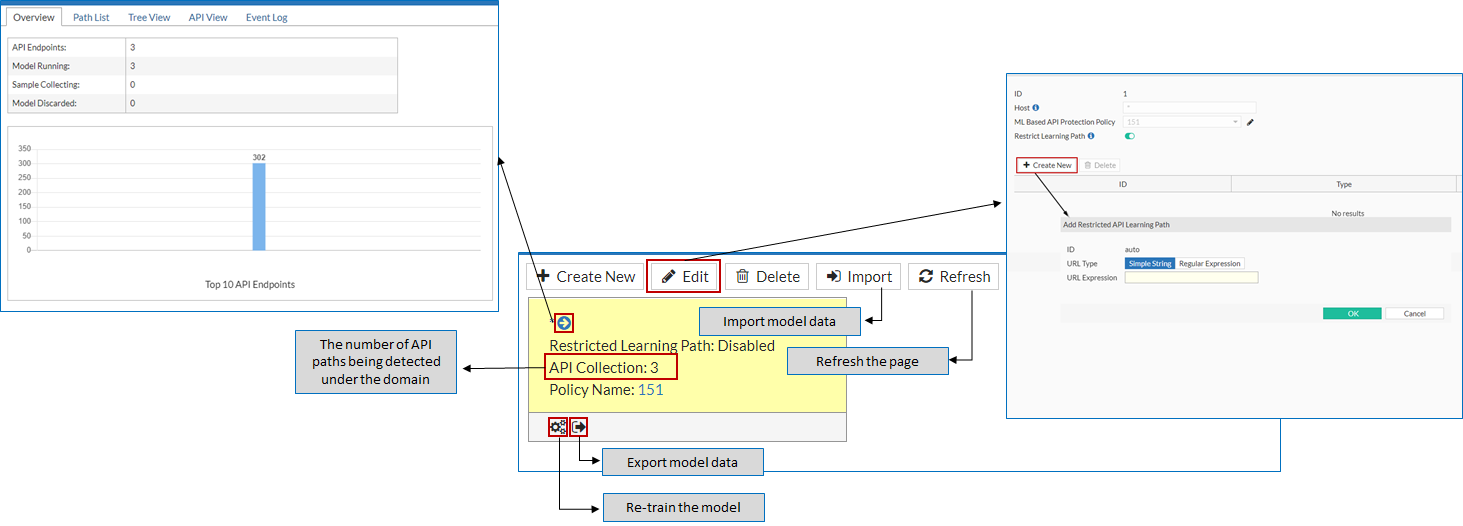
  • To edit and view API model data, go to API Protection > ML Based API Protection > ML Based API Protection. Locate the API model you wish to view or edit, then click the buttons indicated below to access the respective pages.
For more information, see Configuring ML Based API Protection policy.
Related Videos

sidebar video

FortiWeb: Machine Learning Based API Protection

  • 207 views
  • 1 years ago

ML-based API Protection UX design enhancements (7.6.1)

ML-based API Protection UX design enhancements (7.6.1)

We've implemented significant UX design enhancements to the FortiWeb API Protection GUI. These improvements include refined Overview data, streamlined navigation, an improved Path list layout, and a simplified Edit API Path page for a more intuitive user experience.

Policy editing and API model editing are now organized on separate pages:

  • To edit policies, navigate to API Protection > ML Based API Protection > API Protection Policy.

  • To edit and view API model data, go to API Protection > ML Based API Protection > ML Based API Protection. Locate the API model you wish to view or edit, then click the buttons indicated below to access the respective pages.

For more information, see Configuring ML Based API Protection policy.