Downgrading to a previous release

|
We don't recommend performing a downgrade because unexpected results may occur. If you insist on a downgrade, please first contact FortiWeb Technical Support team. Please be aware that both uploading and switching to a lower version image are considered a downgrade operation. |
ML based modules data loss
The machine learning data will be lost if you downgrade to versions lower than 6.2.0. It cannot be recovered because the database architecture is changed since 6.2.0.
Log compatibility issue
There might be log compatibility issue between different FortiWeb versions. If logs are not available on GUI after downgrading to an earlier version, please run execute database rebuild.
Basic configuration preserved if downgrading to 5.1 or 5.0
When you downgrade to version 5.1 or 5.0, the basic configuration for your appliance's connections to the network (e.g., IP address and route configuration) is preserved.
Admin user password hash change
The admin user password hash is changed from sha1 to sha256 since 7.2.0. System > Admin > Administrators
If you downgrade to 7.0.x and 7.1.x, you may need to convert password hash otherwise the admin users can't log in with their credentials. The following message will prompt after downgrading: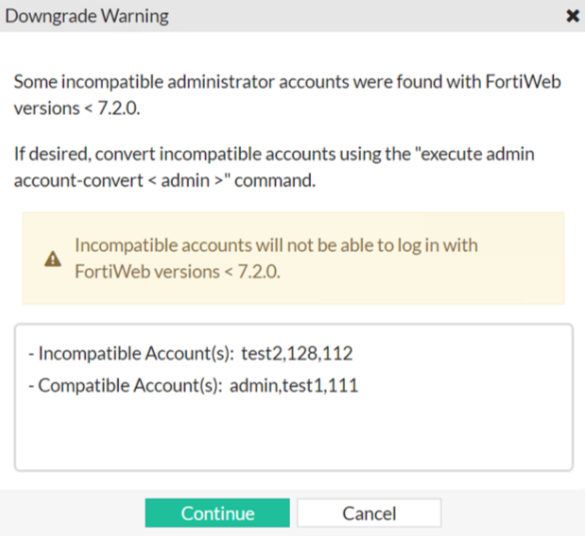
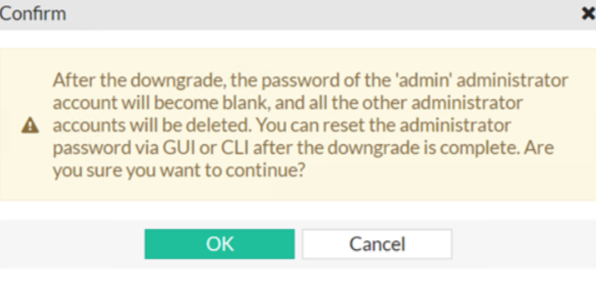
If you downgrade to versions earlier than 7.0, you need to recreate the lost accounts System > Admin > Administrators. The following message will prompt after downgrading: