

user saml-user
Use this command to configure queries that can be used for remote authentication of either FortiWeb administrators or end users via a Security Assertion Markup Language (SAML) server.
To use a SAML server for client authentication, you need to first add this SAML server to a SAML server pool (for details, see waf site-publish-helper saml-spool), then select the server pool in a site publish rule (for details, see waf site-publish-helper rule.
To use this command, your administrator account’s access control profile must have either w or rw permission to the authusergrp area. For details, see Permissions.
Syntax
config user saml-user
edit "<saml_server_name>"
set select-custom-certificate {enable | disable}
set custom-certificate <datasource>
set service-path "<server_URL_path>"
set enforce-signing {enable | disable}
set slo-bind {post | redirect}
set sso-bind <post>
set custom-username-src {enable | disable}
set username-src {nameid | attribute}
set username-src-attriname <string>
config mapping-domains
edit <index>
next
end
next
end
| Variable | Description | Default |
|
Enter a name that can be referenced by other parts of the configuration. The maximum length is 63 characters. |
No default. |
|
|
Enter the URL for the SAML server. The communications protocol must be HTTPS. |
No default. |
|
|
Enable this option to use a customized, imported certificate and private key to sign the Service Provider (SP) metadata instead of the automatically generated self-signed certificate. When disabled (default), FortiWeb uses a locally generated certificate/key pair. |
disable |
|
|
The custom-certificate option is available if select-custom-certificate is enabled. Select the imported certificate from the drop-down menu that you want to use for signing SAML SP metadata. This list is populated from certificates previously imported into the System > Admin > Certificates > Admin Cert Local list. |
No default. |
|
|
Enter a path for the SAML server at the URL you specified in entityID "<server_URL>". |
No default. |
|
|
Enable to enforce signing verification to digitally sign the SAML message, and then the Identity Provider will verify the signature to confirm its integrity. |
disable |
|
|
Select the binding that the server will use when the service provider initiates a single logout request:
|
POST |
|
|
Enter a partial URL that the IDP will use to confirm with the service provider that a user has been logged out. |
No default. |
|
| Select the binding that the server will use to transport the SAML authentication request to the IDP. |
POST |
|
|
Enter a partial URL that the IDP will use to confirm with the service provider that a user has been authenticated. |
No default. |
|
|
Enable this setting to manually define how FortiWeb retrieves the username from the SAML assertion. When disabled (default), FortiWeb continues to use the EPPN attribute (urn:oid:1.3.6.1.4.1.5923.1.1.1.6) as the fixed source for user identification |
disable |
|
|
The Source option is available if Custom Username Source is enabled. Select the method FortiWeb uses to extract the username from the SAML response:
|
nameid |
|
|
The username-src-attriname option is available if username-src is attribute. Enter the exact name of the attribute (e.g., uid, email, or memberOf) that contains the username in the SAML response. |
No default. |
|
|
Enter the index number for the domain name. |
No default. |
|
|
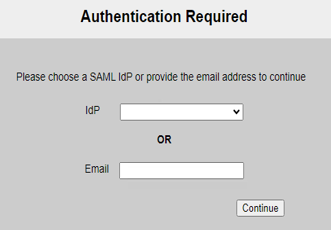
Add domain names for this server. When users log in with an email address suffixed with the specified domain name, the authentication request will be forwarded to this SAML server. |
No default. |
Example
This example configures a SAML server at https://sp.example.com/samlsp. We specify the Service Path, Assertion Consumer Service (ACS), and Single Logout Service (SLS). We use a POST binding for ACS and a REDIRECT binding for SLS.
config user saml-user
edit "saml_example"
set entityID "https://sp.example.com/samlsp"
set select-custom-certificate enable
set custom-certificate defaulthttpscert
set service-path "/saml.sso"
set slo-bind redirect
set slo-path "/SLO/REDIRECT"
set sso-bind post
set sso-path "/SAML2/POST"
next
end