

Configuring SD-WAN zones
In order for us to steer traffic based on SD-WAN rules, first we need to configure SD-WAN interface members and assign them to SD-WAN zones. To know more about SD-WAN zones, refer to theSD-WAN zones section.
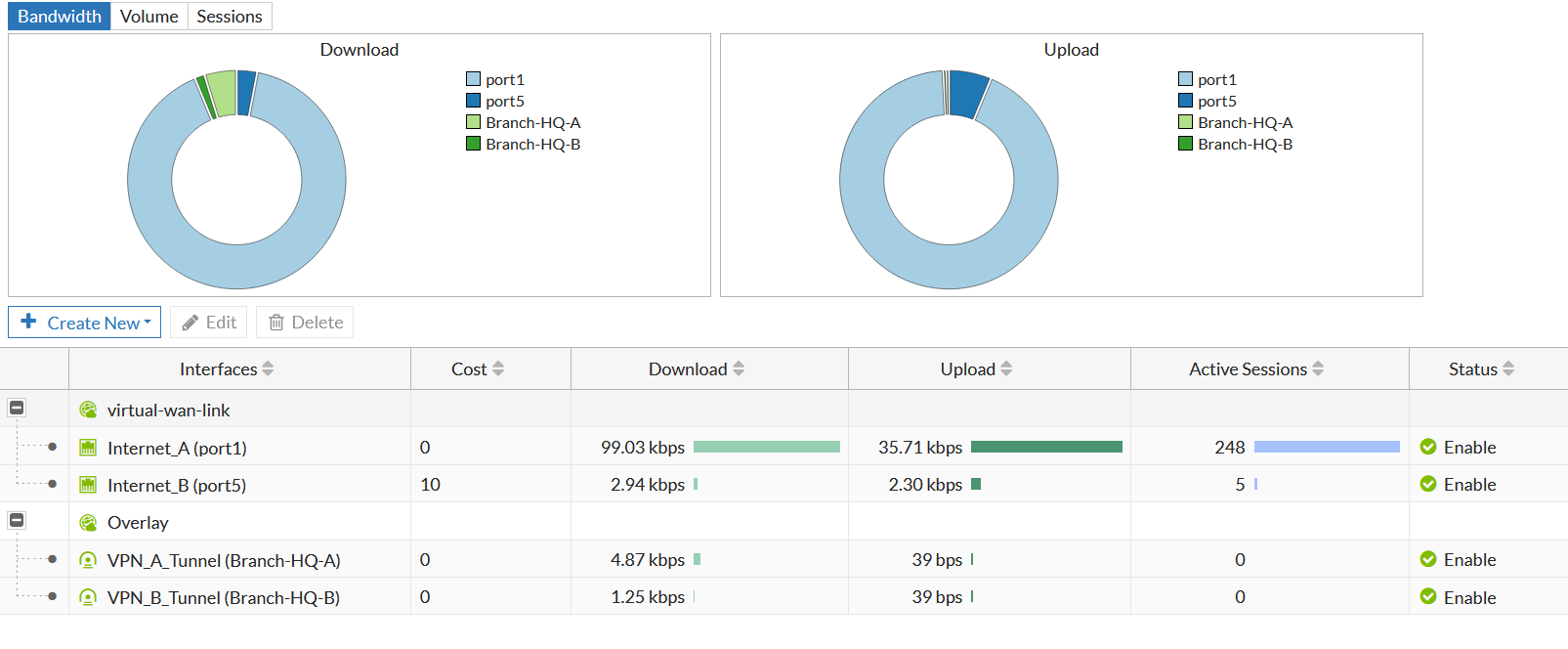
In our example, we created two SD-WAN zones. The virtual-wan-link SD-WAN zone for the underlay traffic passing through the Internet_A(port1) and Internet_B(port5) interfaces, and the Overlay SD-WAN zone for the overlay traffic passing through the Branch-HQ-A and Branch-HQ-B interfaces.
Verify the configurations on the Network > SD-WAN Zones screen:

|
In the screenshot above, we have configured the |
We also need to configure a static route that points to the SD-WAN interface. To know more about static routes, refer to the Adding a static route section.