

Configure site-to-site VPN using FortiAI Example
-
Ask FortiAI to help configure site-to-site VPN.
FortiAI will prompt you with two choices in order to understand your network environment.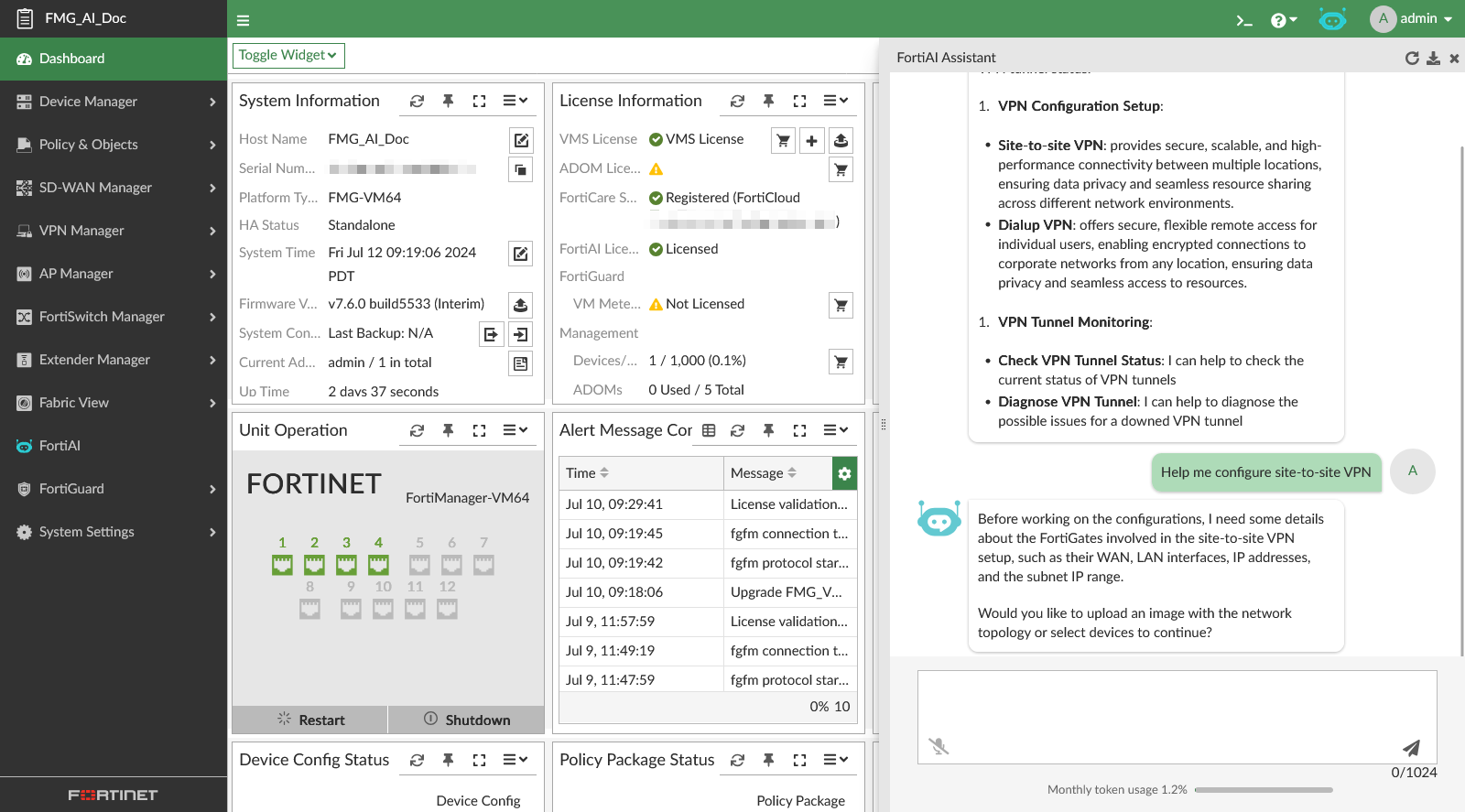
-
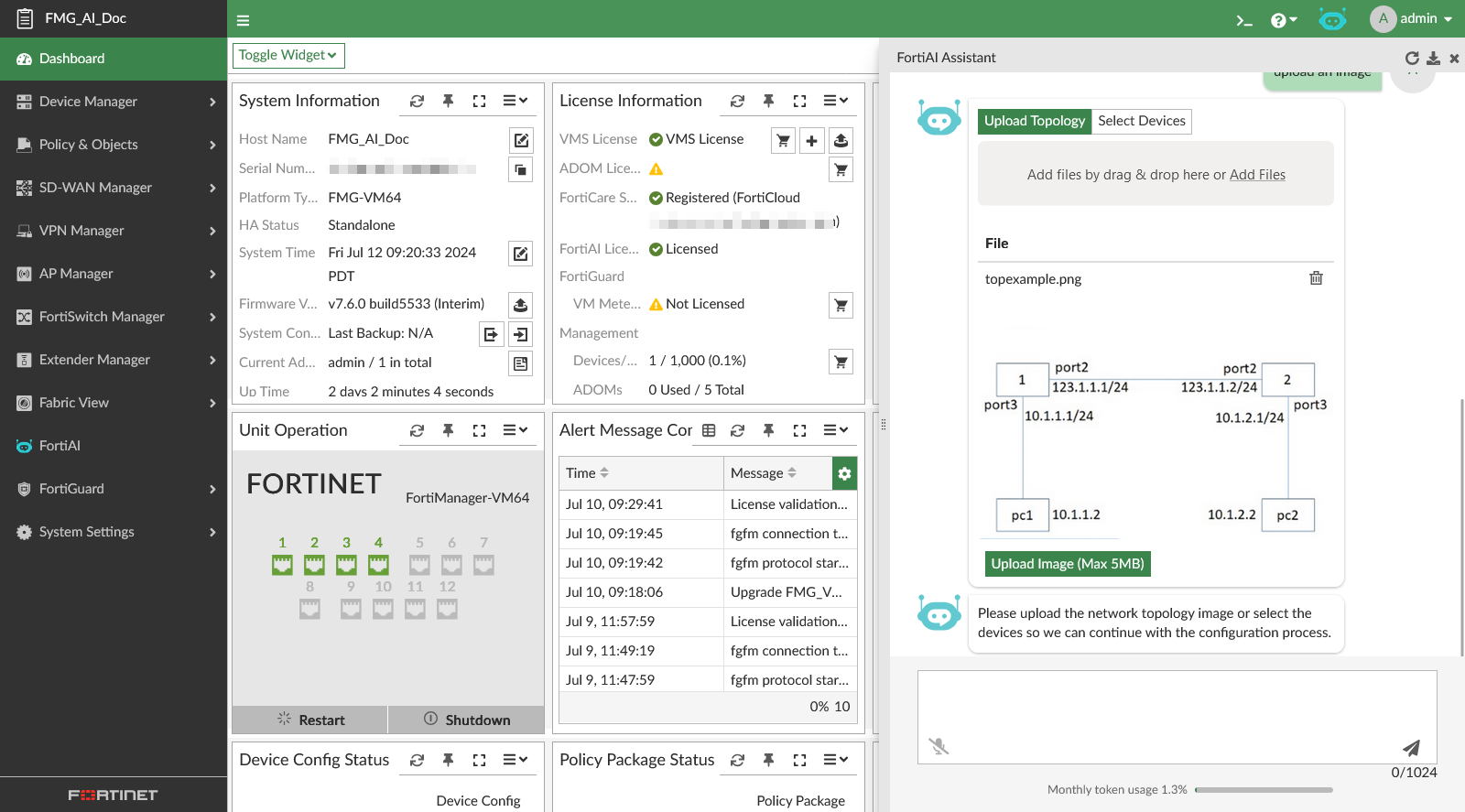
Select upload an image, and FortiAI will provide a widget where you can upload an image of your topology. The maximum size of this file is 5MB.
-
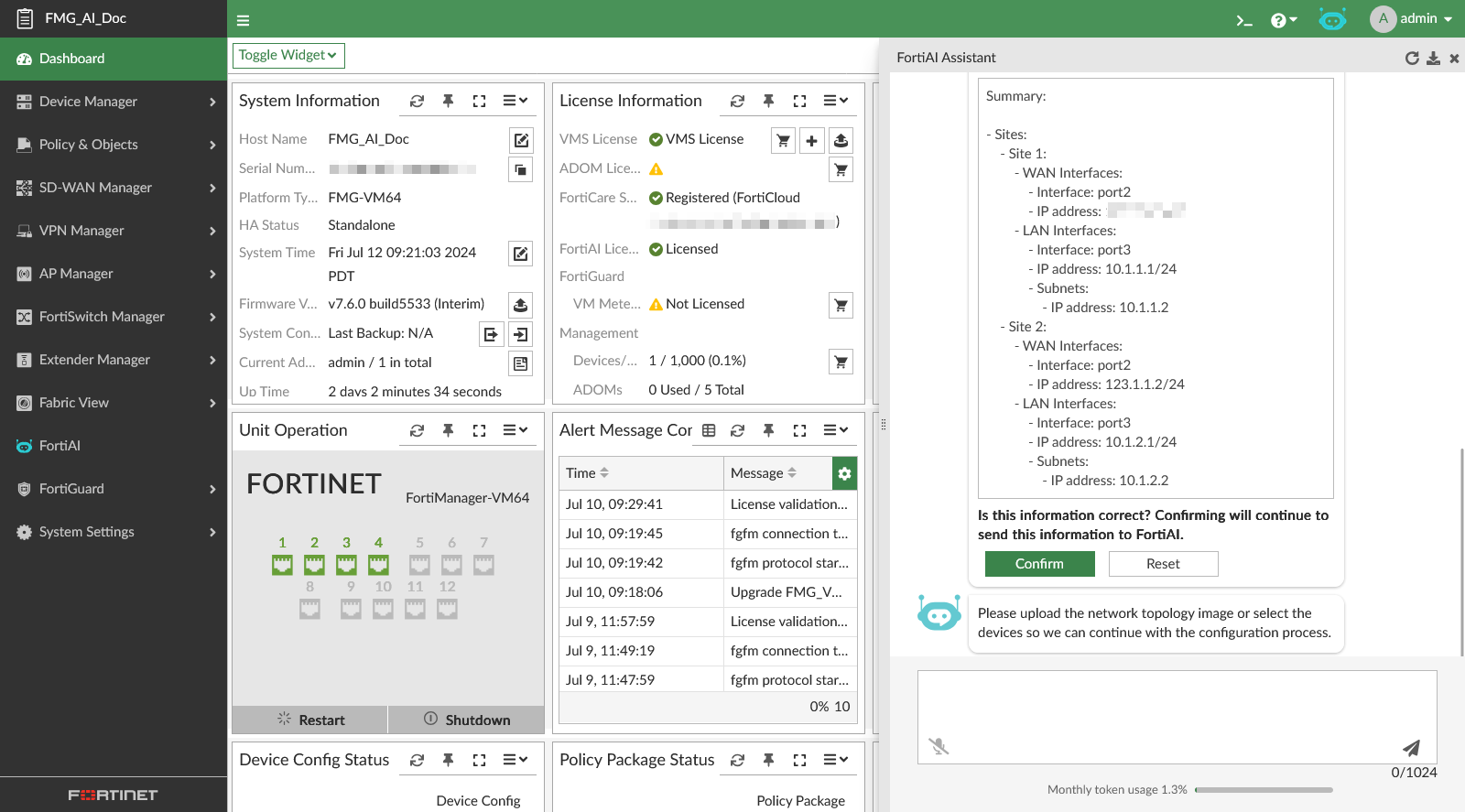
FortiAI will prompt you with a summary of the network that you can review and confirm.
-
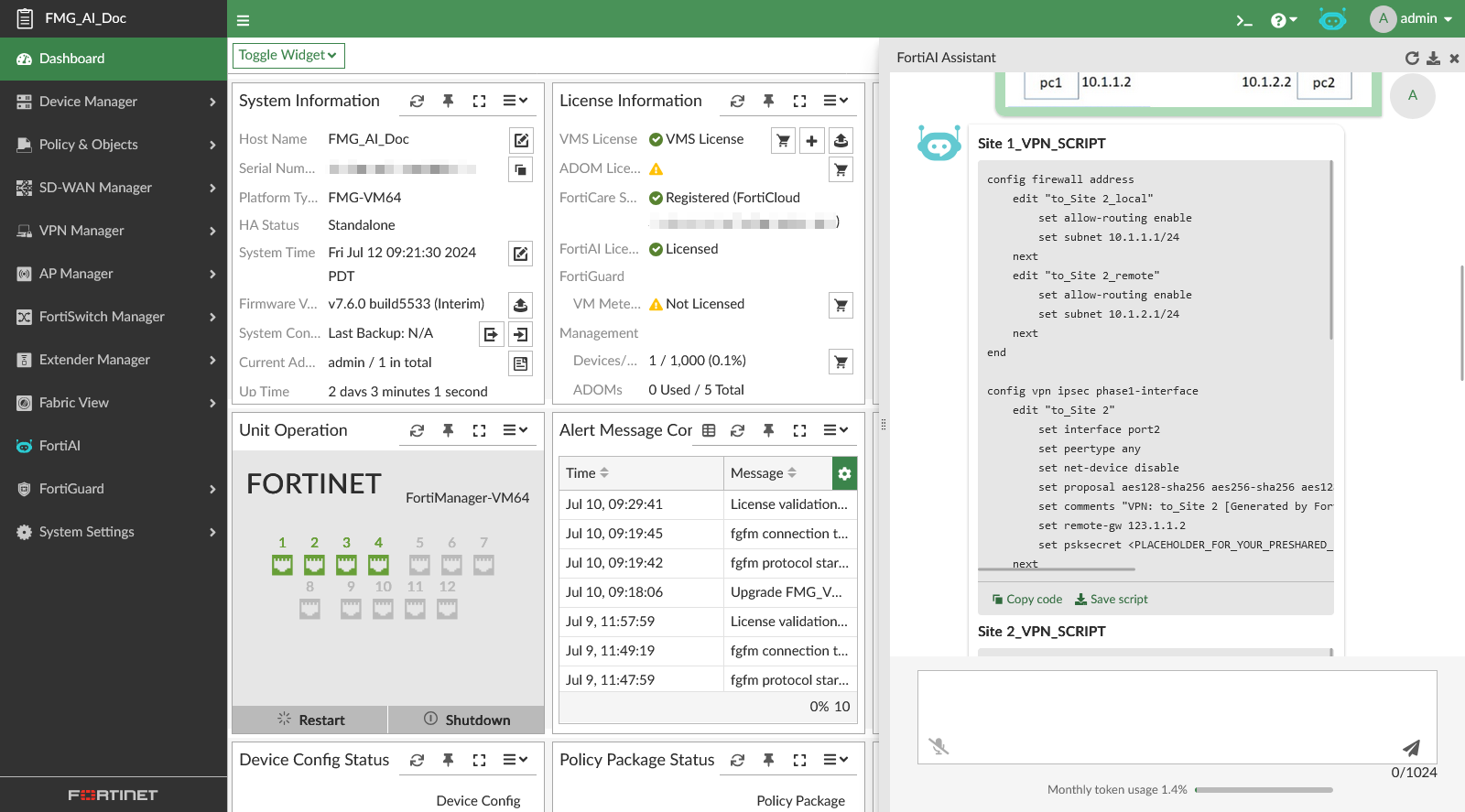
FortiAI will generate the script and script explanation.
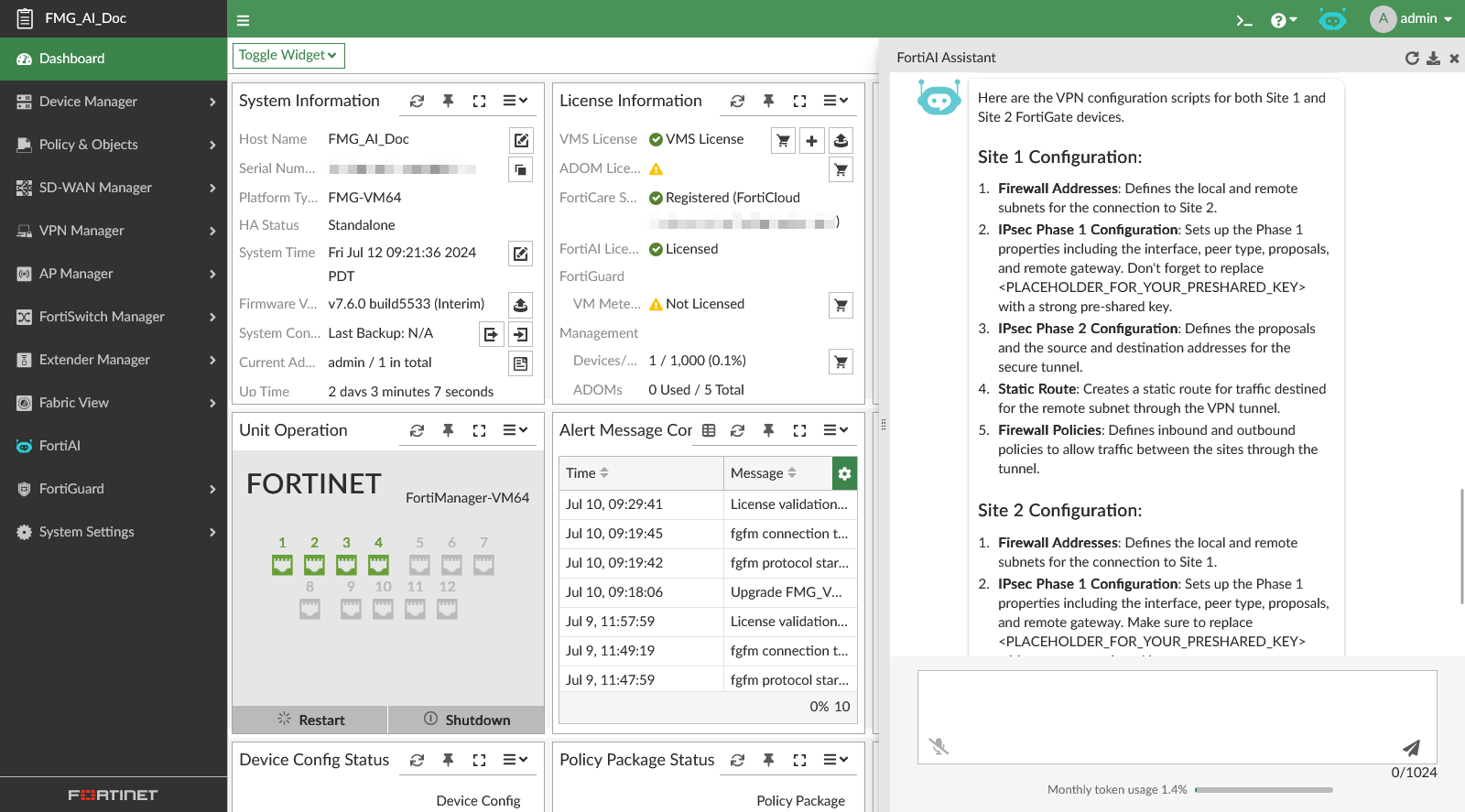
-
Click Copy Code to copy the scripts to the clipboard.
-
Select Save Script to edit the generated response as a new script, with the script name and comments automatically filled in. The script is saved in Device Manager > Scripts. You must manually change your
psksecretin the script.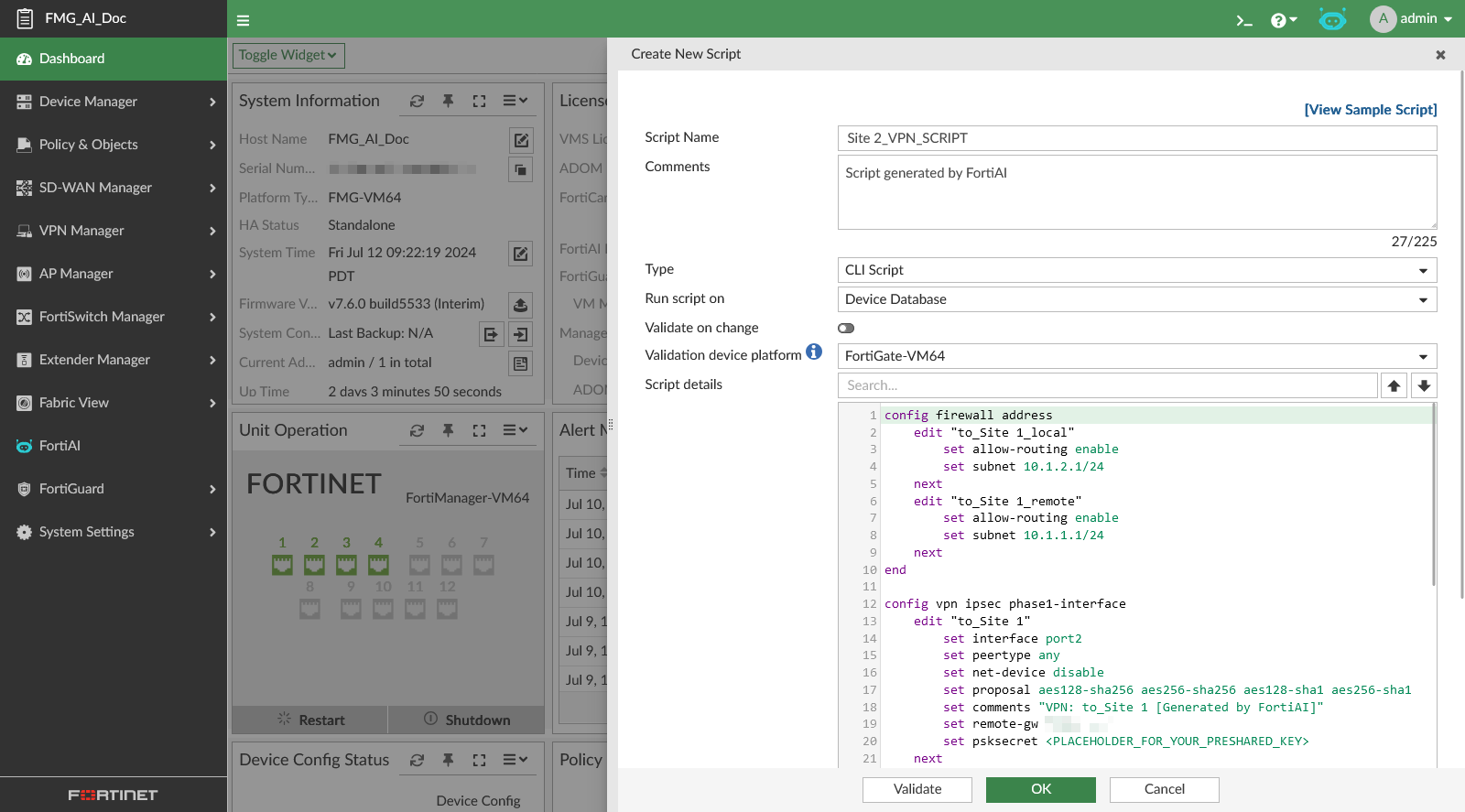
-
-
Select Select Devices, and FortiAI will provide a widget where you can select the devices, WAN, and LAN interface, as well as actions to add or delete items in the list.
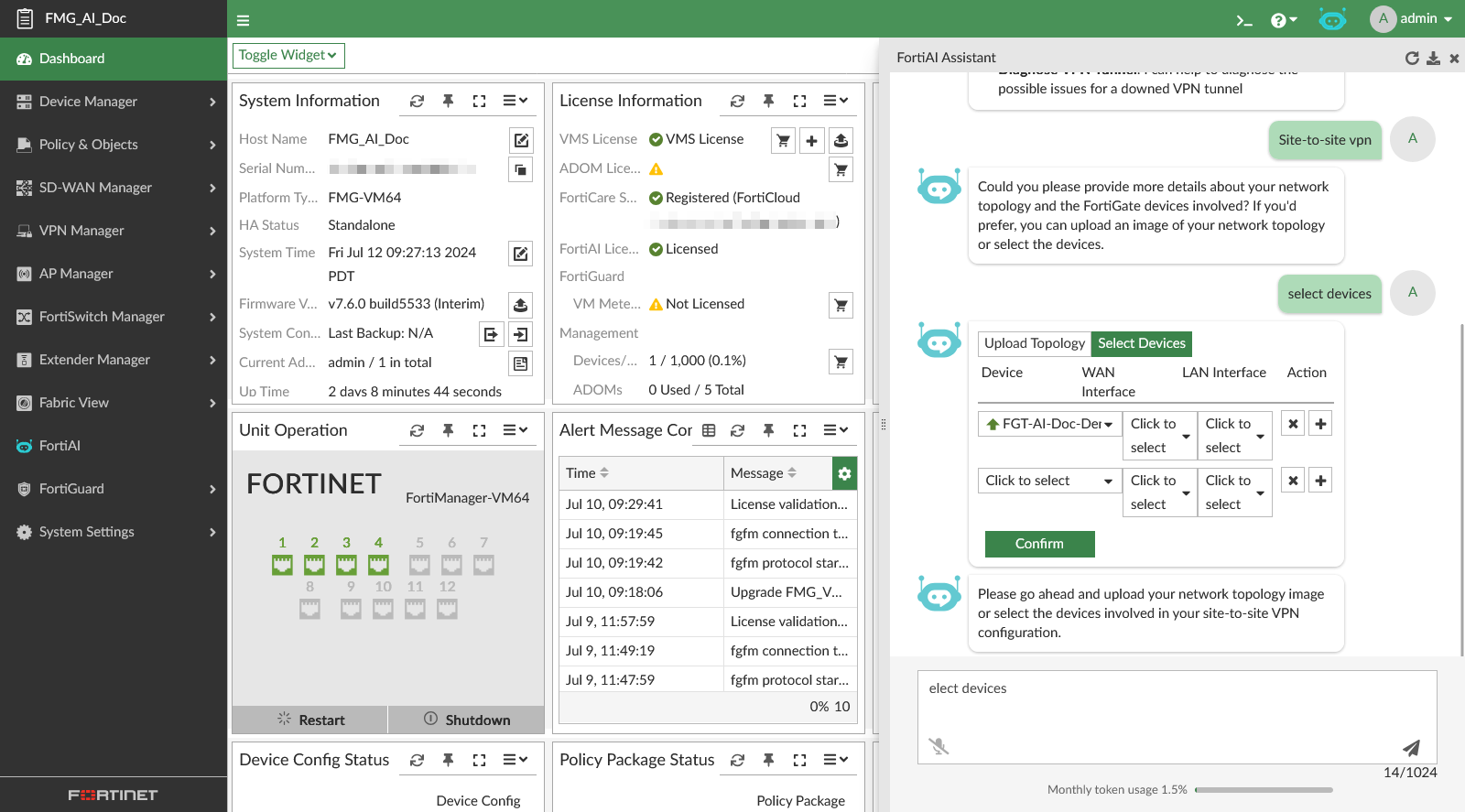
-
Click Confirm when you have finished selecting your devices.
-
FortiAI will generate the script and script explanation.
-
-