

Role-based access control for provisioning templates and scripts
In the following example, there are two administrator levels: Level 1 and Level 2. Level 1 administrators are tasked with the creation and maintenance of provisioning templates and scripts, whereas Level 2 administrators are responsible for the assignment and installation of those scripts/templates to FortiGate devices, but should not have access to make changes to the script or template itself.
In order to create administrative profiles that can be applied to Level 1 and Level 2 administrators to grant them the appropriate capabilities, the following permissions are used:
|
Provisioning Templates |
This permission determines an administrators ability to create, edit, delete and assign provisioning templates to devices.
|
|
Assign to Device |
This permission determines an administrators ability to assign provisioning templates to devices.
|
|
Script Access |
This permission determines an administrators ability to create, edit, delete, and assign scripts.
|
|
Execute Script |
This permission determines an administrators ability to assign and execute scripts:
|
The functioning of the permissions above will only work when other permissions related to the desired task are also set to the appropriate permission level. For example, in order to execute scripts against the Device Database or Remote FortiGate Directly (via CLI), you must also set the Manage Device Configurations permission to Read-Write.
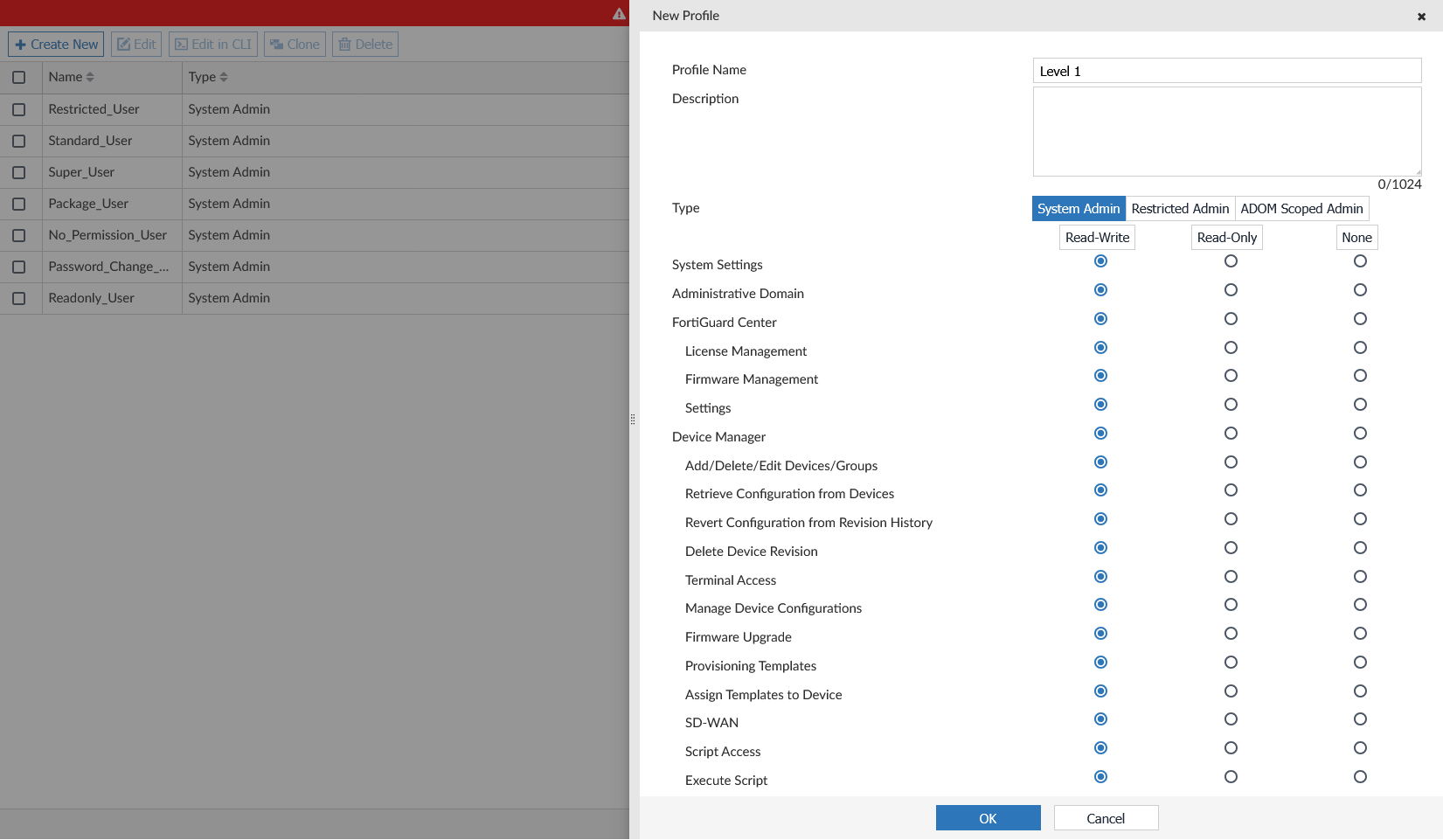
For example, the following permissions can be used for the Level 1 administrator to allow them to manage provisioning templates and scripts without being able to assign and execute them:
-
Provisioning Template: Read-Write
-
Assign to Device: Read-Only
-
Script Access: Read-Write
-
Execute Script: Read-Only
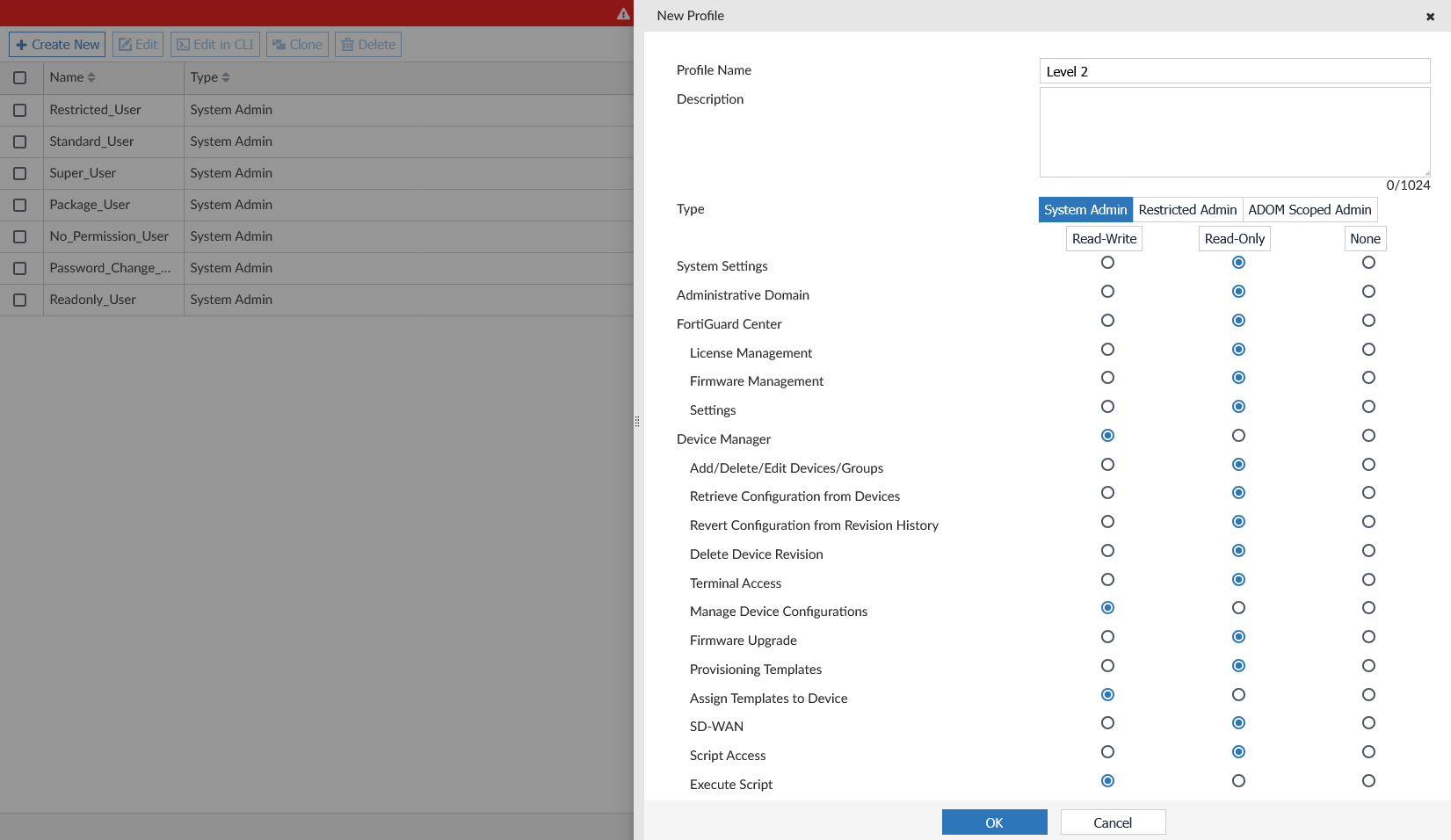
The following permissions can be used for the Level 2 administrator to allow them to have read-only access to provisioning templates and scripts but allow them to assign/execute them:
-
Provisioning Template: Read-Only
-
Assign to Device: Read-Write
-
Script Access: Read-Only
-
Execute Script: Read-Write
Using this combination of permissions for each administrator profile can ensure that Level 1 administrators have full access to configure and modify provisioning template and scripts, and Level 2 administrators retain only essential access required to install templates and execute scripts.