

Launching the secret
Launching the secret:
- Go to Secrets > Secrets.
- From the list, double-click to open the secret created in Creating a non-privileged account.
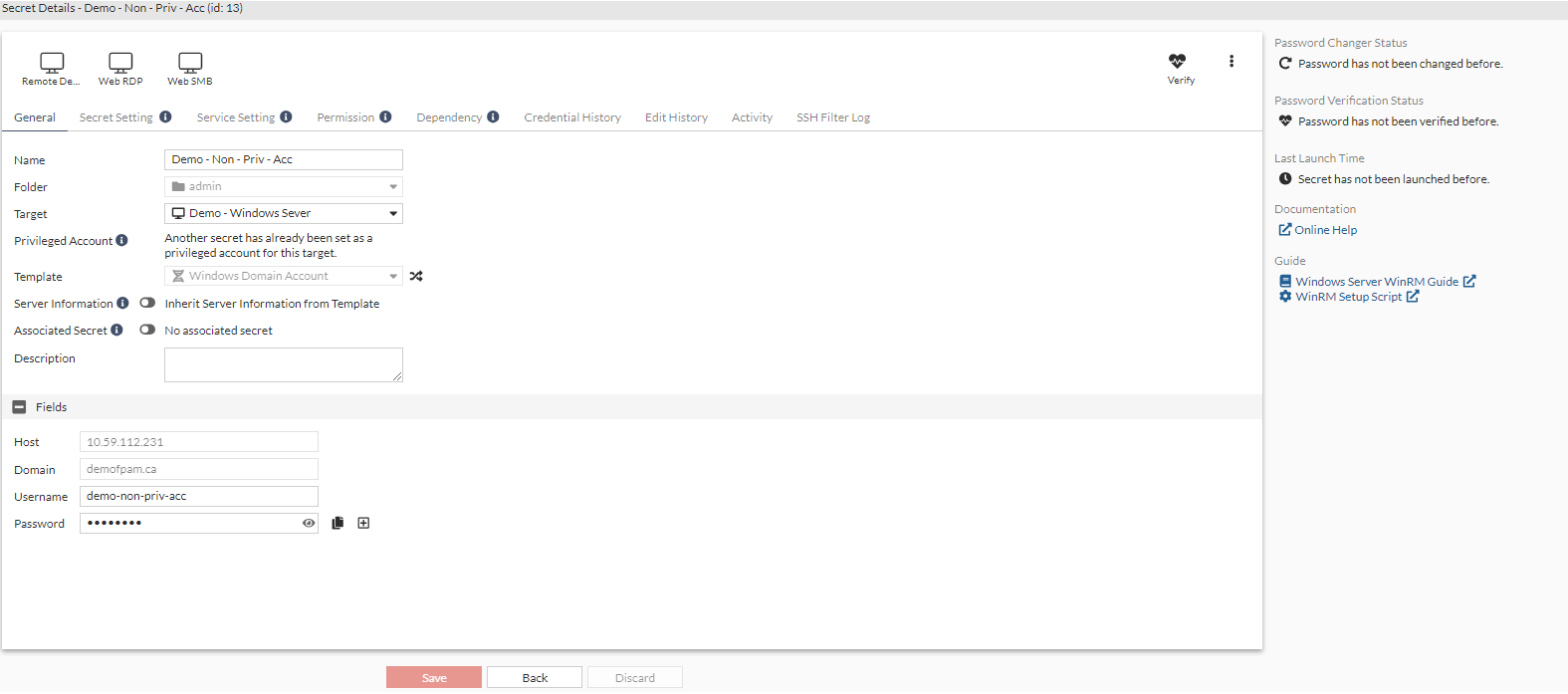
- From the top, select either Web RDP or Remote Desktop - Windows.
The Launch Progress dialog opens.
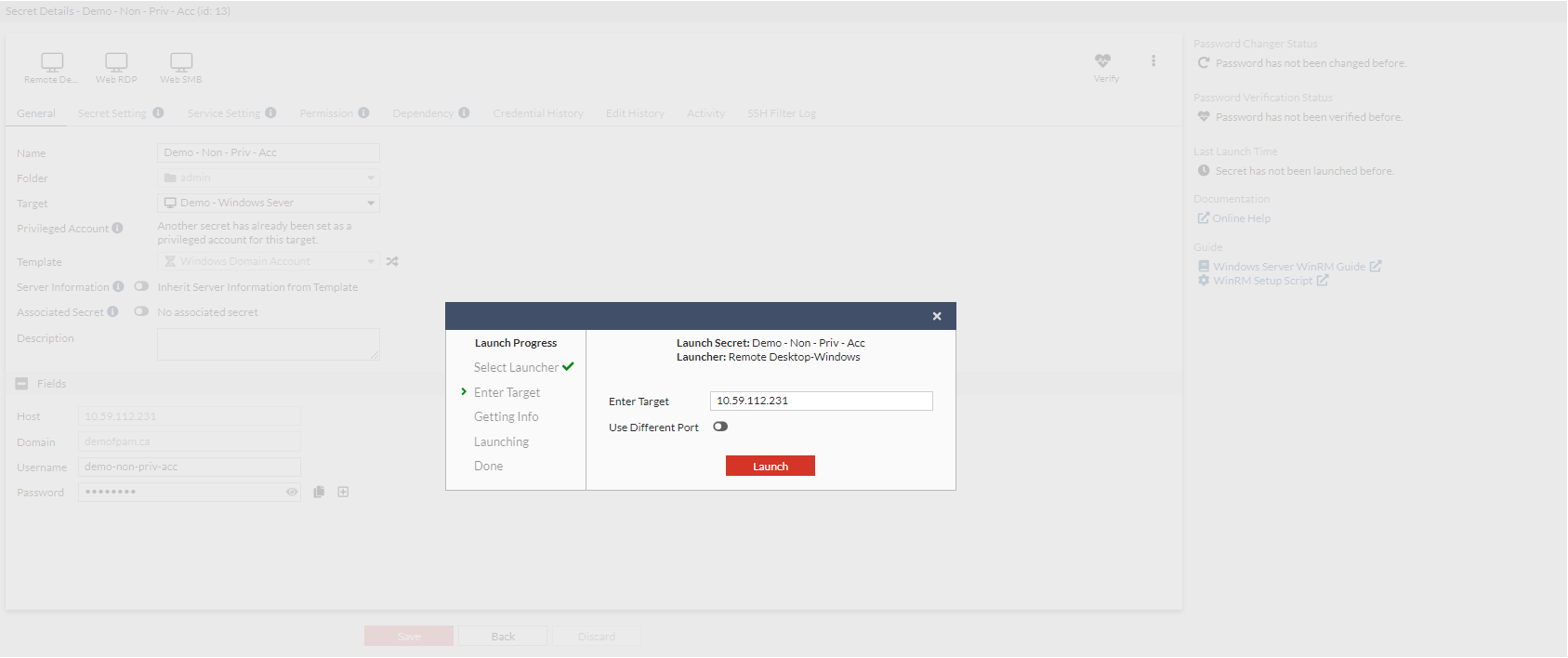
- Select Launch.
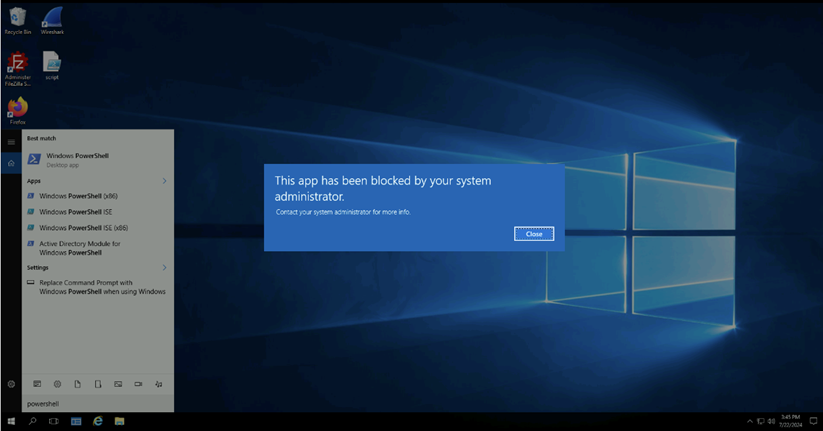
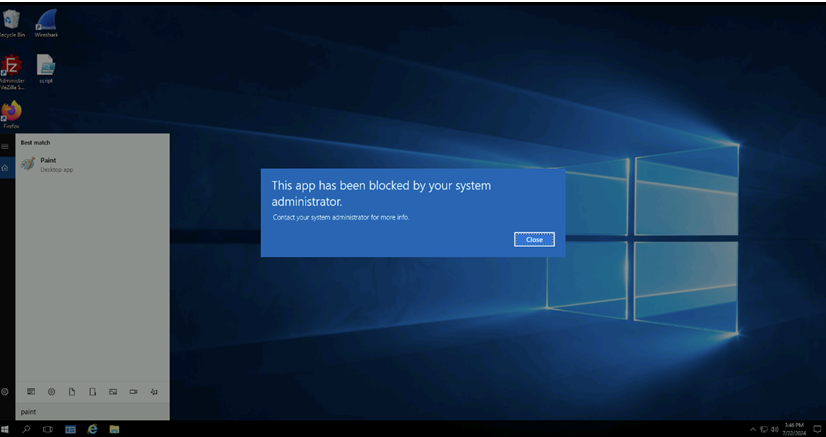
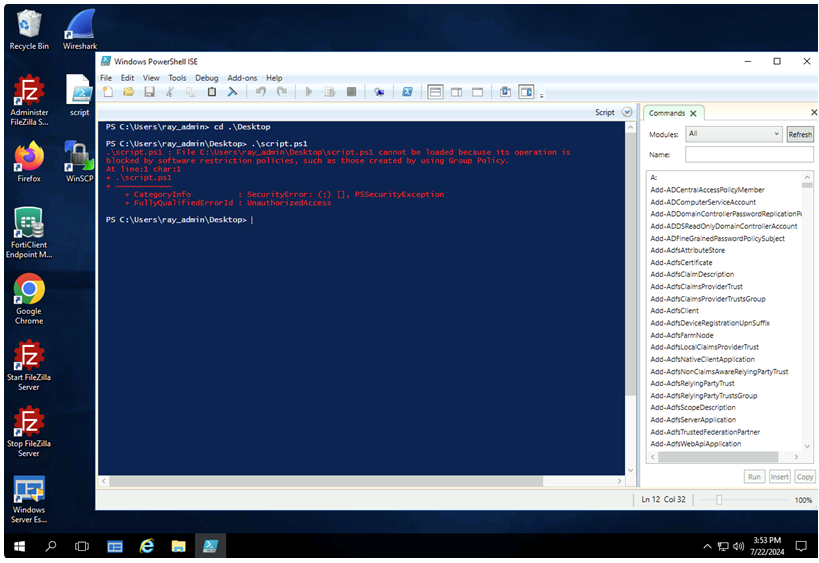
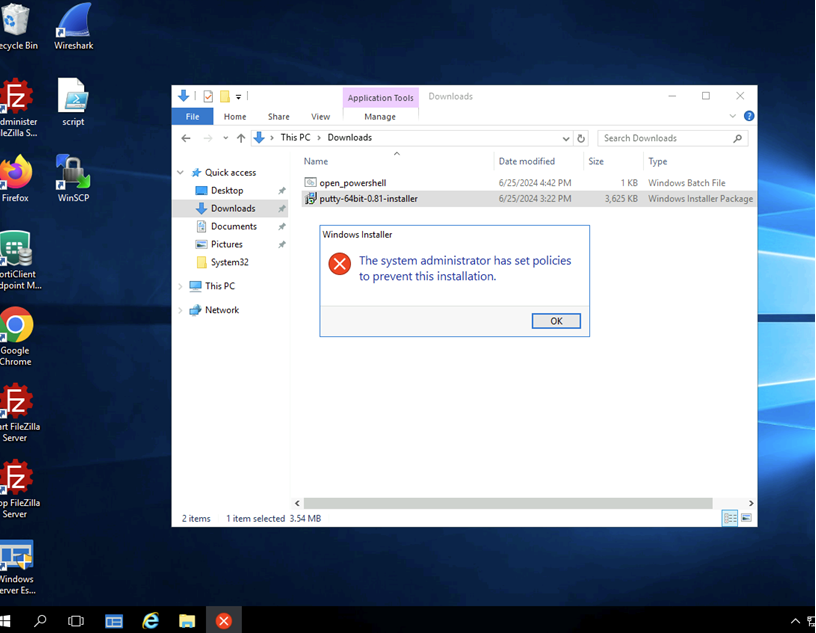
- Verify the Windows application filter functionality by executing the blocked executables and scripts:
- Open Powershell.
- Open MS Paint.
- Run scripts on the desktop.
- Run the installer not permitted in the directories.
- Open Powershell.