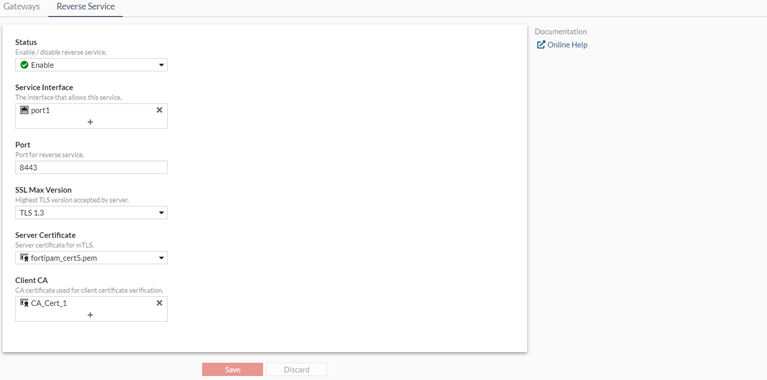
Configuring the reverse service on FortiPAM (control plane)
We configure the reverse service on FortiPAM for the reverse connection (control plane).
To configure the reverse service:
- Go to Network > Secret Gateway.
- Select the Reverse Service tab.
The Reverse Service tab opens.
- From the Status dropdown, select Enable.
- From the Service Interface, select +, from Select Entries, select
port1, and click Close.This is the IP address on the selected interface and the port the FortiPAM server listens on to receive the reverse connection from a gateway for the control plane connection. In this example, it is
34.95.41.159:8443. - Ensure that the Port is
8443and the SSL Max Version is TLS 1.3. - In the Server Certificate dropdown, select
fortipam_cert5.pem.This is the currect FortiPAM server certificate for control plane mTLS connection.
- In the Client CA dropdown, select CA_Cert_1.
This is the gateway certificate CA.
- Click Save.