

Creating a target with server information as non-Windows
To create the target:
- Go to Secrets > Targets and select +Create.
- In Name, enter a name for the target.
- In Classification Tag, select Other.
- In Default Template, select a secret template that does not have Windows as the server information, e.g., Machine.
Note: For the Machine template, WinRM HTTPS option can be set in the CLI.
- In Host, enter the IP address of the server.
- Click Submit.
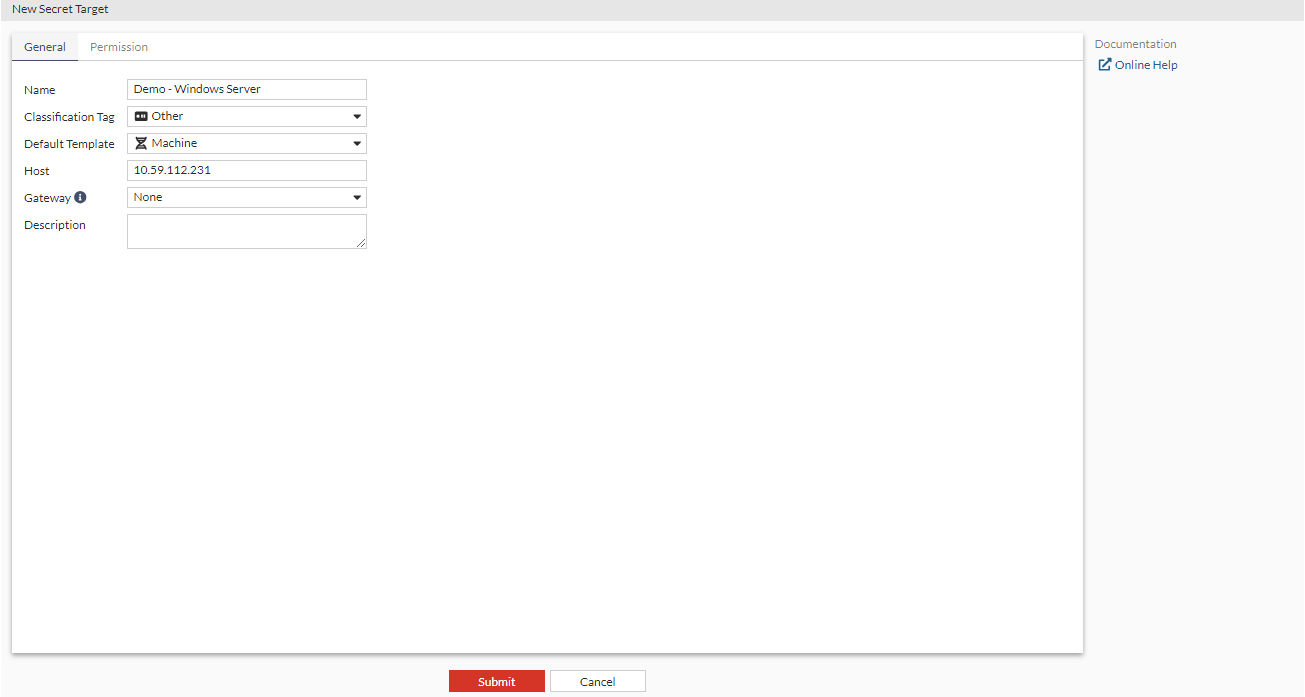
The above target can be created in the CLI using the following commands CLI:
 config secret target
  edit "Demo - Windows Server"
   set class "Other"
   set template "Machine"
   set address "10.59.112.231"
   set winrm-https disable
   set sql-server-log-status disable
  next
 end