

Managing DHCP relays
You can add, update, and delete DHCP relays.
Adding a DHCP relay
- Select DHCP Relay from the System dropdown.
- Click Create.
- Enter values in the relevant fields. See DHCP relay fields.
- Click Save.
Updating a DHCP relay
- Select DHCP Relay from the System dropdown.
- Select a DHCP relay and click Edit.
- Update the values that you want to change.
- Click Save.
Deleting a DHCP relay
- Select DHCP Relay from the System dropdown.
- Select a DHCP server and click Delete.
- Confirm to delete the selected DHCP relay.
DHCP relay fields
The Create DHCP Relay and Edit DHCP Relay dialogs contain the following fields:
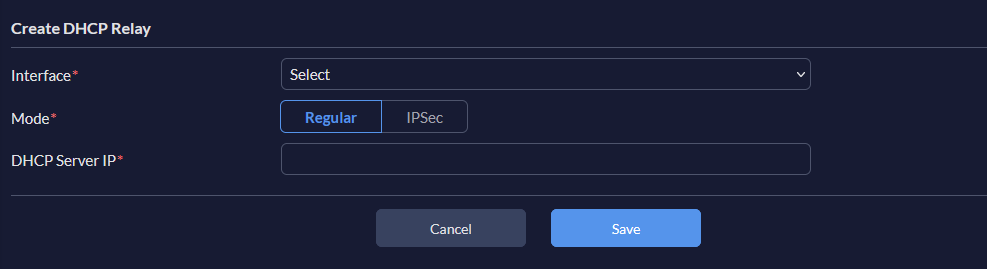
|
Settings |
Guidelines |
|---|---|
|
Interface |
From the dropdown, select an interface. |
| Mode |
Select the appropriate mode. |
|
DHCP Server IP |
Set the IP address of the DHCP server. |