
Fortinet white logo
Fortinet white logo

User Guide

Creating a Member Account

Creating a Member Account

A Member Account is a FortiCloud account that joins an Organization. New Member Accounts can be created directly within the Root account Organization or a SubOU.

Perform the following steps to create a member account.

  1. Select the Organization Unit (OU) that you want to add the Member Account to.

  2. Click Add Account > Create Account. The New Member Account dialog is displayed.

  3. Select I want to use a real email to input the email address. Fields are displayed to enter the email address.

  4. Select the OU that you want the Member Account to be linked to from the Choose an OU drop down menu.
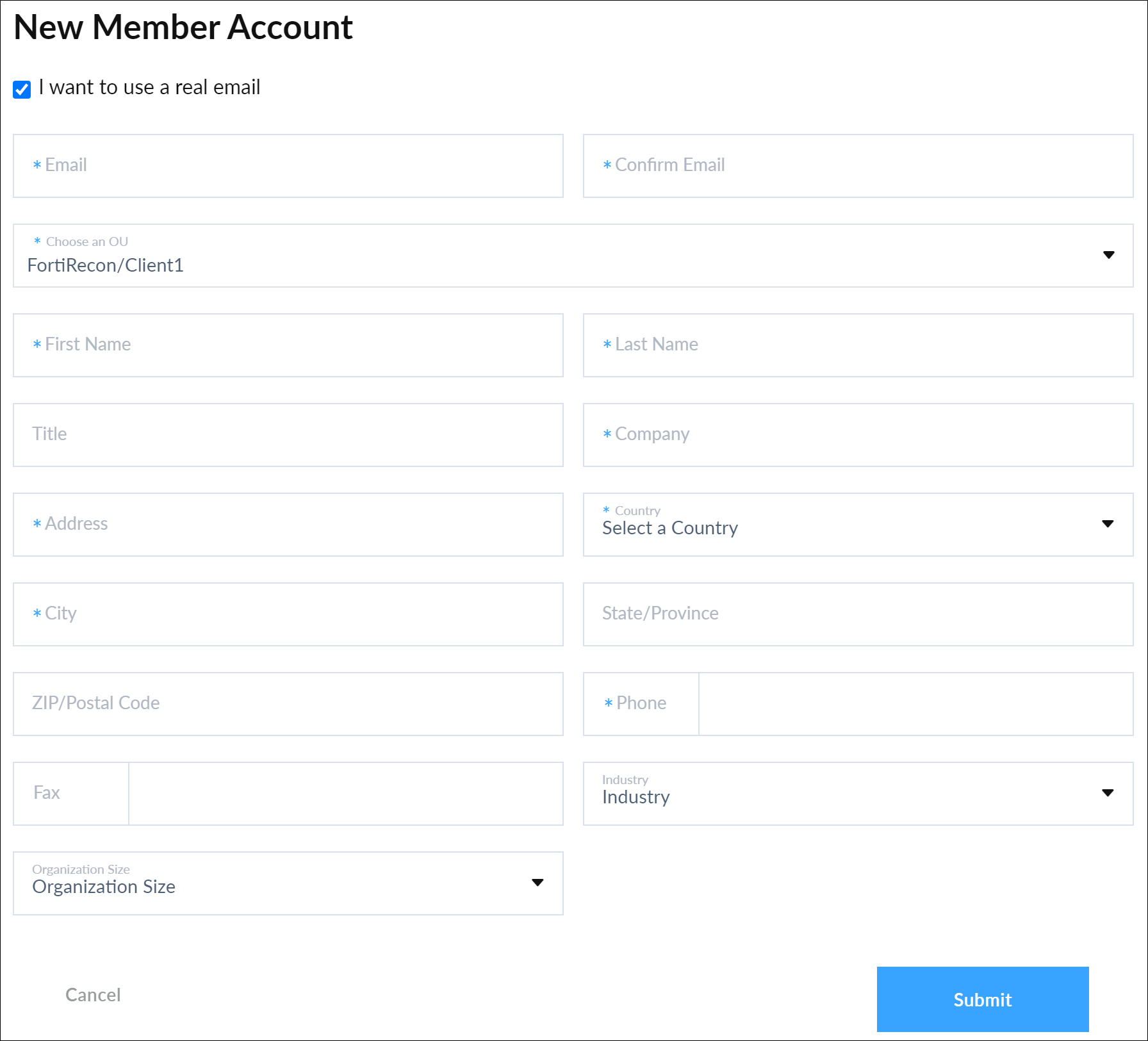
  5. Configure the New Member Account dialog fields with sub-organization information.

  6. Click Submit. A confirmation message is displayed.

For more information on creating member account, see FortiCloud Services > Organization Portal > Creating new Member Accounts.

Creating a Member Account

Creating a Member Account

A Member Account is a FortiCloud account that joins an Organization. New Member Accounts can be created directly within the Root account Organization or a SubOU.

Perform the following steps to create a member account.

  1. Select the Organization Unit (OU) that you want to add the Member Account to.

  2. Click Add Account > Create Account. The New Member Account dialog is displayed.

  3. Select I want to use a real email to input the email address. Fields are displayed to enter the email address.

  4. Select the OU that you want the Member Account to be linked to from the Choose an OU drop down menu.

  5. Configure the New Member Account dialog fields with sub-organization information.

  6. Click Submit. A confirmation message is displayed.

For more information on creating member account, see FortiCloud Services > Organization Portal > Creating new Member Accounts.