Clients
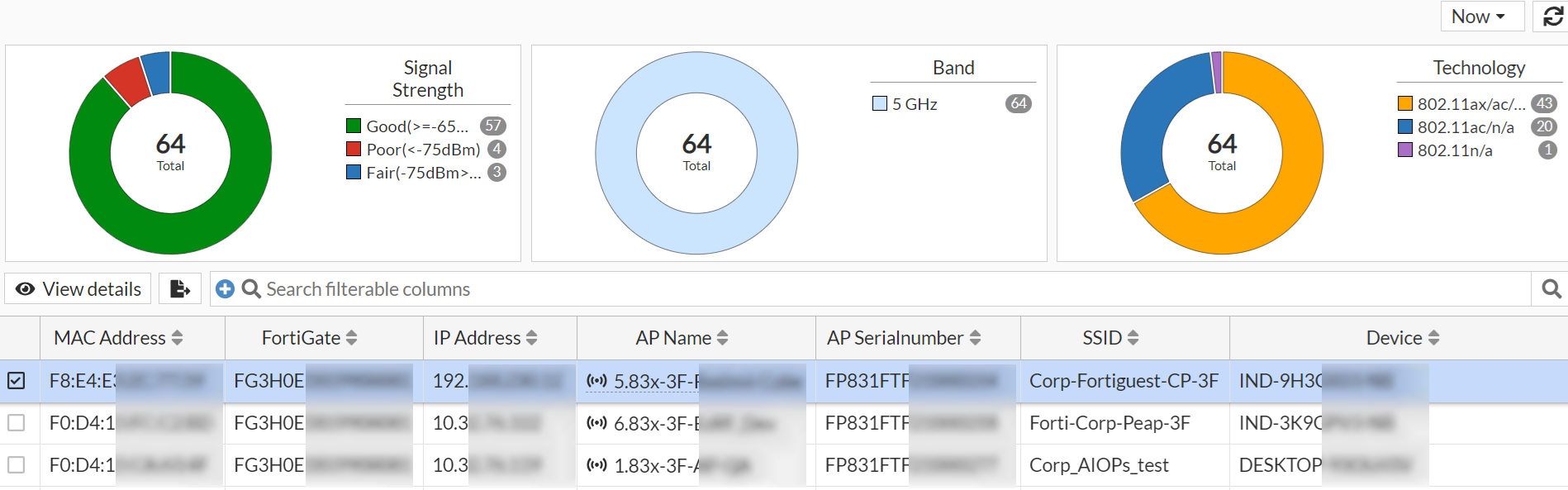
The Clients page provides information about the clients connected to the wireless network and consists of three widgets - signal strength, band, and technology.
- You can filter the wireless client data for a selected duration or a customized time slot.The Custom range allows the selection of a minimum of 1 hour and maximum of 1 week, the option of Now displays data for the last 1 minute.
-
You can export data in a .csv file, click on the export icon on these pages.
 .
.
Signal Strength
The signal strength widget provides information about the strength of the signal between each client and the access point. It displays the signal strength in dBm, which is a measure of signal power. A higher dBm value indicates a stronger signal, while a lower dBm value indicates a weaker signal.
Band
The band widget displays the band that each client is connected to. It indicates whether the client is connected to the 2.4 GHz, 5 GHz or 6 GHz band.
Technology
The technology widget displays the technology that each client is using to connect to the wireless network. It indicates whether the client is using 802.11a/b/g/n or 802.11ac technology.
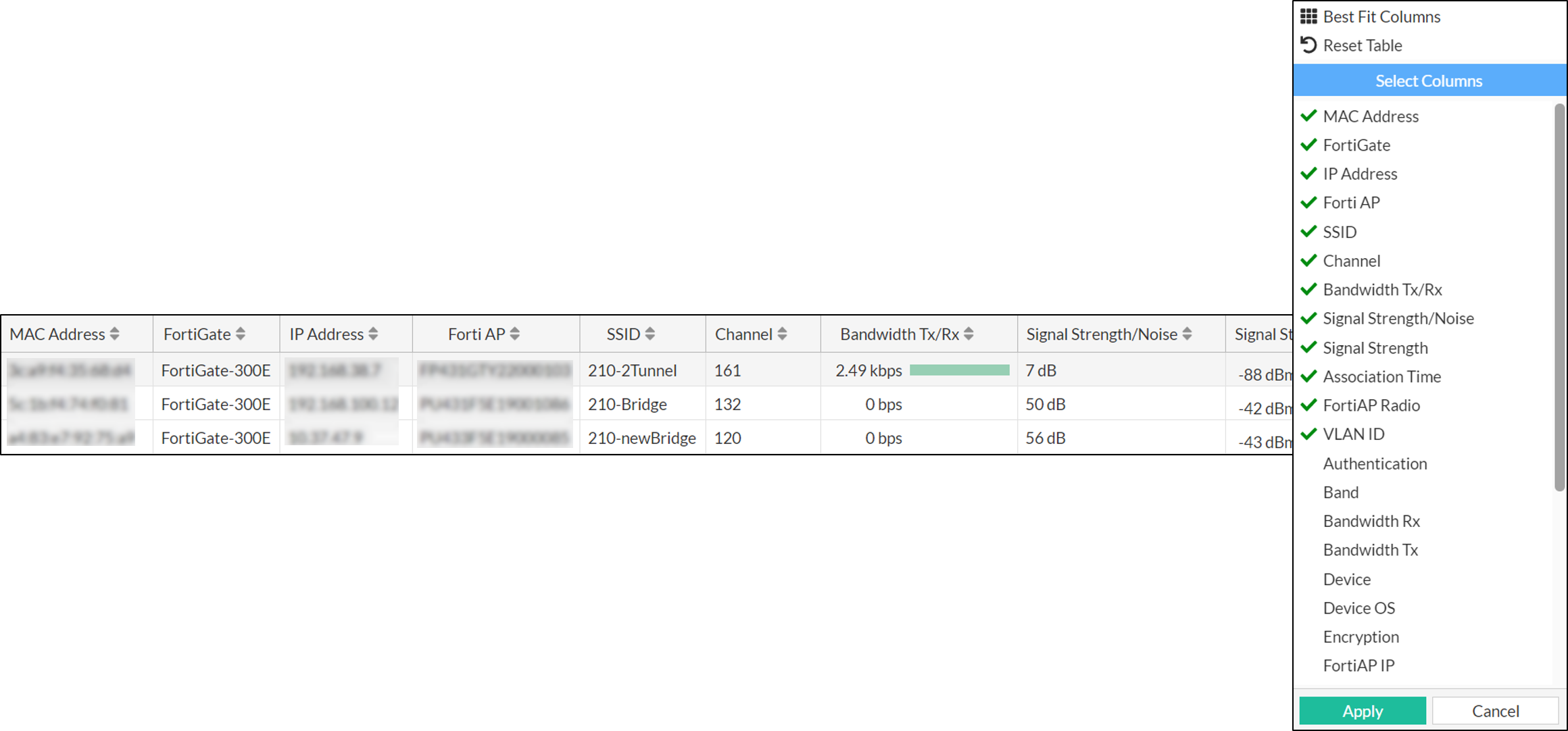
The clients are listed with their relevant details, including the MAC address, FortiGate, IP address, FortiAP, SSID, channel, bandwidth, and signal strength. To view detailed information about a client, select the desired client from the list and click View Details. See, Clients Diagnostics and Tools.
You can export data in a .csv file, click on the export icon on these pages - .
Right-click on the header of the table to select the desired columns to add to the table, and then click Apply to update the table with the selected columns.