
Fortinet white logo
Fortinet white logo

Clients

Clients

The Clients page provides information about the clients connected to the wireless network and consists of three widgets - signal strength, band, and technology.

Signal Strength

The signal strength widget provides information about the strength of the signal between each client and the access point. It displays the signal strength in dBm, which is a measure of signal power. A higher dBm value indicates a stronger signal, while a lower dBm value indicates a weaker signal.

Band

The band widget displays the band that each client is connected to. It indicates whether the client is connected to the 2.4 GHz, 5 GHz or 6 GHz band.

Technology

The technology widget displays the technology that each client is using to connect to the wireless network. It indicates whether the client is using 802.11a/b/g/n or 802.11ac technology.

The clients are listed with their relevant details, including the MAC address, FortiGate, IP address, FortiAP, SSID, channel, bandwidth, and signal strength. To view detailed information about a client, select the desired client from the list and click View Details. See, Clients Diagnostics and Tools.

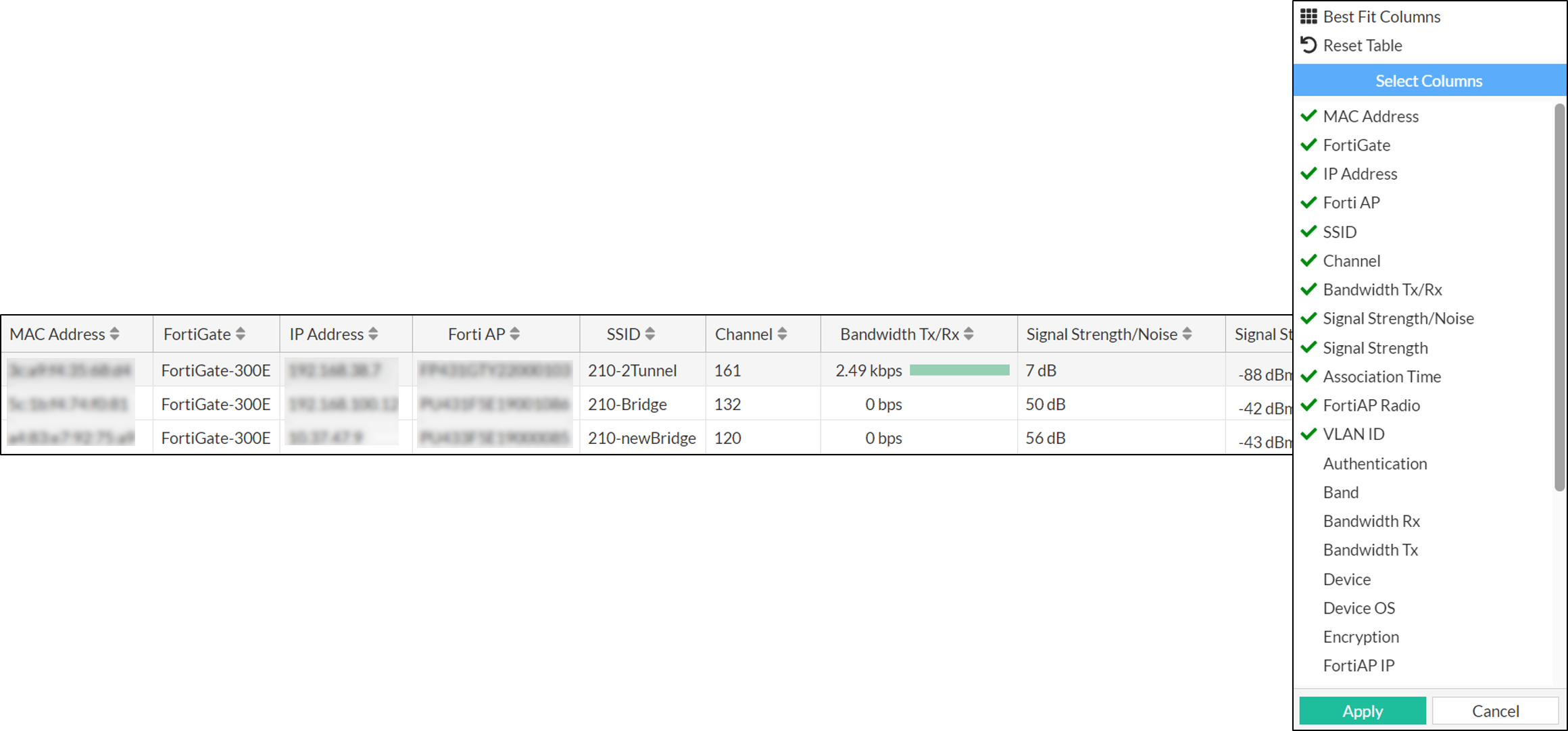
Right-click on the header of the table to select the desired columns to add to the table, and then click Apply to update the table with the selected columns.
Clients

Clients

The Clients page provides information about the clients connected to the wireless network and consists of three widgets - signal strength, band, and technology.

Signal Strength

The signal strength widget provides information about the strength of the signal between each client and the access point. It displays the signal strength in dBm, which is a measure of signal power. A higher dBm value indicates a stronger signal, while a lower dBm value indicates a weaker signal.

Band

The band widget displays the band that each client is connected to. It indicates whether the client is connected to the 2.4 GHz, 5 GHz or 6 GHz band.

Technology

The technology widget displays the technology that each client is using to connect to the wireless network. It indicates whether the client is using 802.11a/b/g/n or 802.11ac technology.

The clients are listed with their relevant details, including the MAC address, FortiGate, IP address, FortiAP, SSID, channel, bandwidth, and signal strength. To view detailed information about a client, select the desired client from the list and click View Details. See, Clients Diagnostics and Tools.

Right-click on the header of the table to select the desired columns to add to the table, and then click Apply to update the table with the selected columns.