

Upgrade Information
You can upgrade FortiSOAR Cloud using the Cloud portal.
- Log onto the FortiSOAR Cloud Portal and navigate to your FortiSOAR Cloud VM page:
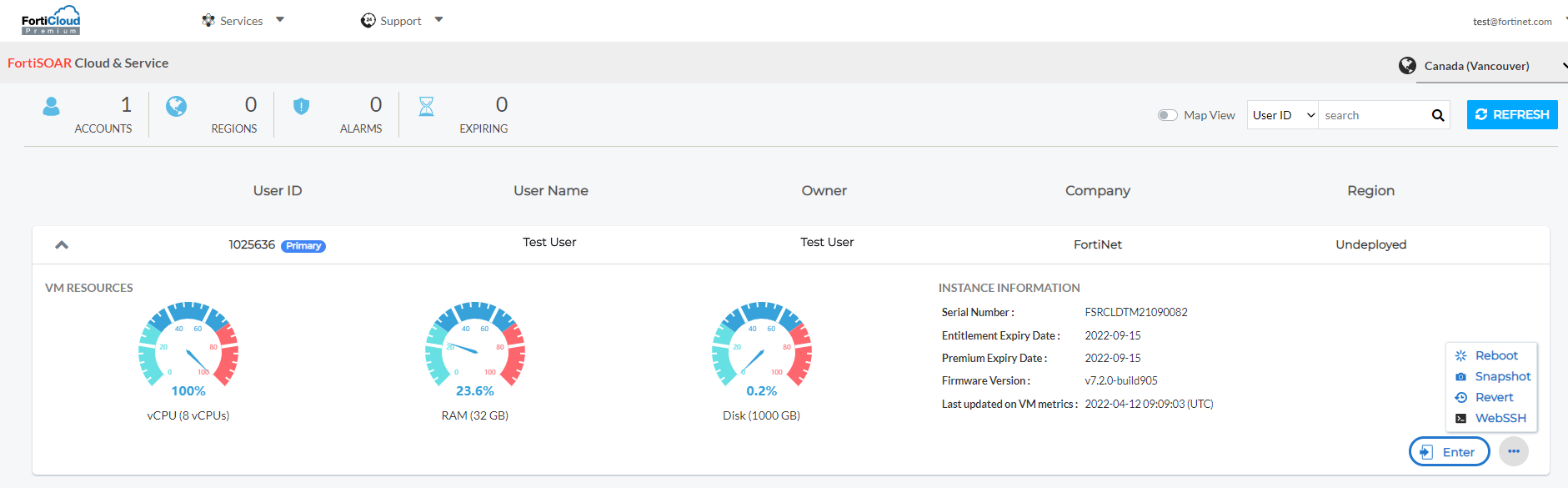
- To take a snapshot, click the Snapshot button.
Note: Your FortiSOAR Cloud VM stops while the snapshot is in progress. Once the snapshot is completed the FortiSOAR Cloud VM restarts.
- Once your FortiSOAR Cloud VM has come up, go to the console of your FortiSOAR Cloud VM by clicking the SSH button.
- Check that you are connected to a
screensession. Ascreensession is needed for situations where network connectivity is less than favorable. You can check your screen session using the following command:# screen -ls
This command returns an output such as the following example:There is a screen on:
12081.upgrade(Detached)
Log back into the SSH console and run the following command to reattach the screen session:screen -r 12081.upgrade
ORscreen -r upgrade
- To upgrade your FortiSOAR Cloud, run the upgrade script as follows:
# sh upgrade-fortisoar-<version_number>.bin
OR# chmod +x upgrade-fortisoar-<version_number>.bin# ./upgrade-fortisoar-<version_number>.bin
For more information on the upgrade process, see the FortiSOAR Upgrade Guide in the FortiSOAR Documentation Library.

|
In case the upgrade fails, collect the logs using the FortiSOAR UI. In the FortiSOAR UI, click the FortiSOAR Version Number Build number link to display the |
Downgrading to previous versions
Downgrade to previous versions of FortiSOAR Cloud is not supported.