

How to enable DNSSEC on GSLB
Prerequisites:
-
Ensure your top-level domain (TLD) supports DNSSEC.
Steps:
-
Navigate to GSLB > DNS, and create a new Zone or edit an existing Zone.
If you are creating this for an existing FQDN service, you need to create a Zone service with the same Domain Name.
-
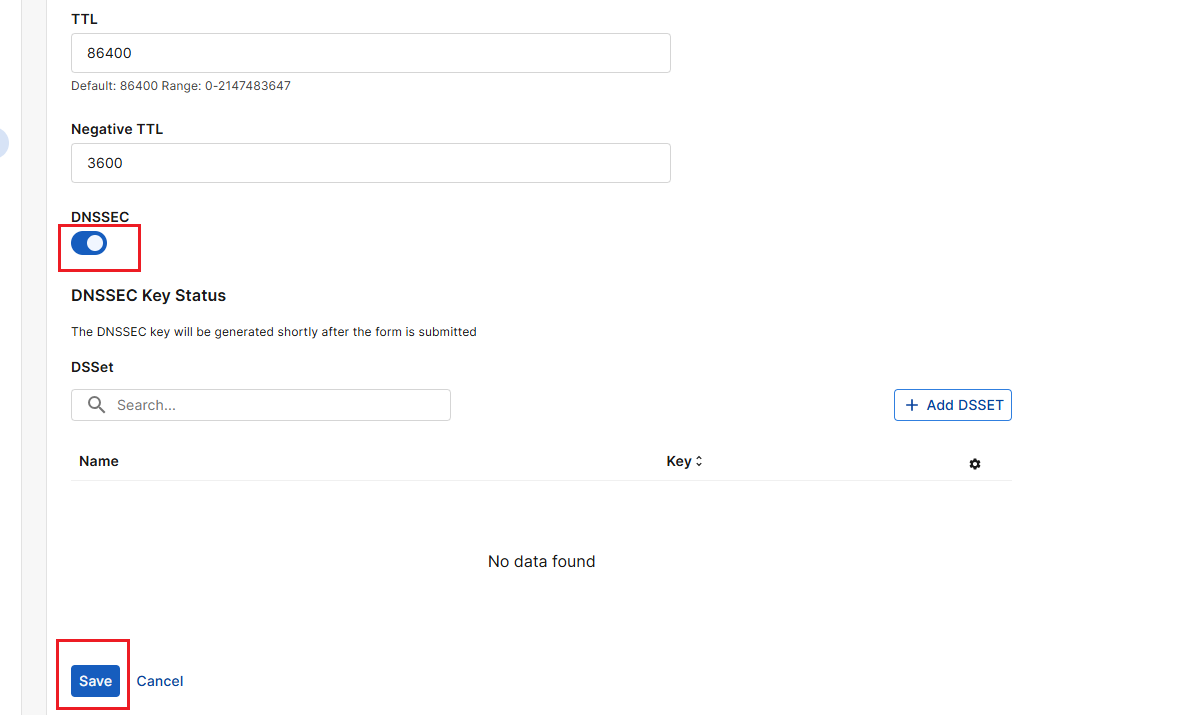
Toggle DNSSEC on to enable it, then save the configuration. The DNSSEC key will be generated shortly after submission.
-
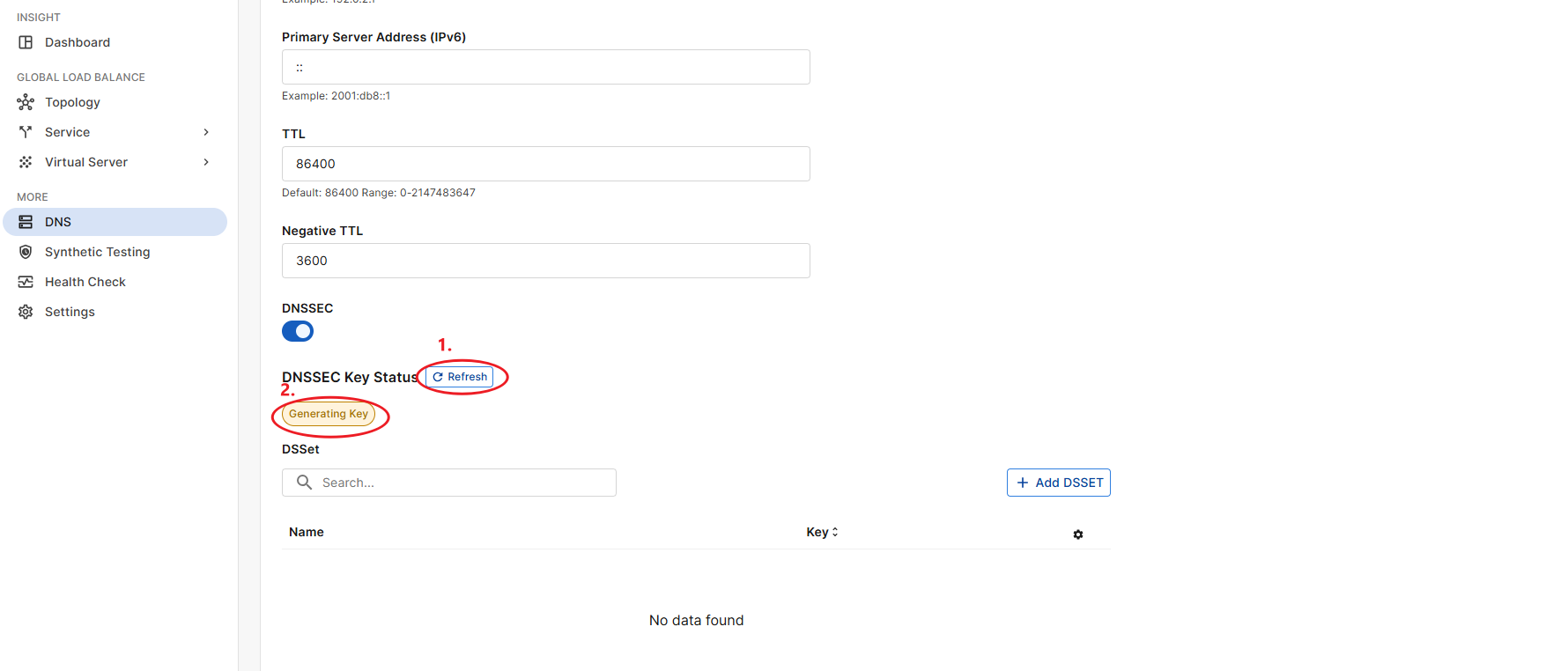
Click Edit for this Zone service. You may see the Refresh button and the DNSSEC Key status indicator under DNSSEC.
-
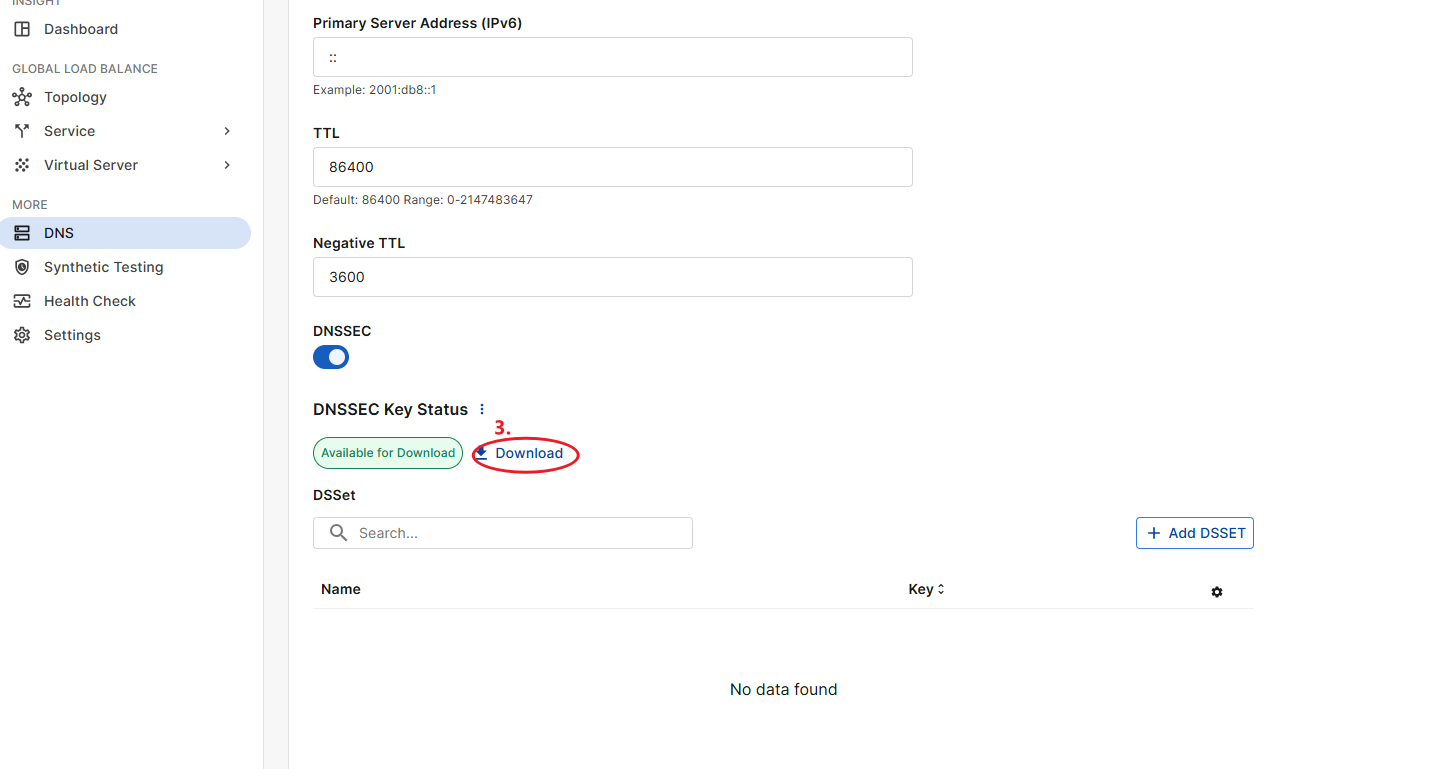
Click the Refresh button until the DNSSEC status changes from Generating key to Available to download, and the Download button appears. The key-generation process should take less than one minute.

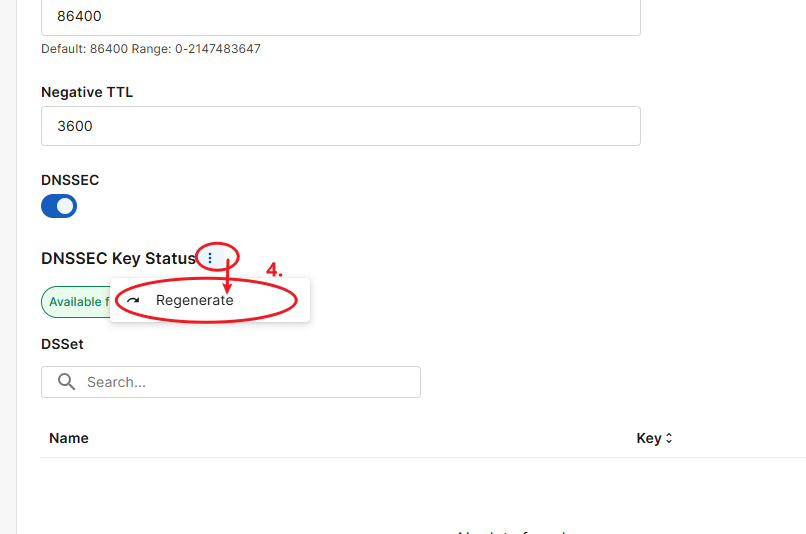
If you suspect your DNSSEC key has been compromised, click the three dots next to DNSSEC Key Status, then select Regenerate. Repeat Step 4 to download the new key before proceeding.
-
Click the Download button to download the DNSSEC Key files.
-
Unzip the downloaded key files, and open the file name that begins with "dsset". You may need this for your top-level domain (TLD).
-
Add the opened file to the DSSET list
-
In Zone configuration, select the item from the DSSET list.
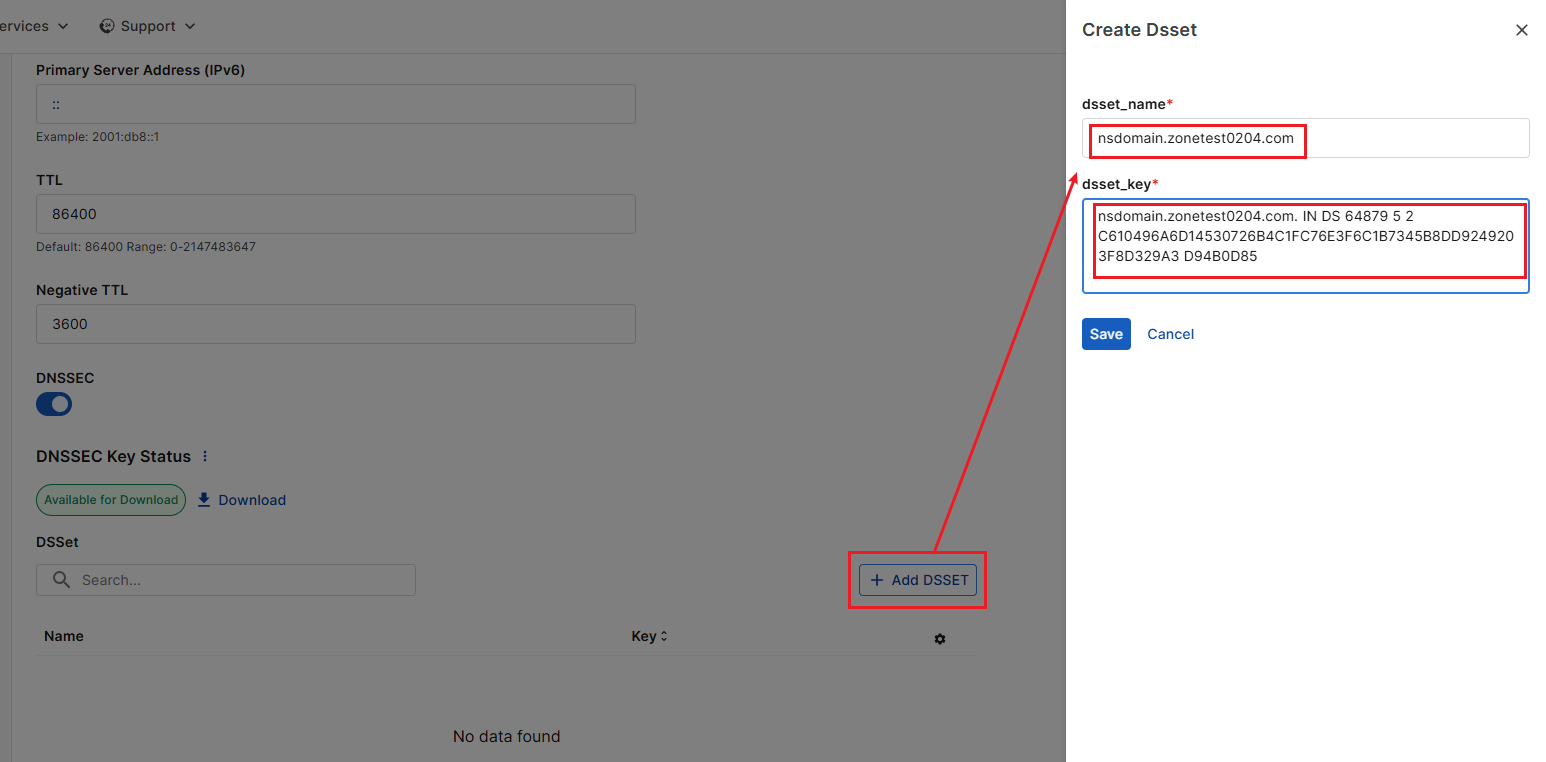
-
-
You should now be able to query the domain records via CLI with the DNSSEC flag. The resulting output contains a RRSIG record and a DS reccord.
Linux -
digWindows -
Resolve-DnsName -
Add the DNSSEC key downloaded in Step 5 to your domain registrar.
-
To avoid DNS resolution issues, do not delete the old DNSSEC key until its TTL (Time to Live) has expired and the new key has fully propagated.
-
We recommend verifying propagation of the new DNSSEC key using public DNS resolvers such as Google, Cloudflare, or TLD-specific resolvers.
-
GSLB DNS servers will retain the old DNSSEC key for 14 days after a new key is generated to ensure uninterrupted service. After this period, DNS requests signed with the old key will be rejected.
-
To ensure continuity, delete the old DNSSEC key from your domain registrar within the 14-day window, once propagation of the new key is confirmed.
-
Debugging
Please see the Debugging.