

Virtual Server Pool
Manage traffic by grouping virtual servers into a Virtual Server Pool based on role or geographic location. Configure preferred and alternative load-balancing methods for servers within the pool to optimize performance and reliability.
For more information on virtual servers, please see Virtual Server.
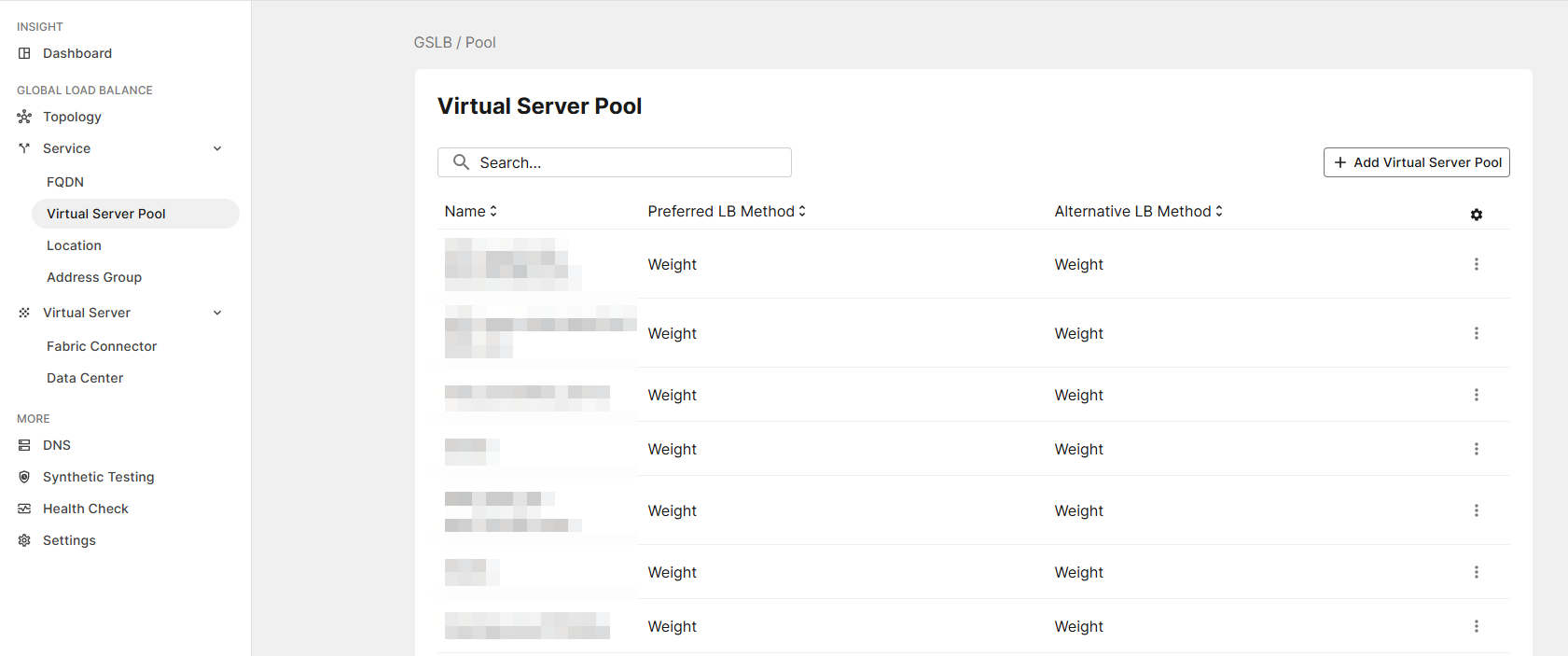
Add Virtual Server Pool
-
Click Add Virtual Server Pool.
-
Enter the following:
Settings Guidelines Name
Name of the pool
Record Type
Select the DNS record type that the FQDN resolves to.
-
AAAA: Use this record type when the domain resolves to an IPv6 address.
-
CNAME: Use this record type when the domain is a subdomain that resolves to another domain name (an alias), which then resolves further to an IP address.
Preferred LB Method
The preferred Load Balancing (LB) method determines how traffic is distributed among virtual servers associated with a specific FQDN.
-
WEIGHT: GSLB distributes traffic using the weighted round-robin method, directing more requests to resources with higher assigned weights.
-
GEO: GSLB performs load balancing according the request’s source geographic location.
-
Least-Connection (FortiADC): GSLB will load balance the traffic to the virtual server which has the least connections.
-
Connection-Limit (FortiADC): GSLB will perform load balancing according to the virtual servers’ connection limit determined by the virtual servers' weight: the greater the weight of a virtual server, the more responses it will get.
-
Bytes-Per-Second (FortiADC): GSLB will load balance the traffic to the virtual server which has the least BPS.
-
Server-Performance (FortiADC/FortiGate): GSLB will load balance the traffic to the server which has the lowest load (memory and CPU). Virtual servers with better server-performance in the CPU or Memory (whichever one you give more weight to) will respond.
-
SDWAN-InBandwidth (FortiGate): GSLB load balances the traffic to the virtual server which has the lowest InBandwidth for the related SD-WAN gateway.
-
SDWAN-OutBandwidth (FortiGate): GSLB load balances the traffic to the virtual server which has the lowest OutBandwidth for the related SD-WAN gateway.
-
SDWAN-BiBandwidth (FortiGate): GSLB load balances the traffic to the virtual server which has the lowest sum of InBandwidth and OutBandwidth for the related SD-WAN gateway.
Alternate Enable this option to specify a load balancing method to use as a backup if the primary method becomes unavailable or fails to meet required conditions, such as health check failures. If the alternative method is unable to select a server, the system defaults to the WEIGHT method.
Refer to Preferred LB Method above for a complete list of load balancing methods and their descriptions.
Note: This option is not supported when WEIGHT is selected as the preferred load balancing method.
Example use case: An organization operates two virtual servers, one in the United States and one in Singapore. The preferred method is GEO, and the alternative method is set to Least-Connection.
-
Queries originating from the United States or Singapore are routed geographically to the corresponding local servers, as determined by the preferred method.
-
Queries originating from other locations are routed using the alternative Least-Connection method, directing traffic to the server with the fewest active connections.
-
If both servers have the same number of connections, traffic from outside the United States and Singapore is distributed using Weighted Round-Robin (WEIGHT), alternating requests based on each server’s assigned weight.
Check Virtual Server Status
Enable/disable checks on whether the status of the virtual servers in the virtual server list is known. Virtual servers with unknown status are not selected for DNS answers.
-
-
Click Save to apply changes.
-
Click Add Virtual Server. This opens a modal window.
Settings Guidelines Virtual Server
Select one or more virtual servers (fabric connectors or data centers) you have configured to add them to this Pool.
For information on how to configure Virtual Servers, please refer to Virtual Server.
TTL
The Time to Live of the Resource Records, which defines how long DNS servers cache the server's details before refreshing. Lower TTL values allow quicker updates, while higher values reduce lookup frequency and improve caching efficiency.
Default: 5;Range: -1 to 2147483647.
When this value is -1, it means the virtual server will use the zone level TTL.
Weight
Assigns relative preference among virtual servers—higher values are more preferred and are assigned connections more frequently.
The Weight is only used when the system uses the WEIGHT (weighted round-robin) load-balancing method.
Please note, when the system fails to select a server with the configured Preferred LB Method as well as the Alternate load-balancing method, it falls back to using WEIGHT.
The default is 1. The valid range is 1-255.
Backup
Enable to designate the member as a backup. Backup members are inactive until all main members are down.
-
Click Save to save the Virtual Server.
-
Click Save to save the Virtual Server Pool.