
Fortinet white logo
Fortinet white logo

User Guide

Usage

Usage

Select one or all applications and date range to view its usage details on the Usage tab.
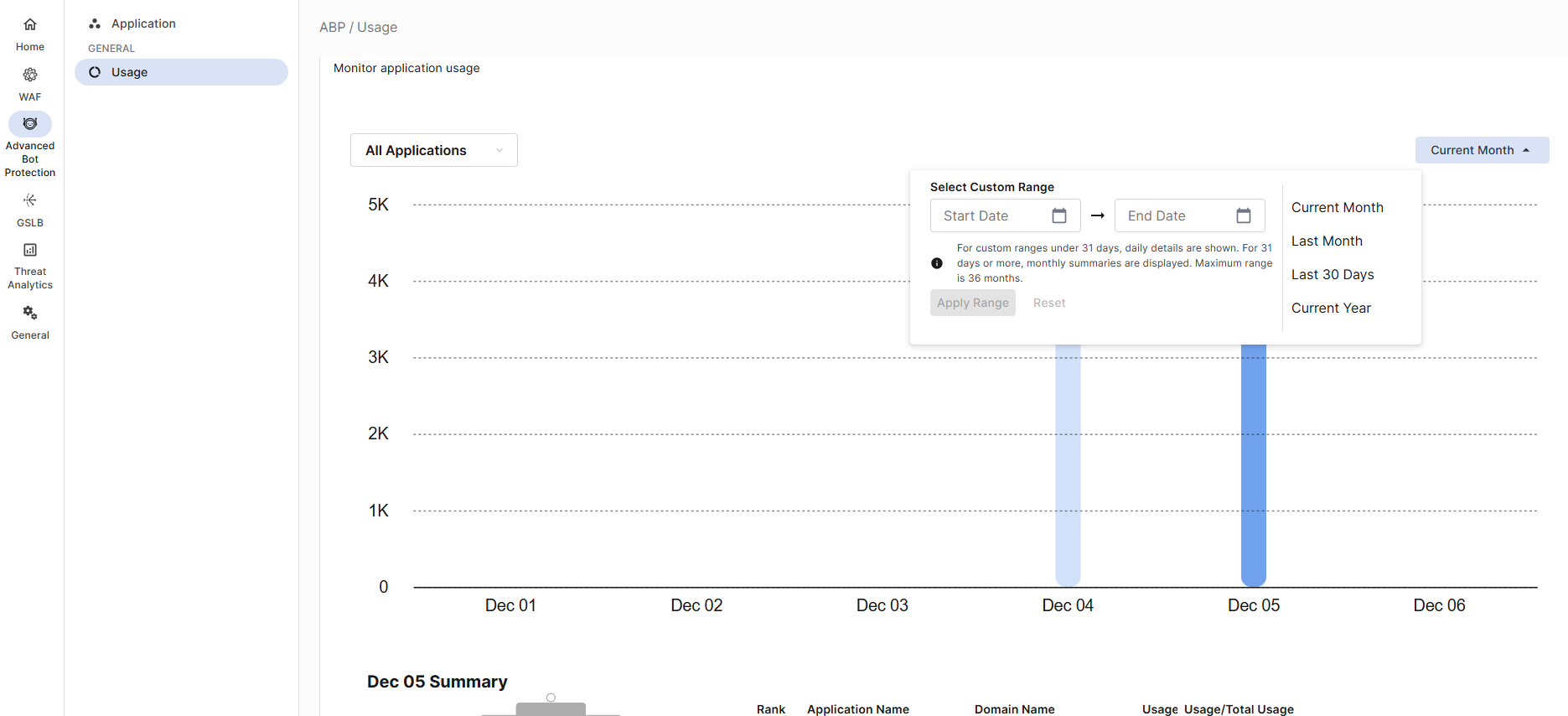
This page includes the following components:

  • A bar graph showing the month-over-month number of requests protected by Advanced Bot Protection for the selected application(s) over the chosen time period.

    • Hover over a bar to see the number of protected requests for the selected month.

    • Click on a bar to change the other components on this page to reflect the data in the selected month.

  • Total Usage: the total number of protected requests for the selected application(s) within a pie chart showing the total usage for the month compared to the total capacity purchased in the contract.

    • Click View Details to see the request usage breakdown between each license for the selected month.

  • A ranked table displaying the percentage of selected application(s) usage compared to the total usage for the month.

Usage

Usage

Select one or all applications and date range to view its usage details on the Usage tab.

This page includes the following components:

  • A bar graph showing the month-over-month number of requests protected by Advanced Bot Protection for the selected application(s) over the chosen time period.

    • Hover over a bar to see the number of protected requests for the selected month.

    • Click on a bar to change the other components on this page to reflect the data in the selected month.

  • Total Usage: the total number of protected requests for the selected application(s) within a pie chart showing the total usage for the month compared to the total capacity purchased in the contract.

    • Click View Details to see the request usage breakdown between each license for the selected month.

  • A ranked table displaying the percentage of selected application(s) usage compared to the total usage for the month.