
Fortinet white logo
Fortinet white logo

User Guide

Zone Analytics

Zone Analytics

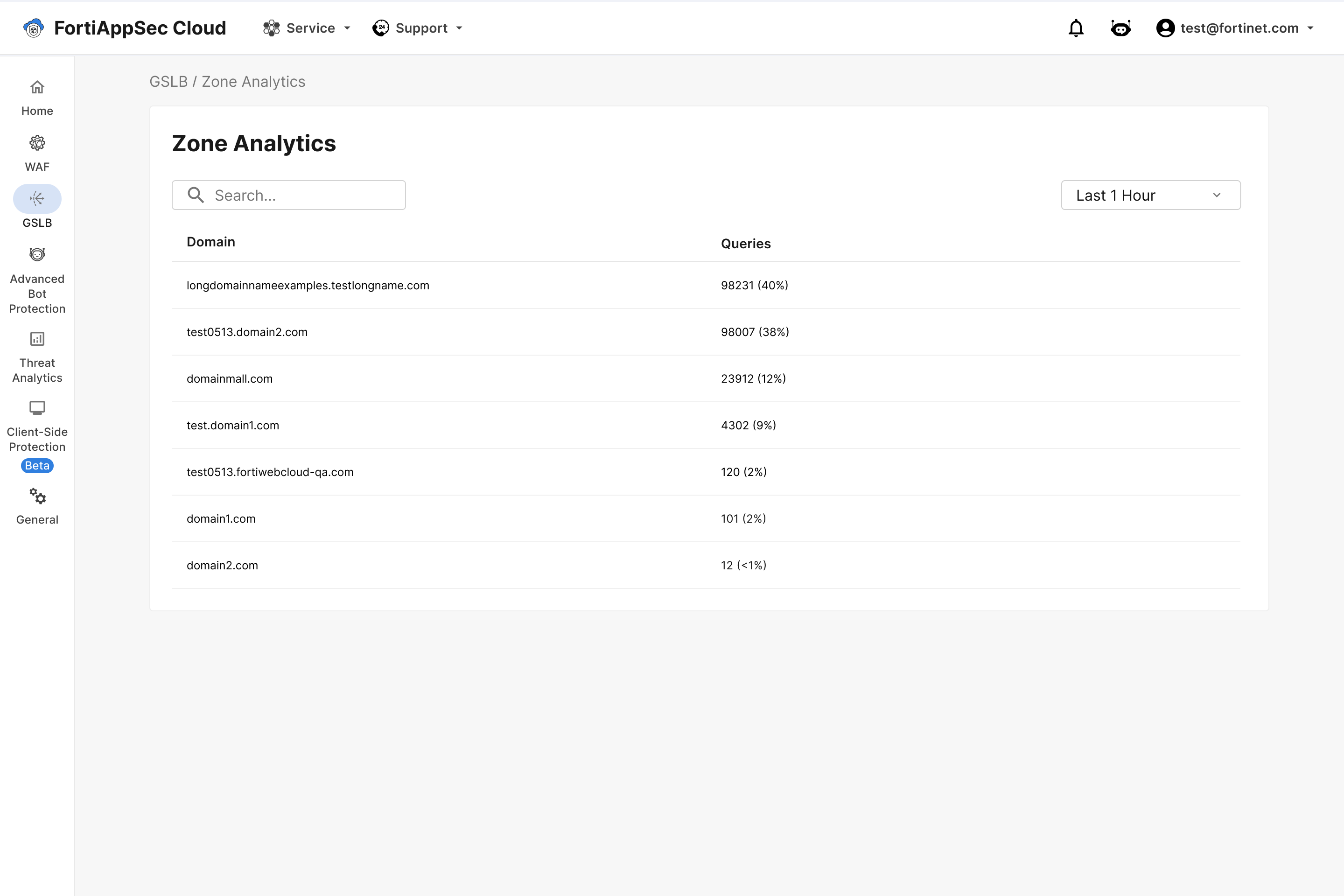
View query volume by DNS zone, giving insight into which domains receiving the highest number of queries.
Set time frame

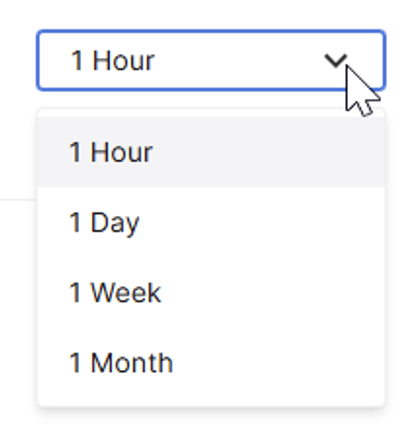
Click the time-frame dropdown above the analytics table (default: 1 Hour) and select the desired time range.
View Domain details

Click any domain to view its traffic details. Use the filters to narrow results by query type and time range.
Return Code Distribution

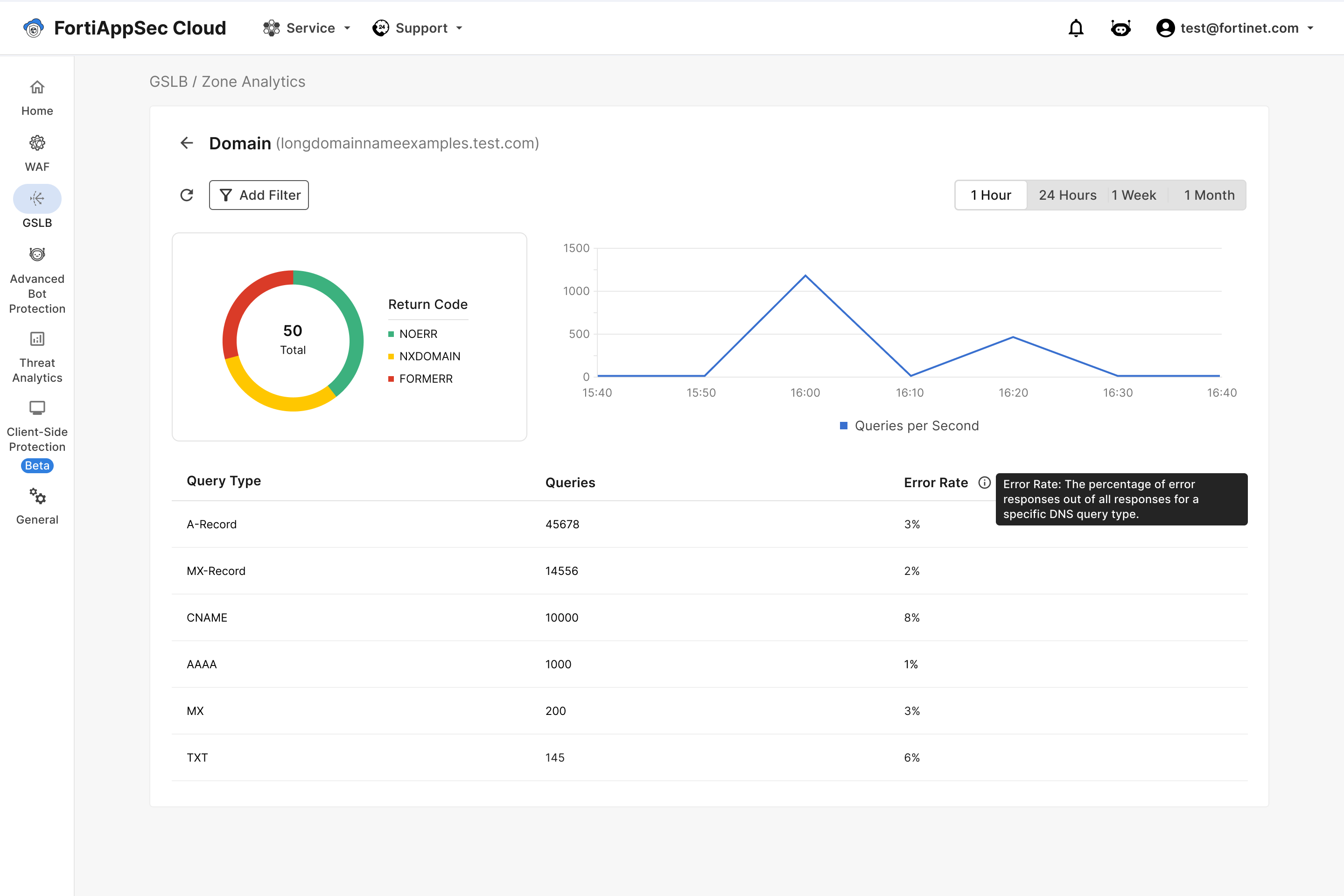
The pie chart surrounding the number of total queries shows how many queries resulted in each return code.

Hover over the chart to see the number of queries that resulted in each return code.

Queries per Second

The line graph displays the queries per second over the selected time frame.

Query Type table

Query Type

Query type defines the purpose and expected format of the DNS response.

For example:

  • A (Address) Record: Queries for the IPv4 address associated with a domain name.

  • MX (Mail Exchange) Record: Queries to identify the mail servers responsible for accepting email for a domain.

  • AAAA (IPv6 Address) Record: Queries for the IPv6 address of a domain.

  • CNAME (Canonical Name) Record: Queries that resolve an alias to its canonical domain name.

  • TXT (Text) Record: Queries for text-based information, often used for domain verification, SPF, or DKIM.

  • NS (Name Server) Record: Queries to determine the authoritative name servers for a domain.

  • SOA (Start of Authority) Record: Queries for zone management information, such as the primary name server and zone timestamps.

Queries

The number of queries from the source IP.

Error Rate

The percentage of error responses out of all responses for a specific DNS query type.

Zone Analytics

Zone Analytics

View query volume by DNS zone, giving insight into which domains receiving the highest number of queries.

Set time frame

Click the time-frame dropdown above the analytics table (default: 1 Hour) and select the desired time range.

View Domain details

Click any domain to view its traffic details. Use the filters to narrow results by query type and time range.

Return Code Distribution

The pie chart surrounding the number of total queries shows how many queries resulted in each return code.

Hover over the chart to see the number of queries that resulted in each return code.

Queries per Second

The line graph displays the queries per second over the selected time frame.

Query Type table

Query Type

Query type defines the purpose and expected format of the DNS response.

For example:

  • A (Address) Record: Queries for the IPv4 address associated with a domain name.

  • MX (Mail Exchange) Record: Queries to identify the mail servers responsible for accepting email for a domain.

  • AAAA (IPv6 Address) Record: Queries for the IPv6 address of a domain.

  • CNAME (Canonical Name) Record: Queries that resolve an alias to its canonical domain name.

  • TXT (Text) Record: Queries for text-based information, often used for domain verification, SPF, or DKIM.

  • NS (Name Server) Record: Queries to determine the authoritative name servers for a domain.

  • SOA (Start of Authority) Record: Queries for zone management information, such as the primary name server and zone timestamps.

Queries

The number of queries from the source IP.

Error Rate

The percentage of error responses out of all responses for a specific DNS query type.