Fortinet white logo
Fortinet white logo

User Guide

Change DNS record

Change DNS record

FortiAppSec Cloud WAF protects your application by inspecting incoming traffic and blocking malicious requests before they reach the origin servers.

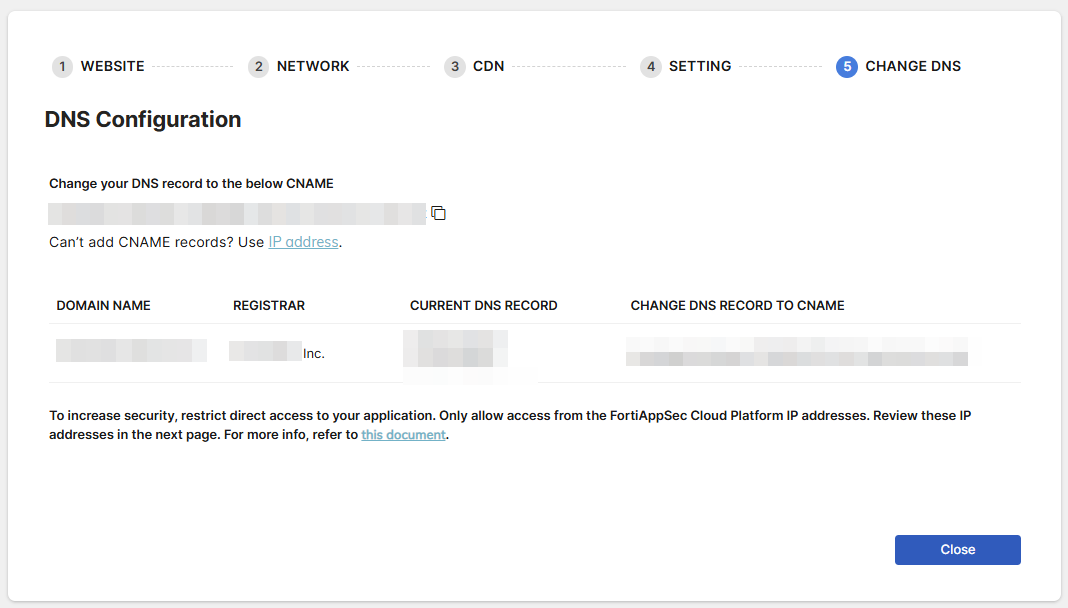
After onboarding a new WAF application, please change your DNS record to the CNAME displayed on the last page of the onboarding wizard.
Configuration Example

The following example demonstrates how to perform this update using AWS Route 53. The exact process may vary depending on your DNS platform, but the fundamental principles remain the same. For more information or detailed configuration steps, consult your DNS provider’s documentation.

  1. Navigate to the page for editing DNS settings.
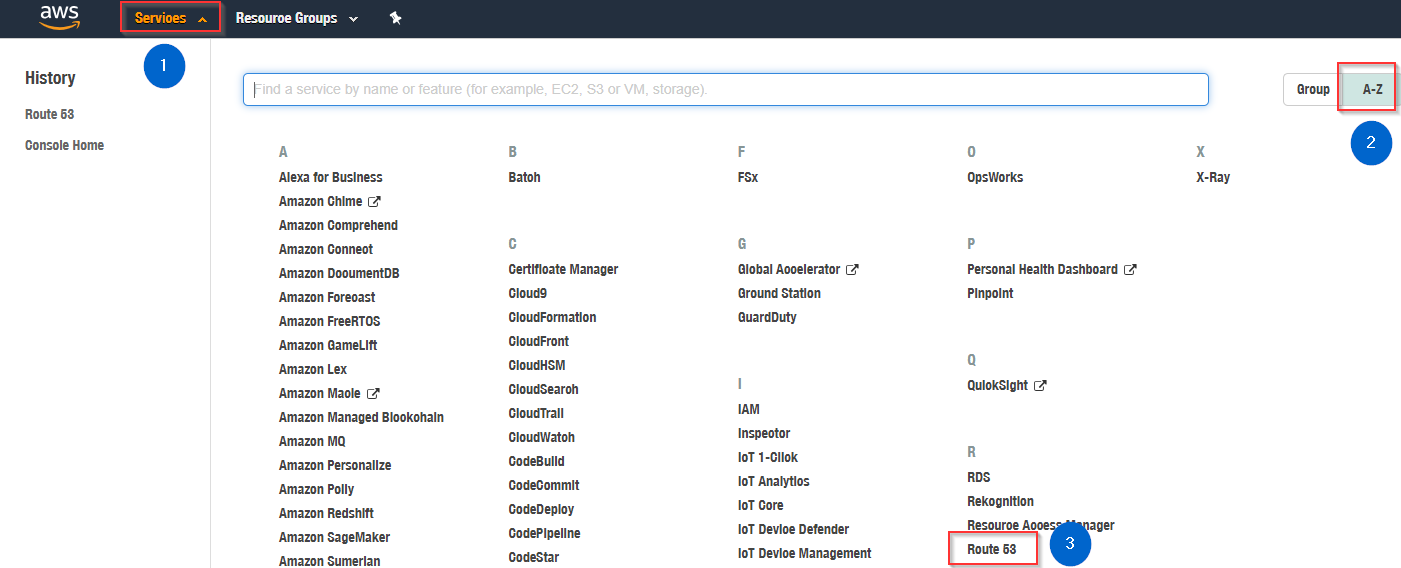
    1. Log in to AWS. Select Route 53.
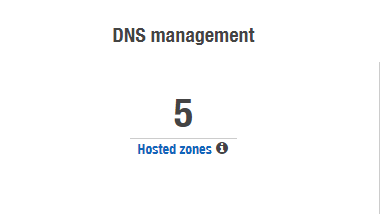
    2. Click Hosted zones under DNS management.
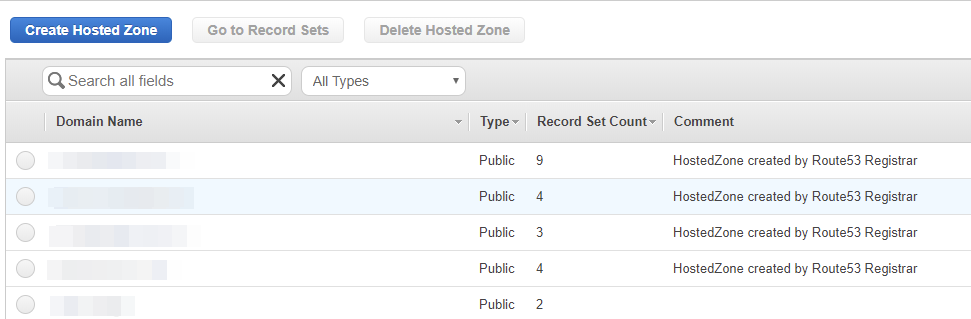
  2. Select the domain name of your application.
  3. Update the DNS record for your domain to point to FortiAppSec Cloud's CNAME, replacing any existing IP addresses, so that traffic is routed through FortiAppSec Cloud.
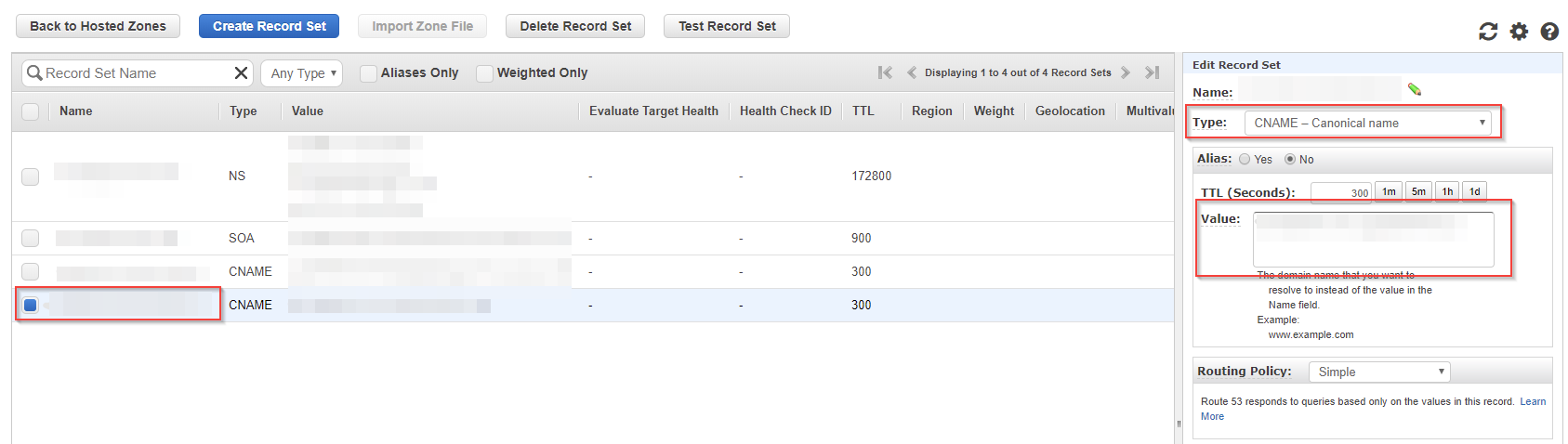
    1. Check the box before the domain name starting with "www.". The Edit Record Set pane will appear at the right side.
    2. Select CNAME - Canonical name for the Type.
    3. Delete the IP address(es) in the Value field, then paste the CNAME provided by FortiAppSec Cloud.
Change DNS record

Change DNS record

FortiAppSec Cloud WAF protects your application by inspecting incoming traffic and blocking malicious requests before they reach the origin servers.

After onboarding a new WAF application, please change your DNS record to the CNAME displayed on the last page of the onboarding wizard.

Configuration Example

The following example demonstrates how to perform this update using AWS Route 53. The exact process may vary depending on your DNS platform, but the fundamental principles remain the same. For more information or detailed configuration steps, consult your DNS provider’s documentation.

  1. Navigate to the page for editing DNS settings.
    1. Log in to AWS. Select Route 53.
    2. Click Hosted zones under DNS management.
  2. Select the domain name of your application.
  3. Update the DNS record for your domain to point to FortiAppSec Cloud's CNAME, replacing any existing IP addresses, so that traffic is routed through FortiAppSec Cloud.
    1. Check the box before the domain name starting with "www.". The Edit Record Set pane will appear at the right side.
    2. Select CNAME - Canonical name for the Type.
    3. Delete the IP address(es) in the Value field, then paste the CNAME provided by FortiAppSec Cloud.