

Schema
All FortiMail log messages have a timestamp and then key-value pair fields. Fields are organized into a header and a body.
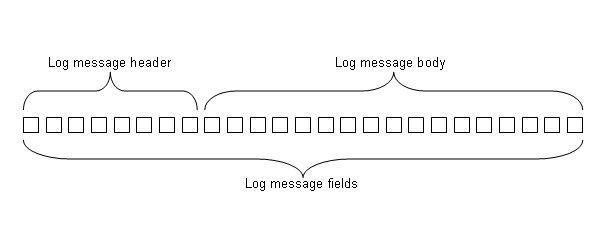
- Header — Located at the start of all log messages. Contains the event timestamp, a log identifier (
log_id) , thetypeandsubtype, and then the severity level (pri) of the event. Some fields (such asdevice_idandlog_part) vary by remote storage of logs such as on FortiAnalyzer or a Syslog server, and by log message length. - Body — Located after the header fields. Contains the message (
msg) field. Other body fields vary by type or subtype, such as the associated user name (if any), and actions (if any) that the FortiMail appliance took to respond to the event.
For example, in the following log message, the fields in bold are the header. The remaining fields are the body.
2026-05-20 15:28:32.278 eventtime=1779305312278 tz="-0400" log_id=0701000001 type=kevent subtype=admin pri=information user=admin ui=GUI(192.168.1.10) action=login status=success reason=none msg="User admin logged in successfully from GUI(192.168.1.10)"
This chapter describes the log message schema: each field and when it occurs.

|
Fields are organized in this section by order of appearance in raw log messages. A few fields are in multiple log types, but a different order in each type. If you view logs in a table format instead or raw — for example, the FortiMail GUI, a SIEM, or spreadsheet software — columns can be hidden and/or rearranged. In both cases, fields may appear in a different order than shown in Schema. Some fields may be hidden in the table view. Fields that vary by
|