

What's new
The following sections describe new features, enhancements, and changes:
- Sensor status monitoring
- Show destination IP for authentication rules
- Show more details for HTTP transaction log
- New AliCloud connector in Security Fabric
- License sharing enhancements
- Support for FortiProxy G-series units
- CLI changes
Sensor status monitoring
For FPX-2000E/4000E/2000G/4000G units, you can use the new Sensor Information widget for an overview of the status of the power supply sensor in the hardware system.
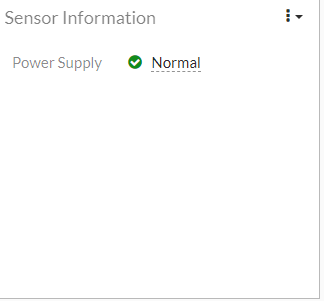
You can click on the status icon in the widget for more detailed information about the status, such as the real-time and expected power supply voltage values.
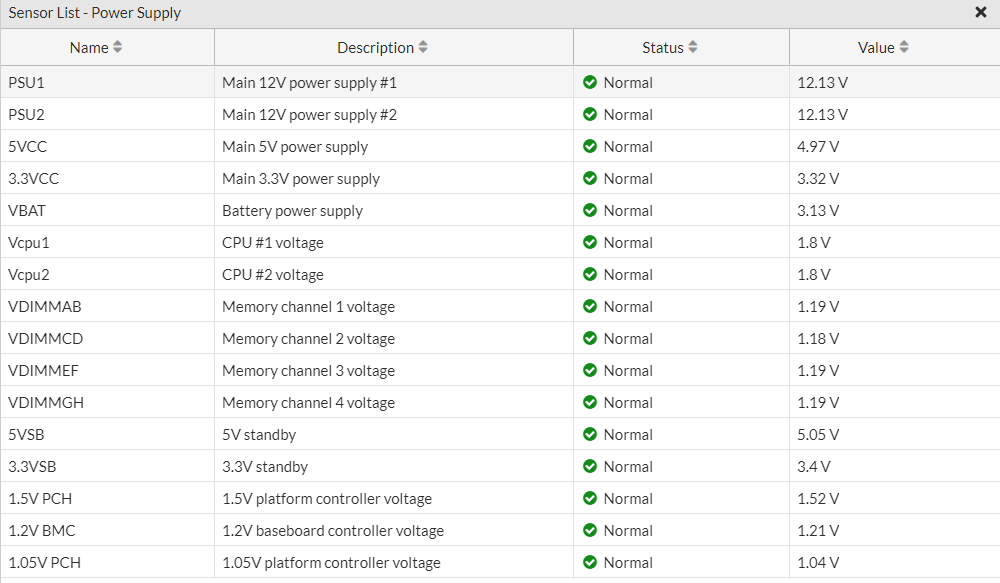
See Dashboard in the Administration Guide for more information about this widget or other widgets available.
Alternatively, in the CLI, use the diagnose hardware sysinfo sensor-status command to get an overview of the same status information of all sensors in the hardware system.
Show destination IP for authentication rules
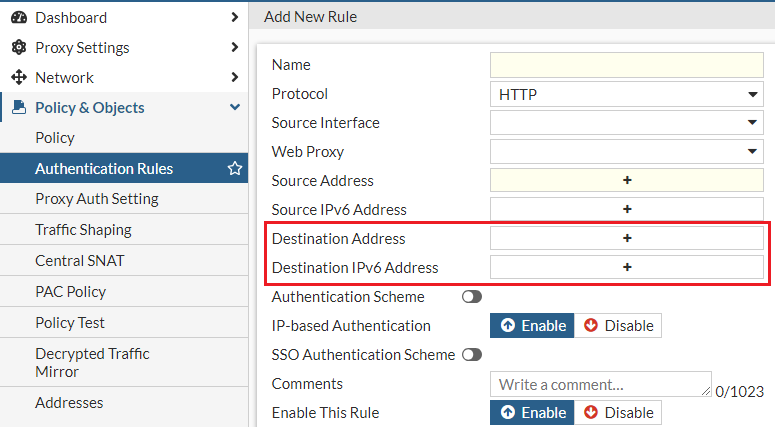
The Authentication Rules table now includes the new Destination IP columns which show the destination IP information.

You can specify the destination IP when creating an authentication rule under Policy & Objects > Policy > Authentication Rules.
Show more details for HTTP transaction log
Under Log & Report > Http Transaction Log, you can now configure the table to show the following columns which display additional information about the HTTP transaction log:
-
Agent
-
HTTP Method
-
Referral URL
New AliCloud connector in Security Fabric
Under Security Fabric > External Connectors, you can now create an AliCloud connector to connect your FortiProxy unit to Alibaba Cloud.
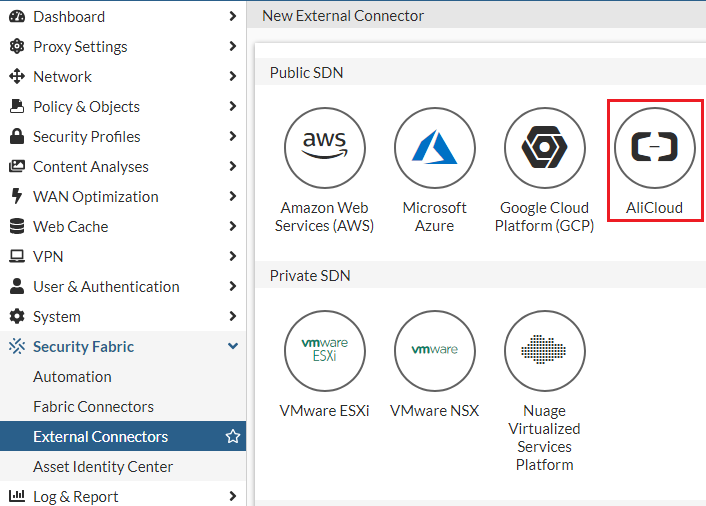
Alternatively, use the config system sdn-connector command in the CLI.
License sharing enhancements
FortiProxy 7.2.5 includes the following enhancements to license sharing:
-
New support for the following license types:
-
Browser Isolation (FNBI)
-
Content Analysis (FCAS)
The License Sharing Information widget now also includes license sharing information of those two license types.
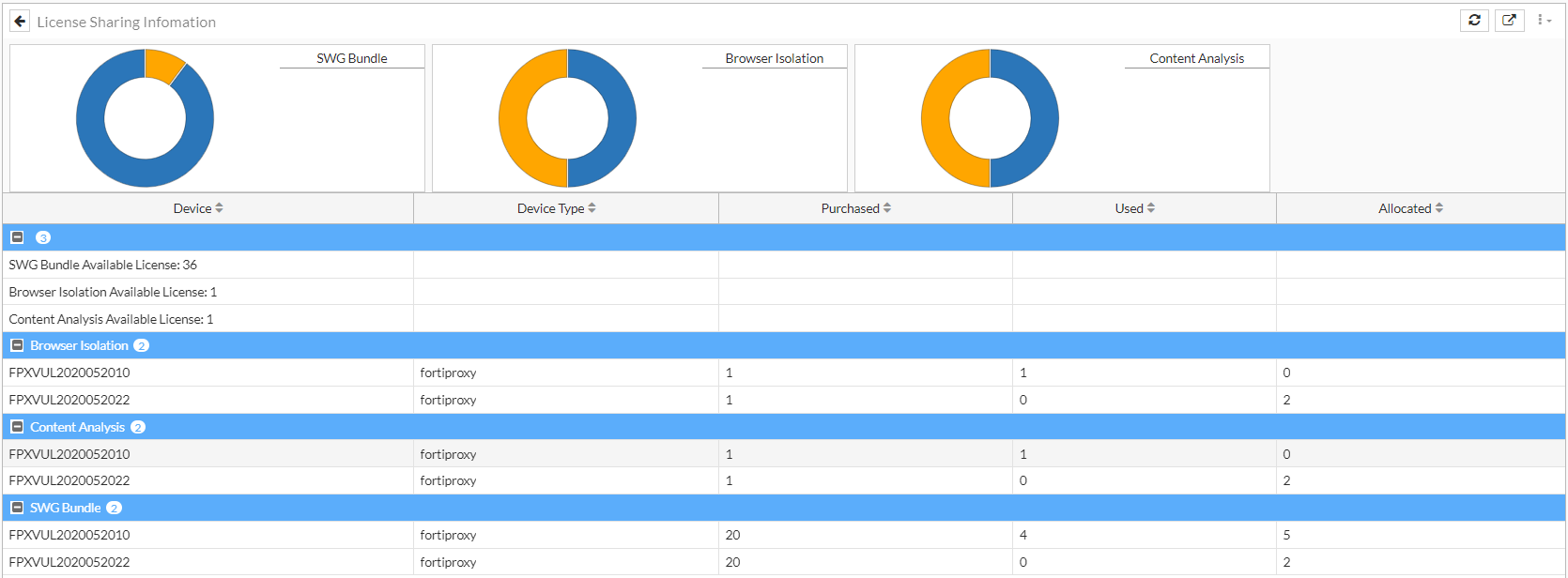
Refer to the FortiProxy datasheet for more information about different license types.
-
-
License tolerance—FortiProxy now keeps the purchased seat of disconnected members for 8 hours and drops allocated seats after 1 minute.
Support for FortiProxy G-series units
FortiProxy 7.2.5 adds support for the following FortiProxy G-series models:
- FPX-400G
- FPX-2000G
- FPX-4000G
Refer to the FortiProxy datasheet or for specifications about the FortiProxy G-series models. Refer to the FortiProxy QuickStart Guide for detailed instructions of deploying a FortiProxy unit.
CLI changes
FortiProxy 7.2.5 includes the following CLI changes:
-
Use the new
diagnose hardware sysinfo sensor-statuscommand to get an overview of the status of all sensors in the hardware system, including temperature, power supply, and fan speed information. -
system snmp sysinfo—The SNMP system status information is now always shown, regardless of whether theset statusoption is enabled or disabled. In 7.2.4 and earlier, The SNMP system status information is hidden when theset statusoption is disabled. -
The
config web-proxy globalcommand has the following new options:-
set http-transaction-log [enable/disable]—Use this option to configure whether to record the http-transaction log for implicit policies. The http-transaction log includes sentbyte and recvbyte information to show the total bytes sent/received in the TCP session after the http transaction is generated. If available, the http-transaction log also includes the device, auth user, and group information. -
extended-log—Use this option to configure whether to record the extended log for implicit policies. The extended log includes theuseragent,referralurl,httpmethod, andstatuscodefields.
-
-
config webfilter profile—Theextended-logoption is removed. For existing webfilter profiles with theextended-logoption enabled, you must enable theextended-logoption for each policy that uses the webfilter profile after upgrading to 7.2.5. -
config user ldap—Use the newset max-connectionsoption to configure the maximum number of LDAP server connections. The valid value range is 16-5000. The default is 64. -
config authentication scheme—Use the newset search-all-ldap-databases [enable | disable]option to enable or disable searching all LDAP databases to find groups. -
config system global—Use the newset kernel-panic-debug [enable | disable]option to configure whether to show kernel debug message on kernel panic. -
config system vdom-exception—Use the following new options under theobjectparameter to exclude SNMP-related settings from synchronization in an HA cluster for specific VDOMs:-
system.snmp.sysinfo -
system.snmp.community -
system.snmp.user
-